
Period and punch cards
Cards make slots free for whoever has bought them. A punch card gives a set number of slots, a period card as many slots as desired during a period. Both are set up the same way — the only difference is the Punches field. In the app, period cards are called season passes.
Step 0 — turn on cards
Section titled “Step 0 — turn on cards”Go to Site → Modules, turn on Season and punch cards (NEW) and click Save. Season and punch cards then appears in the admin menu, and the Buy season pass button on the booking page.
Step 1 — create the card
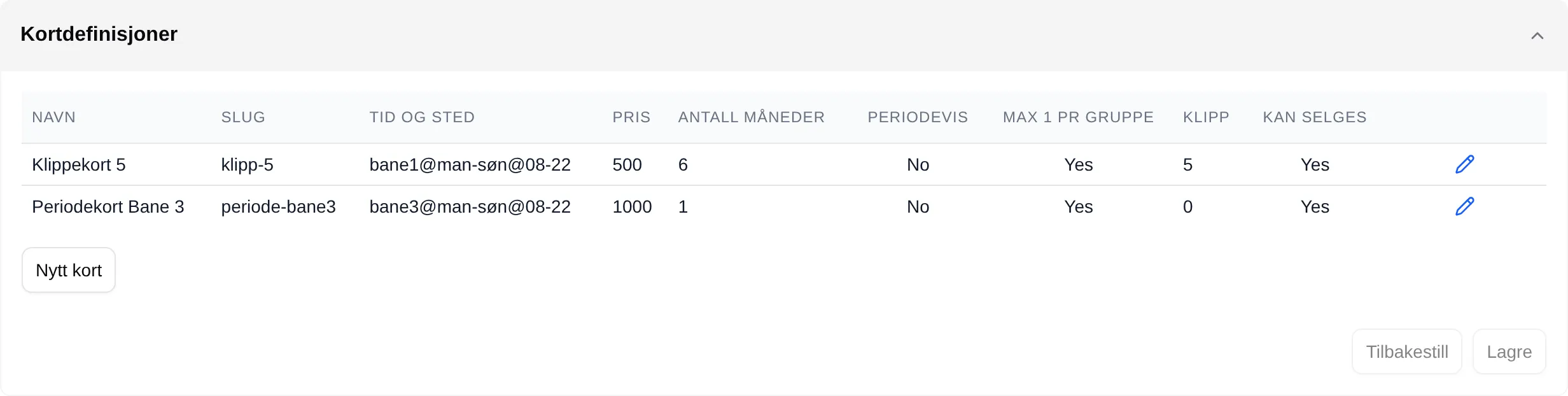
Section titled “Step 1 — create the card”Go to Season and punch cards and open Card definitions. Click New card, and then the pencil on the new row.
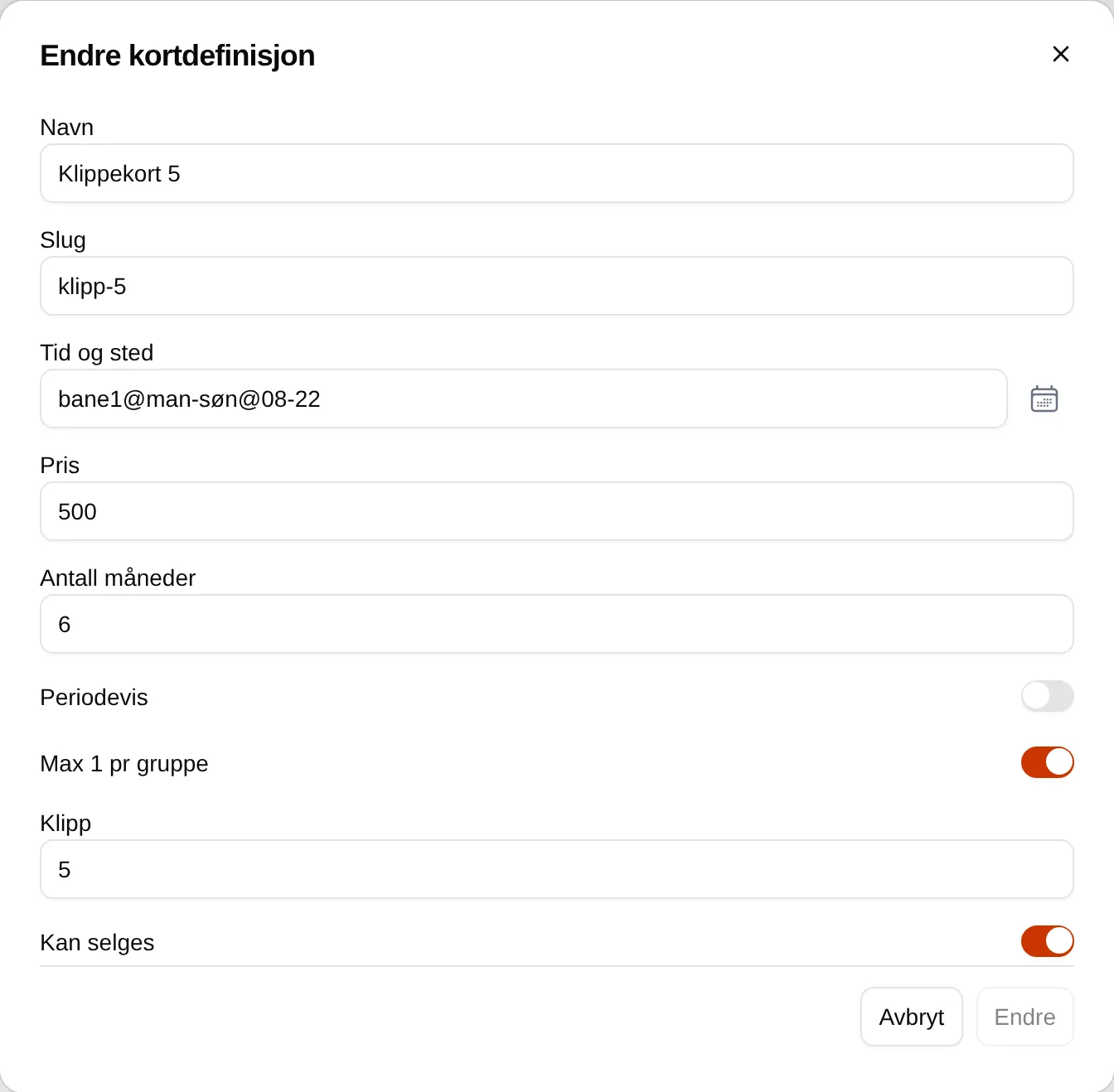
- Name — what the buyer sees, for example “Punch card 10” or “Period card autumn”.
- Time and place — which slots the card covers, for example
bane1,bane2@man-fre@08-16. Empty means all slots. See Time and place. - Price — what the card costs.
- Number of months — how long the card is valid: 1, 2, 3, 4, 6 or 12.
- Punches — the number of slots for a punch card. Leave it at 0 for a period card.
- Can be sold — turn on to offer the card.
Click Change to close the window, and Save at the bottom.
Step 2 — check the card as a customer
Section titled “Step 2 — check the card as a customer”Open the booking page as an ordinary user. Click Buy season pass and check that the card is listed with the right name, price and dates.
Purchased cards — pausing a card
Section titled “Purchased cards — pausing a card”Purchased cards lists every card that has been sold. Paused and expired cards are hidden until you turn on Vis pauset (Show paused) or Show expired.

How to pause a card, for example while a customer is ill:
- Click the pencil on the card.
- Turn on Paused, and write the reason in Pause comment.
- Click Change.
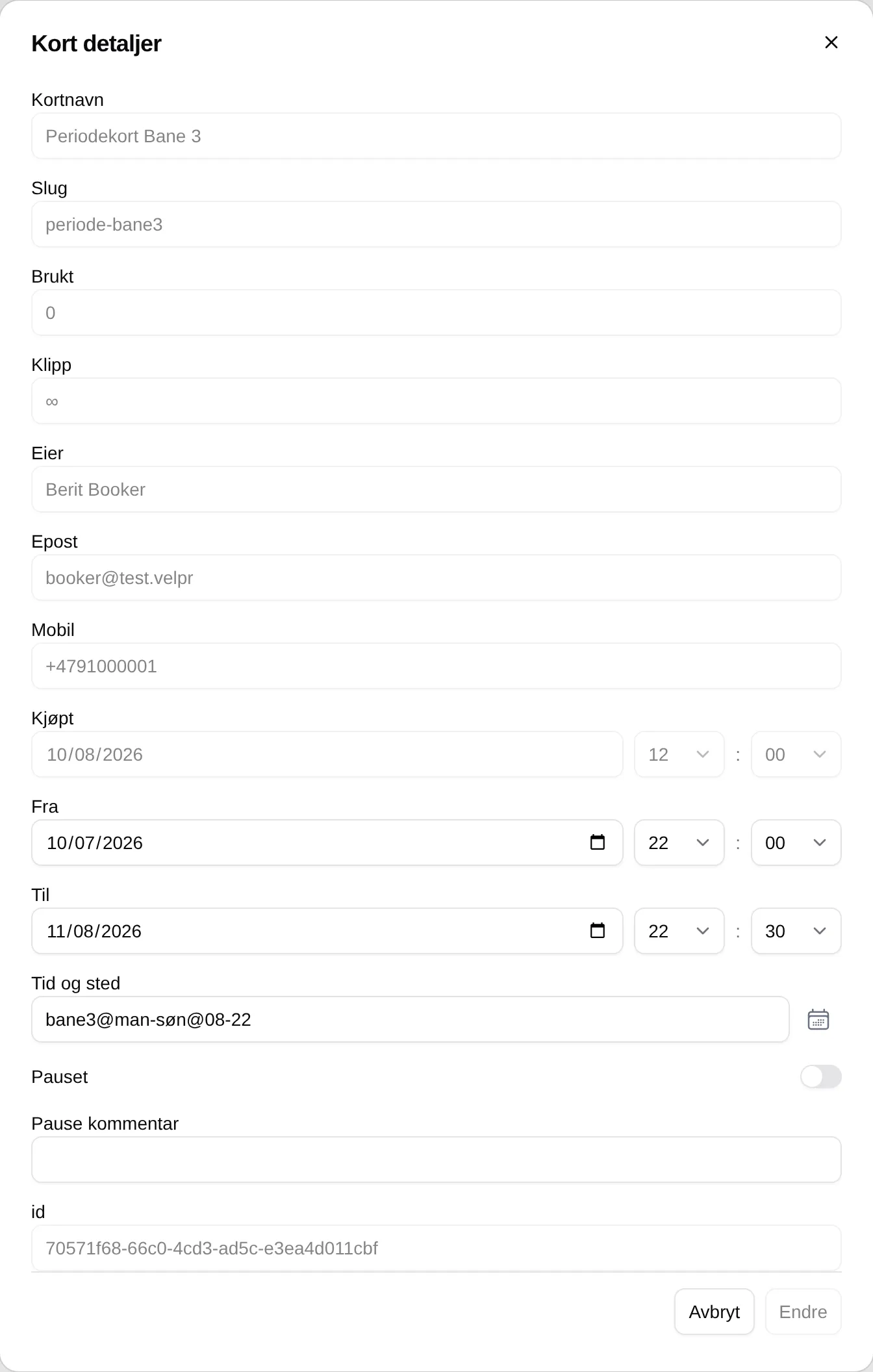
The customer sees that the card is paused on Min side (My page), and the card covers no slots until you turn Paused off again.
Good to know
Section titled “Good to know”- A card does not apply to slots in the same cart as the card. The customer has to buy the card first.
- If the customer releases a slot, the punch is used. There is no way to give punches back.
- There is no refund, deleting of cards or handing out cards without a purchase.
Every field and every rule: the admin reference for cards. What it looks like for customers: Period and punch cards.