
Incidents
An incident is something that happens on an order: a slot or an event is booked, or someone buys a card. Here you decide who should get an email about it, and see the incidents that have happened.
Step by step: the admin guide for notifications.
Varslingsinnstillinger (notification settings)
Section titled “Varslingsinnstillinger (notification settings)”
Each row is one notification. Add creates a new one; the pencil opens it. The changes are saved with Save at the bottom; Reset discards them.
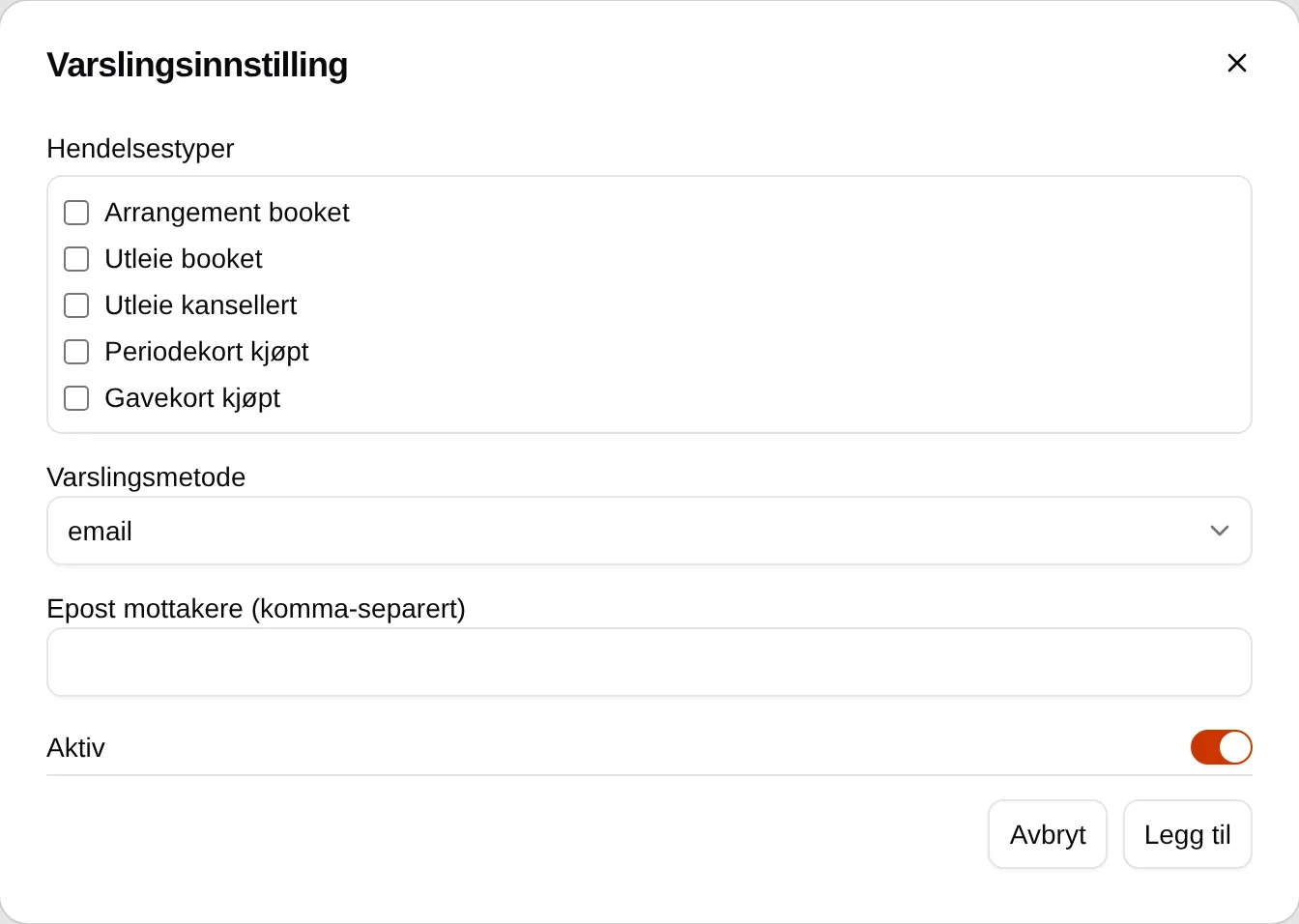
| Field | Explanation |
|---|---|
| Hendelsestyper (incident types) | The incidents the notification applies to. See the table below. |
| Varslingsmetode (notification method) | Only email exists. |
| Epost mottakere (komma-separert) (email recipients, comma-separated) | The addresses that get the notification, separated by commas. Up to 50. |
| Aktiv (active) | Off means the row sends nothing, but stays there for later. |
| Incident type | When |
|---|---|
| Arrangement booket (event booked) | Someone signs up for an event. |
| Utleie booket (rental booked) | Someone books a slot. |
| Utleie kansellert (rental cancelled) | Only when a booking is credited — not when the customer cancels. |
| Periodekort kjøpt (period card bought) | Someone buys a period card or a punch card. |
| Gavekort kjøpt (gift card bought) | Someone buys a gift card. |
If one address is invalid, nothing is saved.
Hendelseslogg (incident log)
Section titled “Hendelseslogg (incident log)”
The 100 most recent incidents, 25 at a time.
| Column | Explanation |
|---|---|
| Tidspunkt (time) | When the incident happened. |
| Hendelser (incidents) | What happened. One order can give several. |
| Ordre-ID (order ID) | The order. The link opens it under Reports. |
| Behandlet (processed) | Not used. |
The log is read-only. The incidents cannot be marked as handled or deleted, and Behandlet shows Invalid DateTime.
Which emails have been sent: Outbox.