
Rules
The page appears when the module Rules is on under Site → Modules. Each rule set is its own row that can be opened. You edit directly on the page: Change at the bottom shows the fields and the button New rule set; Save saves, Reset discards, and Normal shows the page the way customers see it.
Step by step: the admin guide for rules.
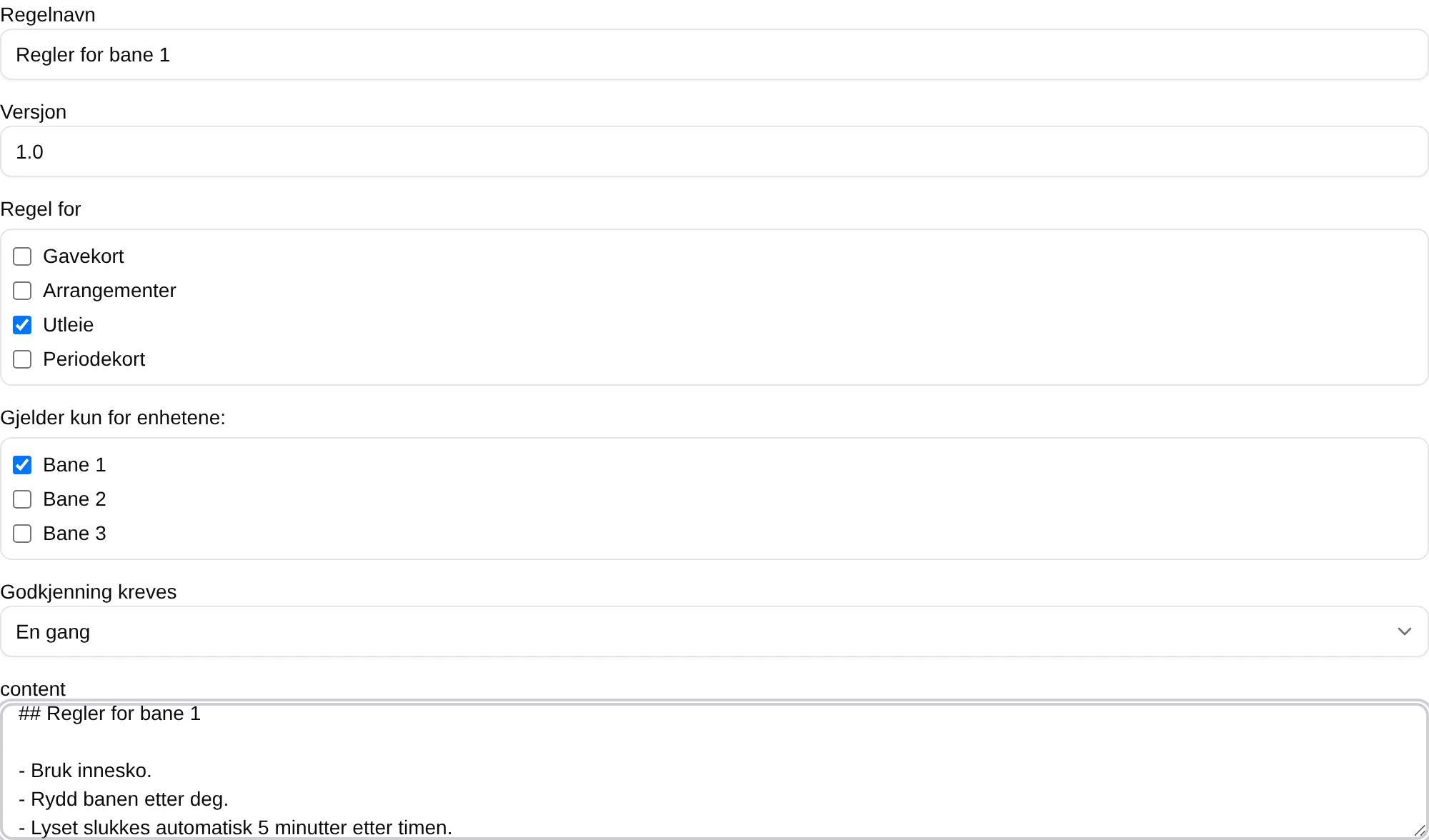
| Field | Explanation |
|---|---|
| Rule set name | The name of the rule set, in the list and in the step the customer accepts. |
| Version | The version number, for example 1.0. Used by On major changes and Every version. |
| Applies to | Which purchases the rules apply to: Gift cards, Events, Rentals, Season passes. |
| Applies only to these units: | Only applies to Rentals: the courts the rules apply to. No ticks means none. |
| Acceptance required | When the customer must accept. See the table below. |
| The text field | The rules, in Markdown. |
| Delete rule set | Deletes the rule set when you save. |
| Acceptance required | The customer must accept |
|---|---|
| Never, information only | Never. The rules are only shown on the page. |
| Every time | On every purchase. |
| Once | The first time. |
| On major changes | When the major version changes, for example 1.0 to 2.0. |
| Every version | Every time Version changes. |
A new rule set is called Ny regel (new rule), is set to Never, information only and applies to nothing until you have filled in the fields.
What the customer sees
Section titled “What the customer sees”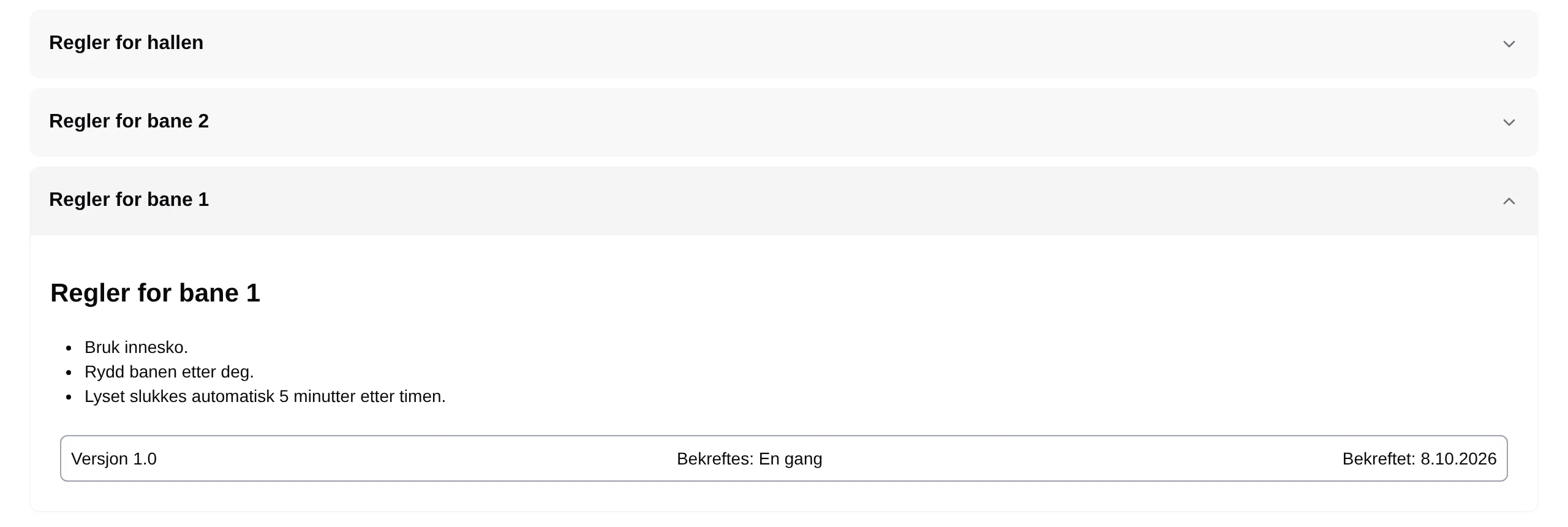
Below each rule set are Version, Confirmed: (how often) and Confirmed at: — the date the customer accepted, or Never.
The terms of sale have the same fields: Terms.