
Choose your own price
Some facilities offer several prices for the same slot or ticket — typically student or senior, but the facility can call them whatever it likes. You pick the price that applies to you yourself. No proof is required: the facility offers the price on trust.
Where you can tell there are several prices
Section titled “Where you can tell there are several prices”The price you see in the overview is always the regular price. A small + next to the price shows that cheaper alternatives exist:
- In the slot picker there is a yellow
+by the price on the slot card. - On the event page there is a
+on the sign-up button itself, next to the price.
You only see the actual list of prices once you open the slot or the sign-up.
How to choose a student price for a slot
Section titled “How to choose a student price for a slot”- Open Booking and find the slot you want to rent.
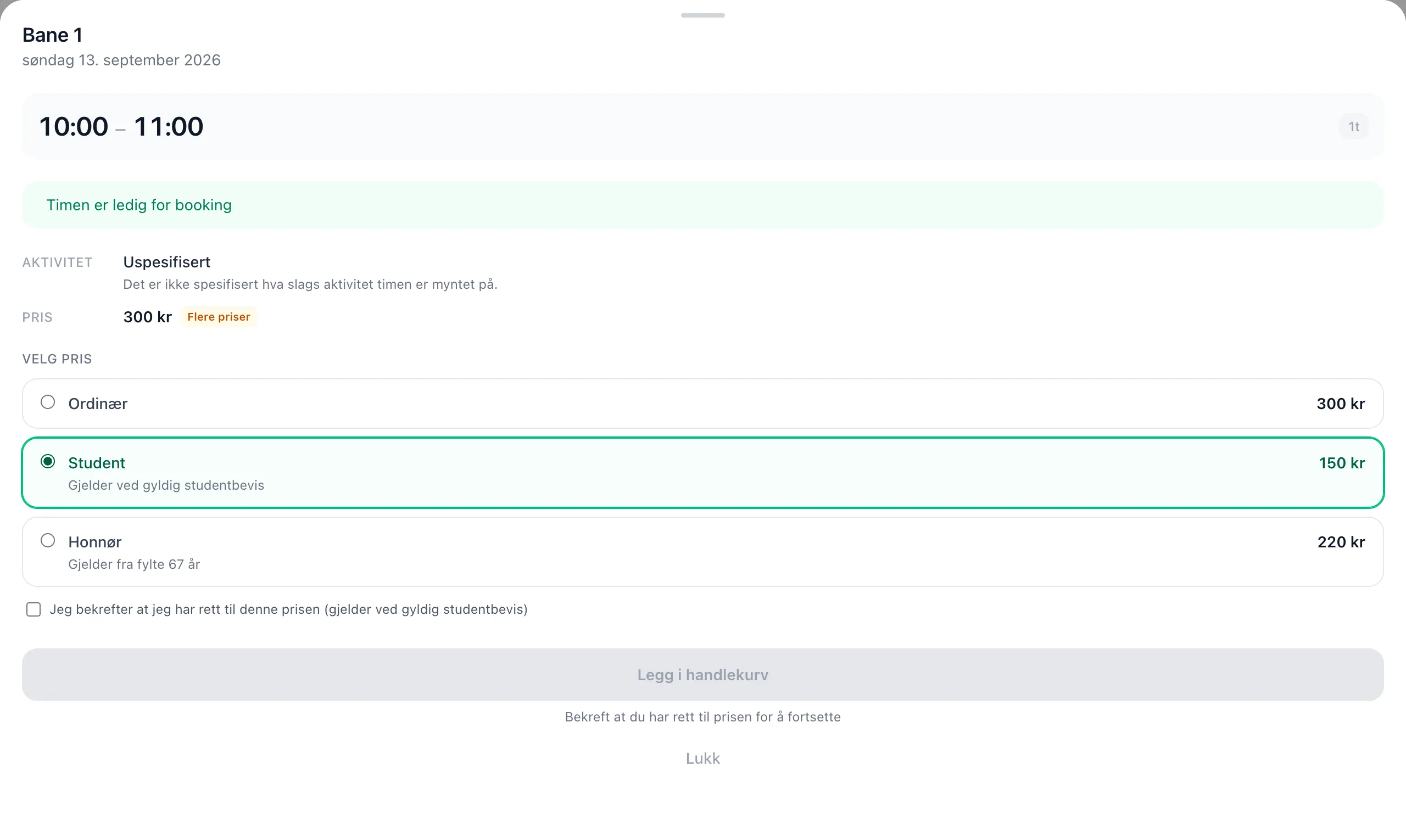
- Click the slot. The info sheet opens at the bottom of the screen, and you see the More prices badge by the price at the top.
- Scroll down to Choose price. This lists all the prices you can choose from, with Regular at the top and preselected.
- Click the row with the price you are entitled to, e.g. Student. The terms are shown in grey text under the name.
- If the price requires confirmation, a checkbox appears — “I confirm that I am entitled to this price”. Tick it.
- Click Add to cart.
The price you chose appears as a separate line in the cart, below the slot, together with the amount you save.
How to choose a student price for an event
Section titled “How to choose a student price for an event”- Open the event and go to the Tickets tab.
- Click the ticket type you want. The sign-up dialog opens.
- Fill in the steps as usual (dog, handler, extra questions).
- On the last step — Confirm — you find Choose price at the top.
- Choose your price, tick the confirmation if there is one, and click Complete.
Good to know
Section titled “Good to know”- The regular price is always preselected. You are never put on a cheaper price without choosing it yourself.
- Prices don’t stack. If you already have a better price from a club code or a punch card, the lowest price applies — not both.
- Free slots have no price choice. If the slot is already free, for you or for everyone, the price list disappears.
- The group surcharge is not affected. If you choose a student price for a group slot, it is the slot price itself that gets cheaper. You pay the group surcharge in full. The price list shows the total and how it is made up, e.g. “kr 100 + kr 100 for the group”.
- The receipt remembers your choice. The name of the price you chose is stored with the order, even if the facility later changes or removes the price.
- Changed your mind? Remove the slot or ticket from the cart and add it again with a different choice. Once the order has been paid, you have to contact the facility.
See optional prices in the interface for a walkthrough of each individual field.