
Managing single slots
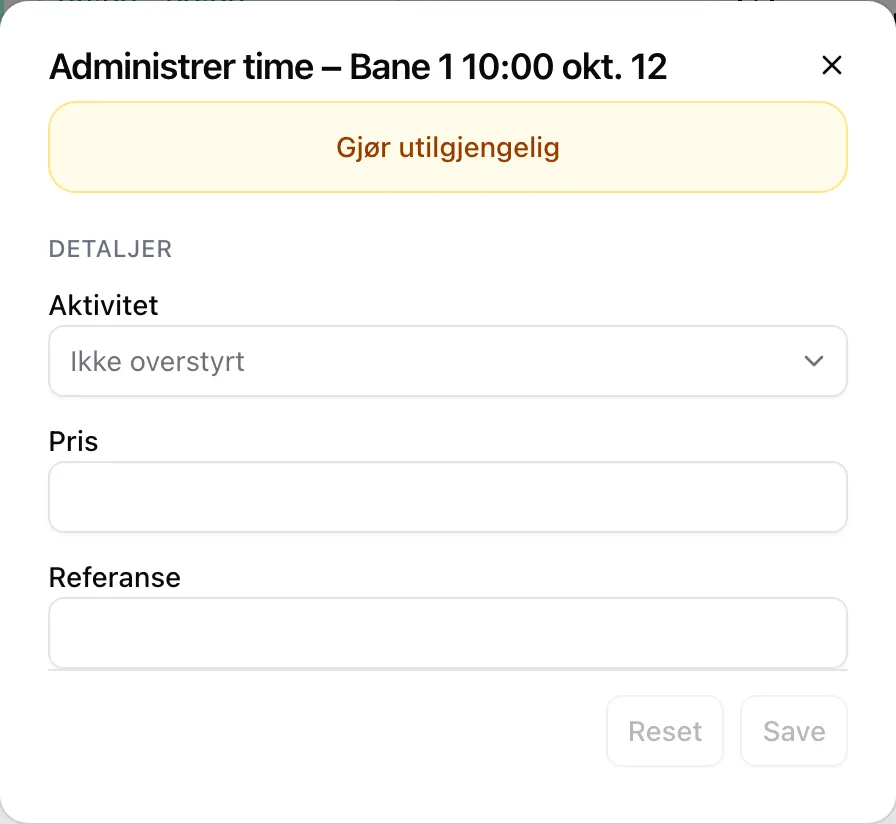
Everything in Manage slot applies to one slot on one date. The rental slots and the fixed slots are not changed. The button is in the info box, below the booking button, and opens a dialog with the buttons and details below.
Who can
Section titled “Who can”Supporters, administrators and owners — also while Booking is open is off. Manage slot is not shown on events or in the preview under Rental. Supporters do not see DETAILS or Remove changes to this slot.
The buttons
Section titled “The buttons”| Button | Shown when | Does |
|---|---|---|
| Make unavailable | The slot is available or locked, or a fixed slot that is not closed. | Closes the slot. Bookings are kept. A fixed slot is closed on this date without opening for rental. |
| Make available | The slot is closed — by an override, or by the rental slot. | Opens the slot, also outside the sales window. Does not open slots that are Group only or have passed. |
| Release this time | The slot is a fixed slot. | The fixed slot does not apply on the date. The rental slot below is shown; if there is none, the slot stays closed.¹ |
| Restore fixed slot | The fixed slot has been released or closed. | Puts the fixed slot back. If the slot has been booked in the meantime, the booking is kept. |
| Remove changes to this slot | The slot has an override. | Removes closing, price, activity and reference. A released fixed slot stays released. |
¹ If no rental slot covers the slot, it says under the button: The fixed slot does not apply on this date. No regular rental time covers it, so it will be closed. A rental slot covers it when one of its slots overlaps the fixed slot — rental slots with other lengths can leave gaps.
If the slot is full, Make unavailable and Make available change nothing until someone releases a ticket.
The dialog closes once a button has saved.
Details
Section titled “Details”Under DETAILS in Manage slot. Not shown on a released fixed slot with no rental slot below.
| Field | Works like this |
|---|---|
| Activity | Replaces the rental slot’s activity. Not overridden means the rental slot’s. If the first customer has chosen an activity, that wins. |
| Price | New price for the slot. Cards and club codes still apply. 0 makes the slot free. Not shown on fixed slots. |
| Reference | Text shown under Info in the info box. |
Save saves all three; an empty field removes the override of that field.
What staff see in the info box
Section titled “What staff see in the info box”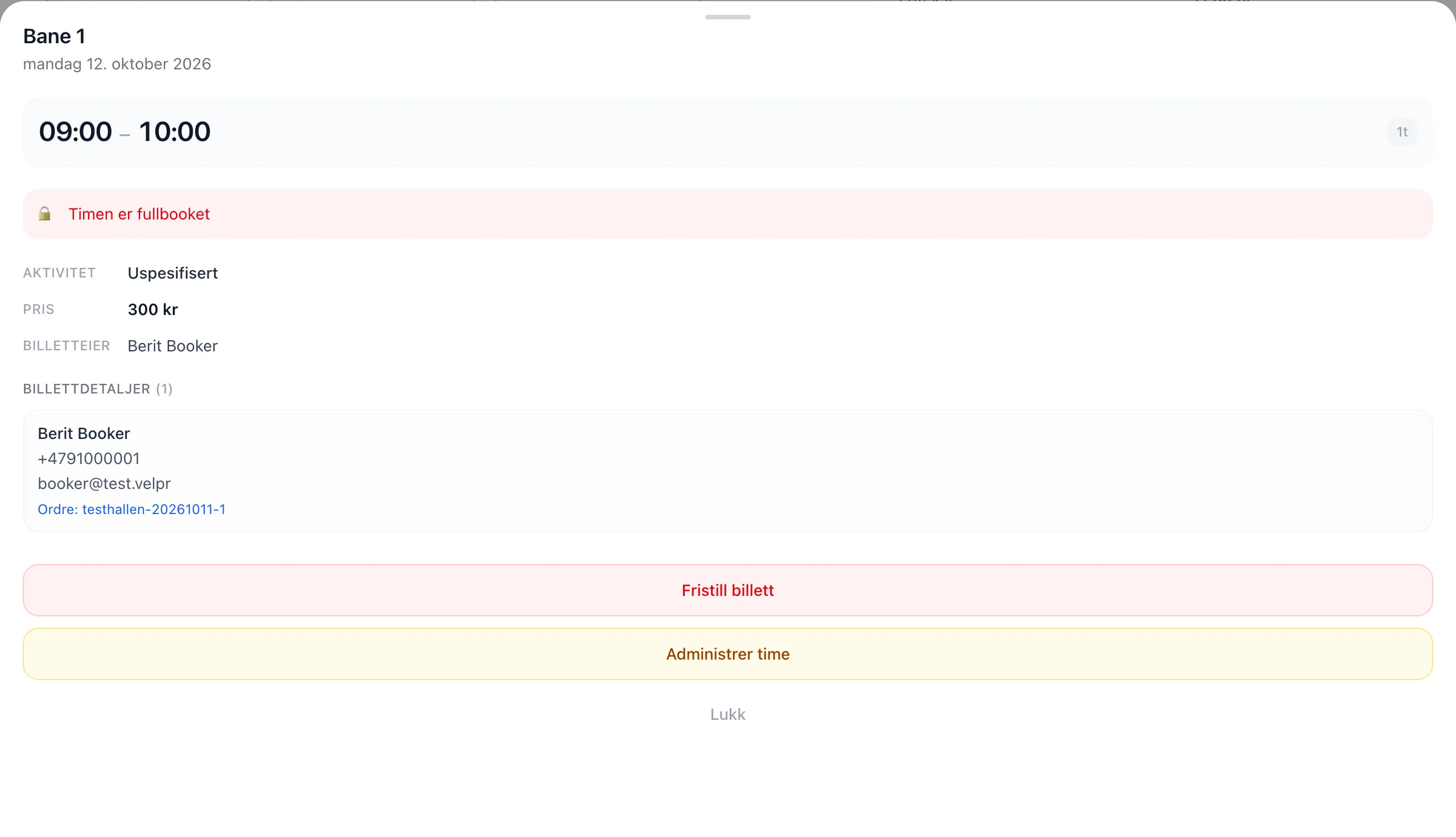
| Part | Contents |
|---|---|
| Ticket details | For each ticket: name, phone and email of the ticket holder, and Order: with a link. |
| Release ticket | Releases tickets for the slot, including other people’s, as long as the slot has not started. |
Releasing creates a receipt of 0 kroner for the customer. It does not show who on the staff released the ticket.
Release one customer’s tickets at a time. If you pick tickets from several customers, the release fails with a message about a network error.
Together with the rest
Section titled “Together with the rest”| What | Overrides and released fixed slots |
|---|---|
| The slot picker | Shows the change straight away, for everyone. |
| Booking | The server checks the change — a closed slot cannot be booked, not even by staff. |
| Light control | Follows the change. The lights only come on for booked slots — a released or closed fixed slot gets no light. |
| Calendar feed (iCal) | Follows the change. The feed only shows booked slots, so a released or closed fixed slot disappears. |
| Access codes | Not affected. |
Step by step: the admin guide to single slots. The rules for ordinary slots: Booking.