
Optional prices
Optional prices are prices the buyer chooses themselves, without proof. This page is the field reference. The step-by-step guide is in the admin guide.
The setup is split in two: a catalogue at facility level, and an opt-in field wherever the prices should apply.
The catalogue — Facility → Optional prices
Section titled “The catalogue — Facility → Optional prices”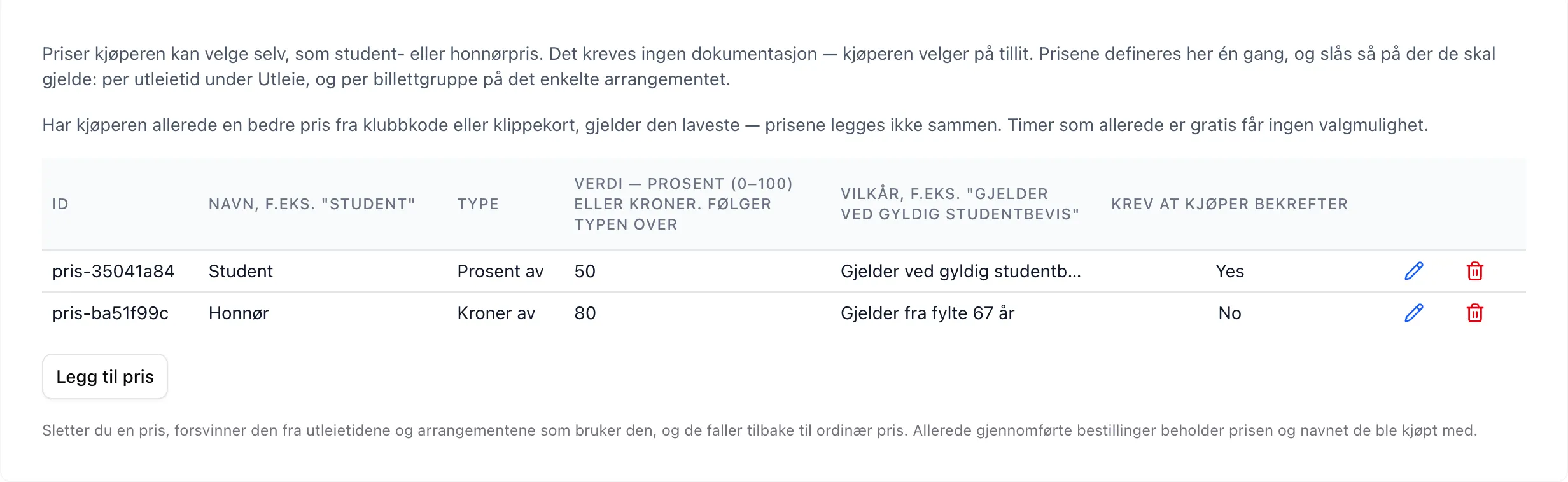
| Field | Explanation |
|---|---|
| Id | Auto-generated and read-only, in the form pris-<8 characters>. This is what rental times and events point to. Can’t be changed — if you want a different id, delete the price and add it again. |
| Name | The name the buyer sees in the price picker, e.g. Student. Also ends up on the receipt and in participant lists. Can be changed at any time. |
| Type | Percent off or Kroner off. Determines how Value is interpreted. |
| Value | A number between 0 and 100 000. With Percent off, 50 = half price. With Kroner off, 50 = 50 kroner off. Always calculated from the regular price. |
| Terms | Free text shown in grey under the name in the price picker, e.g. Requires a valid student card. The system doesn’t enforce it — it is a message to the buyer. |
| Require buyer confirmation | When on, the buyer must tick “I confirm that I am entitled to this price” before the slot can be added to the cart or the sign-up completed. |
The rows are edited with the pencil button:
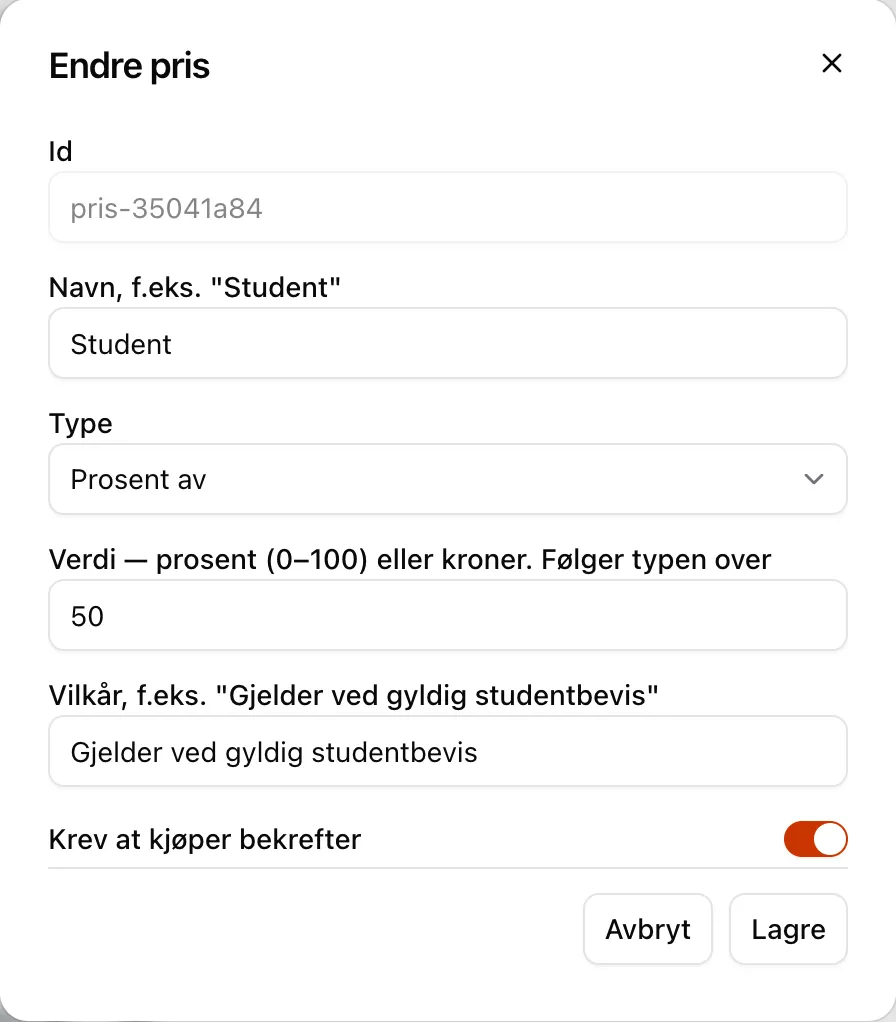
New price
Section titled “New price”The Add price button creates a row named New price, with the type
Percent off and the value 50. Edit it with the pencil button.
Percentage above 100
Section titled “Percentage above 100”A percentage above 100 is capped at 100 — that is, free — instead of being rejected. If that happens, the section lists the affected rows in a yellow box:
Student: 500 % becomes 100 %. Did you mean 500 kroner off? Set the type to “Kroner off”.
Deleting
Section titled “Deleting”If you delete a price, it drops out of every rental time and event that points to it, and they go back to the regular price. No references need to be cleaned up manually. Completed orders keep the price and the name they were bought with.
Opt-in — Rental → Rental times
Section titled “Opt-in — Rental → Rental times”| Field | Explanation |
|---|---|
| Optional prices (student, senior, …) | Checkbox list with one box per price in the catalogue, plus All. Determines which prices this rental time offers. Empty (default) = no optional prices. |
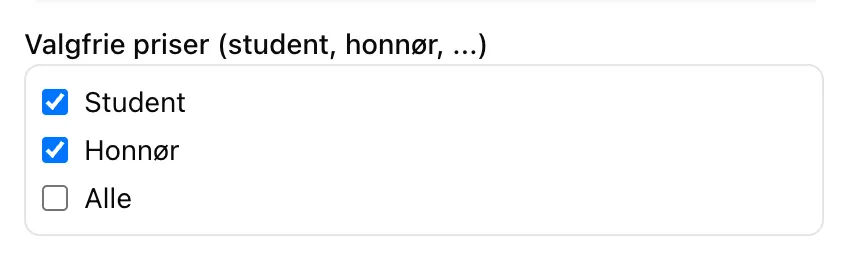
- The field is hidden until the facility has defined at least one price under Facility.
- All is a choice of its own, not a shortcut for “tick everything”. If you choose All, prices you add later are included too.
- The rows in the rental times table are evaluated from the top down as usual — the price choices follow the winning row, not the sum of the rows.
Opt-in — event → ticket group
Section titled “Opt-in — event → ticket group”Same field, same checkbox list, set per ticket group (sub-event) in the event form. It sits right below the price field, and is hidden until the catalogue has at least one price.
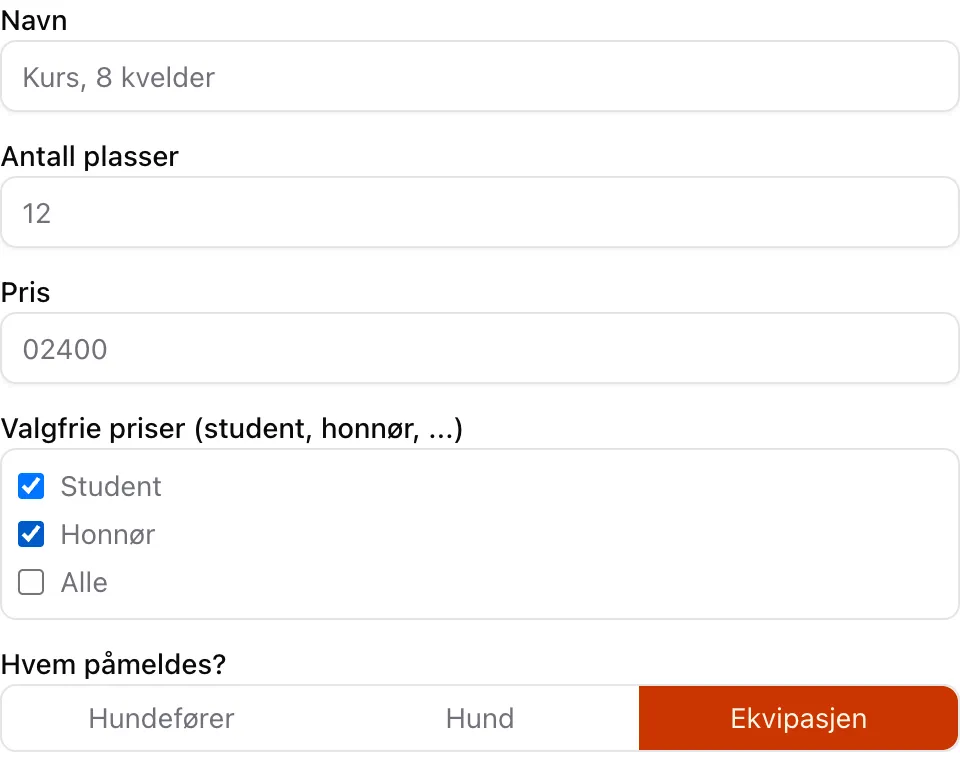
Price rules
Section titled “Price rules”| Rule | Behaviour |
|---|---|
| No stacking | The chosen option competes with club code and punch card discounts. The lowest final price wins. On a tie, the buyer’s own choice wins. |
| Free short-circuits | If the price is already 0 — a free slot, a punch card that covers the slot, or a season pass via club code — no price choice is offered at all. |
| Unit price only | The discount applies to the price per ticket. Group surcharges and extras are not discounted. |
| Regular is the default | A cheaper price is never preselected. |
| Events | For events, the choice is calculated from the regular ticket price only. Club code and punch card discounts don’t apply here. |
Security
Section titled “Security”The cart lives on the customer’s side and can in principle be tampered with. That is why only which price the customer chose is sent — never an amount. The server looks the price up in the facility’s own documents and recalculates the total:
- If a price is chosen that the rental time or ticket group doesn’t offer, the order is rejected.
- The amount in the cart must match what the facility can actually justify.
- The name and rate on the order are overwritten with the facility’s own values.
Admin booking
Section titled “Admin booking”- Booking on behalf of others gets the price picker as usual — the choice belongs to the ticket, not to the login.
- Quick mode in the slot picker (admin, day view) skips the info sheet and therefore always uses the regular price. To choose a cheaper price, the info sheet has to be opened. Quick mode is deliberately not blocked for these slots, since it can only ever charge too much, never too little.
Where the choice is stored
Section titled “Where the choice is stored”The choice is stored on the ticket with both id and name, together with the rate that was used. The name is taken as a snapshot at purchase, so a receipt from March still says what it said in March — even if the price has since been renamed or deleted.