Report an error
When an error occurs, we depend on being told about it in order to fix it. We also depend on having enough information to know where to start looking. Below is a bit of information about what we’d prefer you to do when reporting an error.
Tell the facility owner
Section titled “Tell the facility owner”Tell the owner of the facility. This is important for two reasons:
-
So that the owner knows the problem exists, and so that an alternative solution can be offered.
-
Sometimes problems are already known, and information about the error has been given to all facility owners.
Tell the developers
Section titled “Tell the developers”Sometimes it is still right to contact the developers directly. In that case, use the email post@velpr.online
Take a screenshot
Section titled “Take a screenshot”A picture will tell us whether it’s a mobile or a computer, often which browser is being used, and often also give context for any error messages.
Briefly write what you did
Section titled “Briefly write what you did”Did the error happen as you were logging in, or adding something to the cart? That kind of thing gives us a good clue about where to start looking.
Console log
Section titled “Console log”This is for the slightly more advanced and not necessary, but it gives us lots of information about the error.
This only applies if you are on a computer.
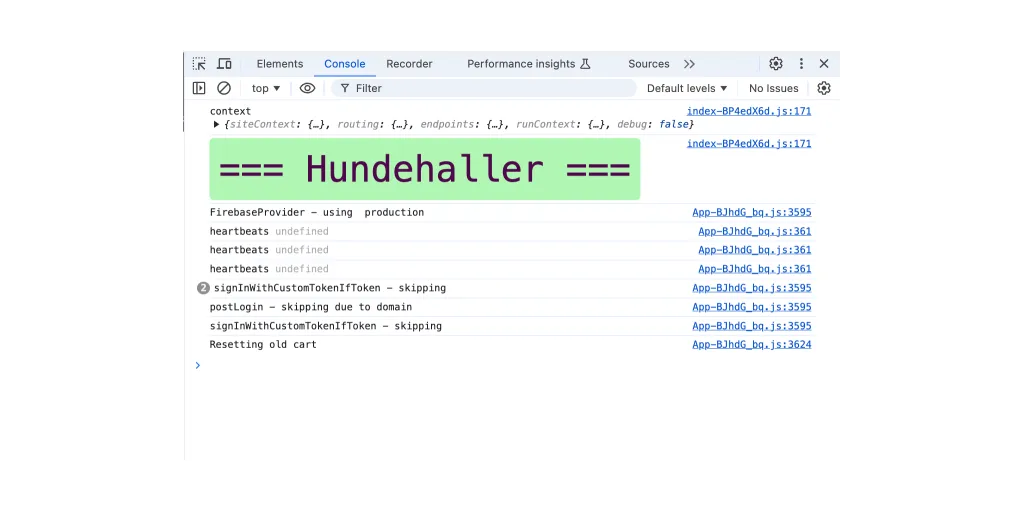
Under Inspect or Developer Tools you will find Console in one of the tabs. Take a screenshot of it or copy the text into an email.
The log we are after looks roughly like this: