
Version 2026.09.2
Optional prices
Section titled “Optional prices”Many clubs would like to give students or pensioners a lower price, but get stuck on the admin work. The alternative has been to hand out club codes to each person — and for most, that costs more work than it loses in revenue.
Optional prices turn that around. You define the price once, decide where it applies, and the buyer chooses for themselves. No documentation is required. Some people will pick the wrong price; that is the cost of skipping the code work, and it is up to you whether it is worth paying.
How to set it up
Section titled “How to set it up”The prices are defined under Facility → Optional prices. Each price has a name, a discount — either Percent off or Kroner off — and a terms text that is shown to the buyer.
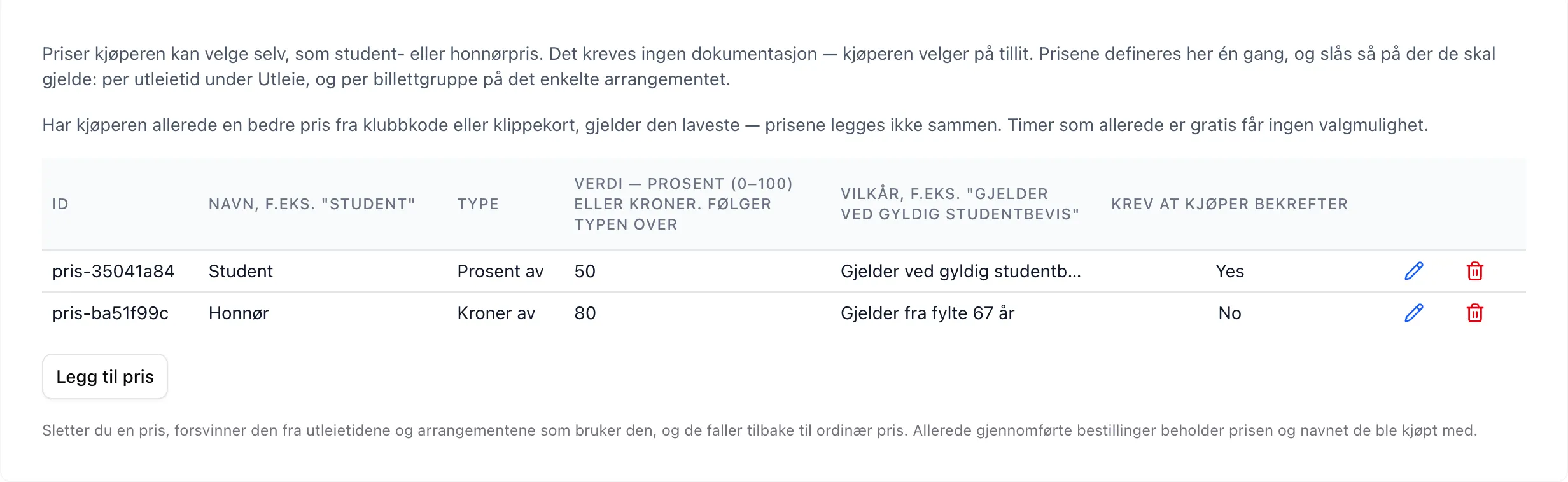
Then you turn them on where they should apply. The Optional prices field shows up in two places, and is hidden until you have defined at least one price:
- per row under Rental → Rental times
- per ticket group on the individual event
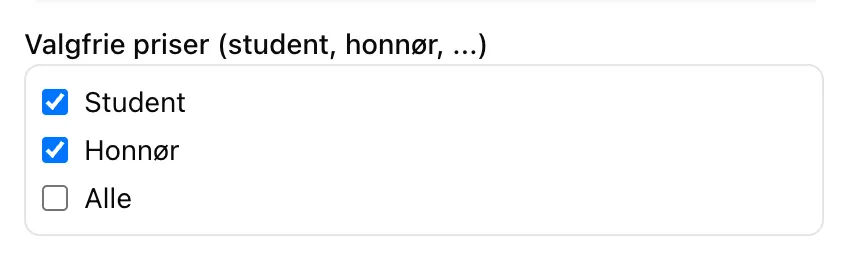
If you tick All, prices you add later apply too — without you having to go through every single rental time again.
If you turn on Require buyer confirmation, the buyer has to tick a box confirming they are entitled to the price before the order can be completed.
What the buyer sees
Section titled “What the buyer sees”The slot picker still shows the regular price — that is what most people pay. A
small yellow + next to the price marks that alternatives exist. The list
itself appears when the slot is opened:
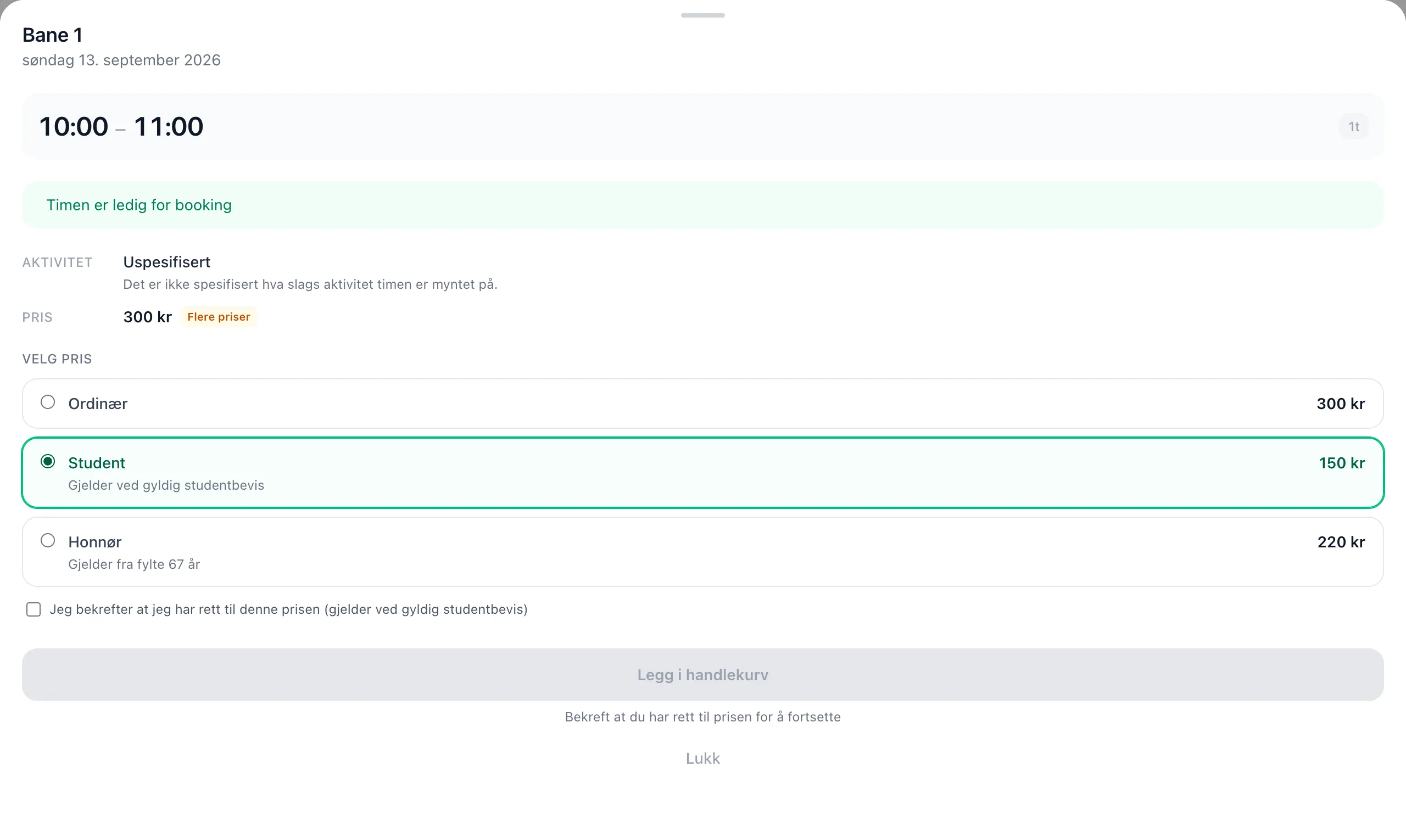
Regular is always preselected. A cheaper price is never chosen for anyone automatically.
For events, the same list sits on the last step of the registration, just before Complete.
In the cart, the slot is listed at full price with the chosen discount as a separate line below — the same layout as punch cards and group prices:
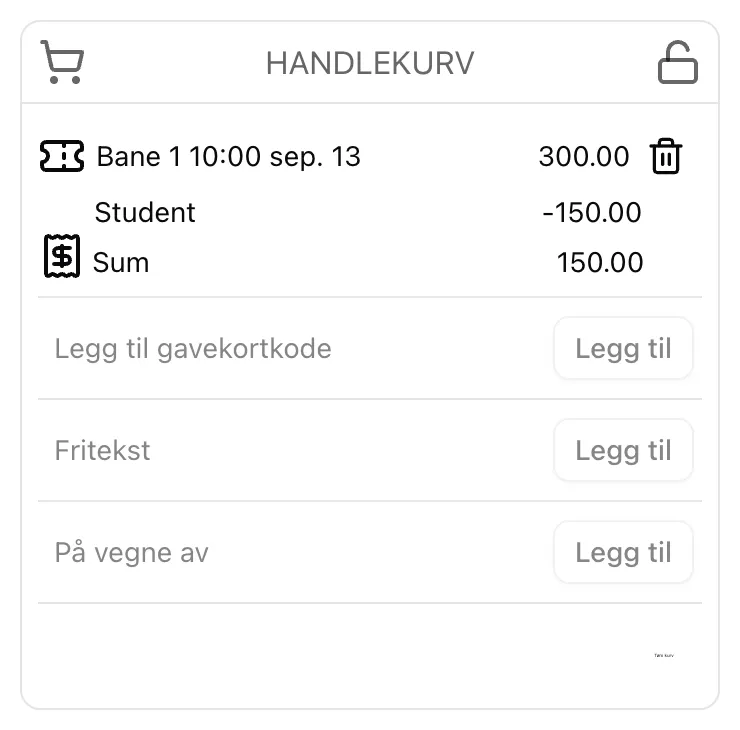
The name of the price is stored with the order. If you rename “Student” to something else next year, this year’s receipts still say “Student”.
Rules worth knowing
Section titled “Rules worth knowing”| Situation | What happens |
|---|---|
| The buyer has a club code or punch card that gives a better price | The lowest price applies. Discounts are never combined |
| The slot is already free | No price list at all |
| The slot has a group price | The discount applies to the slot price, not the group surcharge |
Group slots are worth an example. A slot at 300 kroner with a 100 kroner surcharge for a group of two costs 400 at the regular price. With half-price student pricing it becomes 150 + 100 = 250 — and the list shows both figures, so there is never any doubt about what is discounted and what is not.
We have written four new pages about this: a guide for buyers and a field reference, plus an admin guide and an admin reference.
Fixes and small things
Section titled “Fixes and small things”- Blank page in a private browser window: the website could stay blank for users who have blocked storage in their browser, or who opened Velpr inside another app. The language setting is now read in a way that copes with this.
Under the hood
Section titled “Under the hood”- Updated dependencies across all parts of the system.