
Registration
The event list
Section titled “The event list”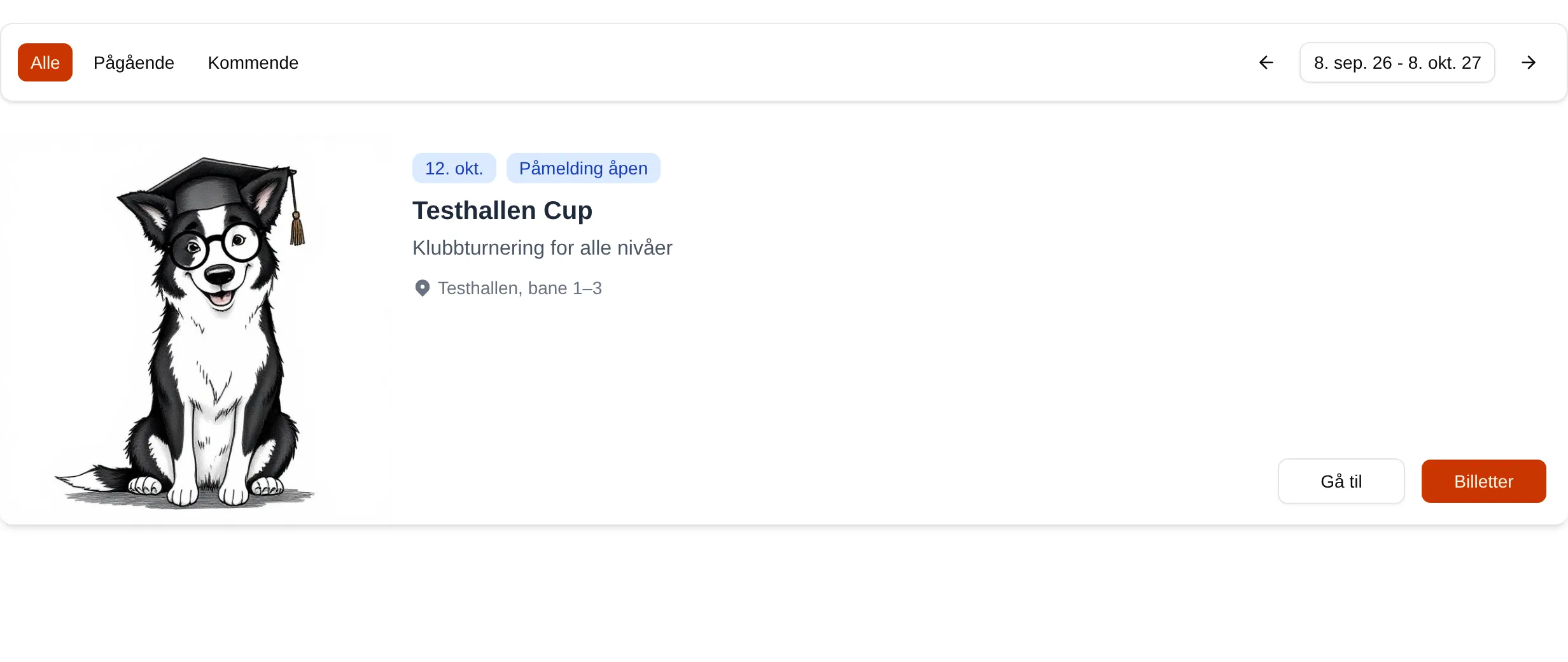
| Part | Means |
|---|---|
| All | All events that start within the period. |
| Ongoing | Events taking place right now. |
| Upcoming | Events that have not started. |
| The dates and arrows | The period shown — from 30 days back to one year ahead, unless you change it. |
| Go to | Opens the event. |
| Sign up | Opens the registration directly. Shown when you are signed in, have no ticket, and the event has a single ticket type. |
| Tickets | Opens the Tickets tab. Grey when registration is not open or the event is sold out. |
The list includes events that start within the period. A long event that started earlier is not shown even if it is still going on.
Statuses
Section titled “Statuses”| Status | Means |
|---|---|
| Sign-up open | You can sign up. |
| Sign-up in 5d | Registration opens in five days (t means hours, m minutes). |
| Starts in 5d | Registration is closed; the event starts in five days. |
| Sold out | All tickets are sold. |
| Ongoing | The event is taking place. |
| Ended | The event is over. |
The event page
Section titled “The event page”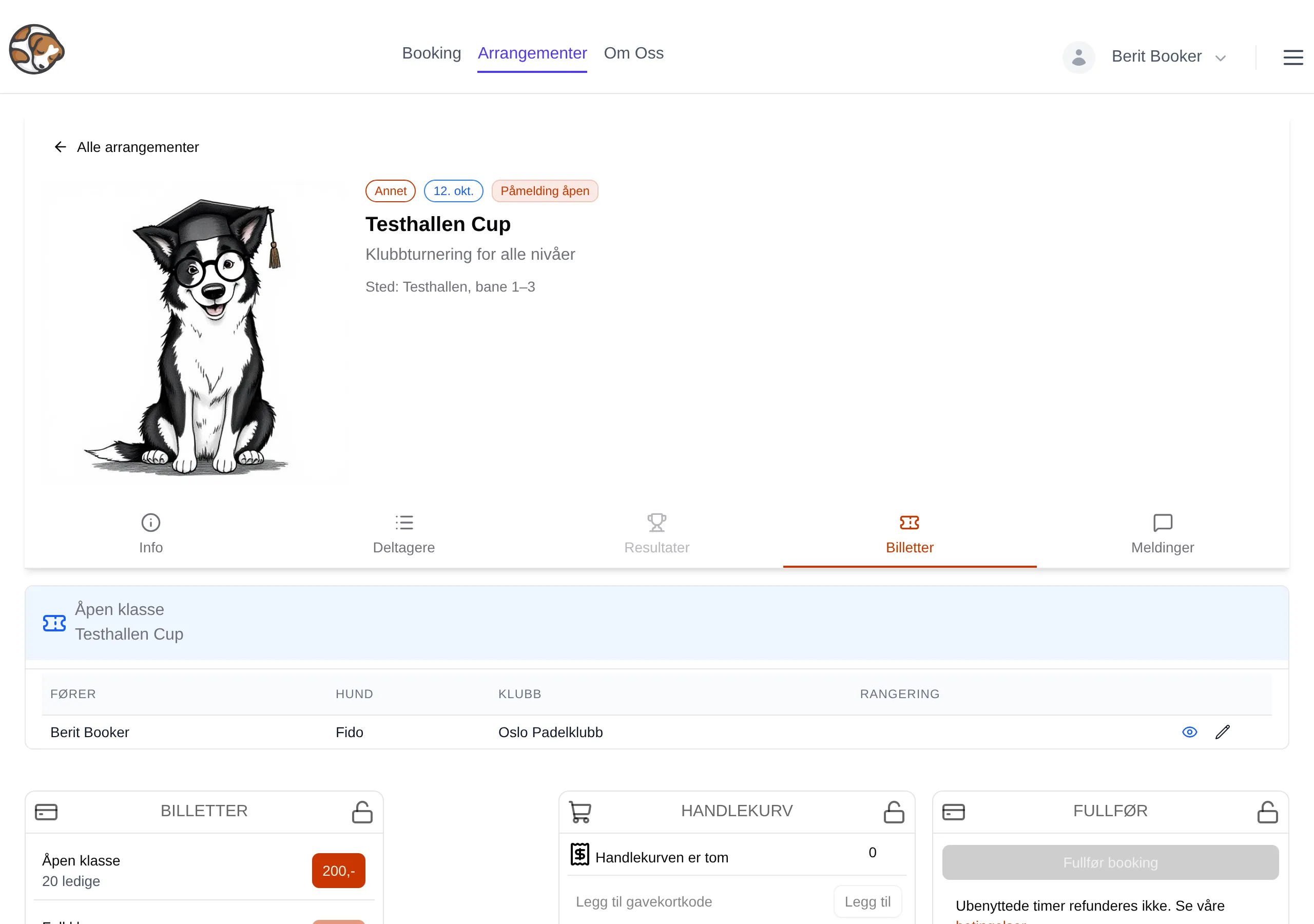
At the top you see the type, date, status, name, short description and location.
| Tab | Contents |
|---|---|
| Info | The organizer’s description, and Detaljer (Details) with location, date and registration period. |
| Participants | The people signed up, one table per class. Grey until the organizer has published the list. You must be signed in. |
| Results | Always grey. Velpr does not have results registration yet. |
| Tickets | Your tickets, the classes you can sign up for, the cart and payment. |
| Messages | Messages from the organizer. A red number shows unread ones. |
Participants shows only paid tickets. Answers to the organizer’s questions are shown as columns only if the organizer has made them visible. Two months after the event it says The participant lists have been unpublished because of their age.
The Tickets tab
Section titled “The Tickets tab”Your tickets
Section titled “Your tickets”At the top are the tickets you have, with handler, dog and your answers. Tickets you are in the middle of paying for are also shown here. Without tickets it says You have no active tickets.
TICKETS
Section titled “TICKETS”The status line says Sign-up is open, or why you cannot sign up: The event is over, The event is sold out, You must be signed in to sign up or Sign-up is not open.
Each class has one row:
| Text | Means |
|---|---|
| 20 available | Places left. Tickets in your own cart have been subtracted. |
| Fullt (Full) | No places left. |
| Only for … | Only for members of the group. See Groups. |
| Green badge | You get a discount — with the group name, or Discount for a club code. |
The button is the price. With a discount, the regular price is struck through. A small + means you can choose a different price, for example student. The button is grey when the class is full, registration is not open, or the class is not for you.
The registration
Section titled “The registration”The price button opens the Sign-up window. The steps depend on what the organizer asks about:
| Step | Shown when | Contents |
|---|---|---|
| Who | Always | Participant name and/or Dog’s name. |
| Additional info | The organizer asks something per ticket | The organizer’s questions. |
| Handler details | The organizer asks something per handler | The organizer’s questions. |
| Dog details | The organizer asks something per dog | The organizer’s questions. |
| Equipage details | The organizer asks something per equipage | The organizer’s questions. |
| Bestillingsinfo (Order info) | The organizer asks something per order | The organizer’s questions. |
| Confirm | Always | Price, possibly Select price, and Finish. |
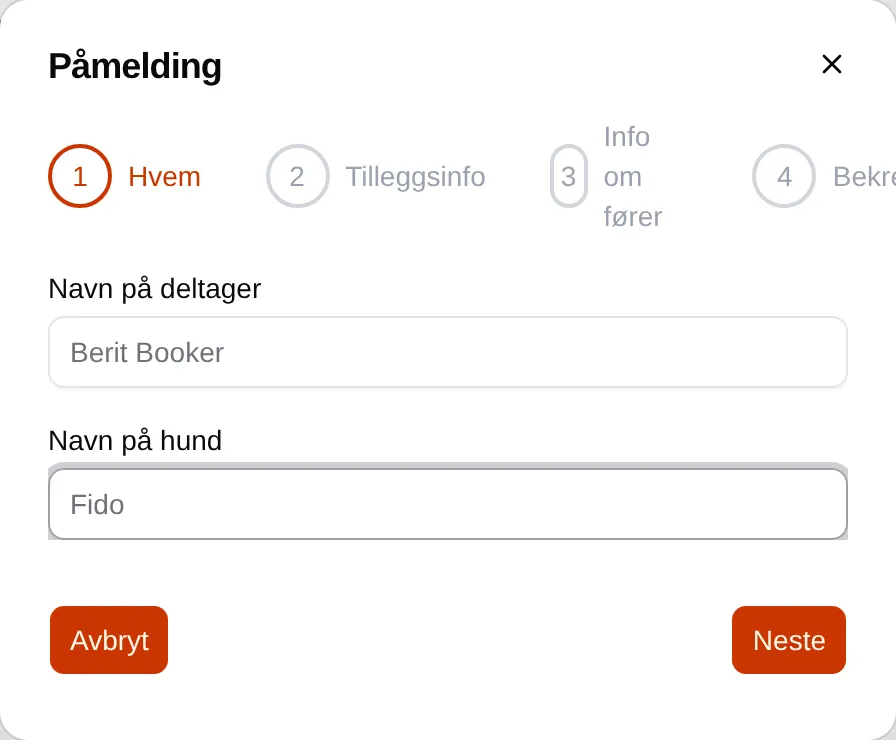
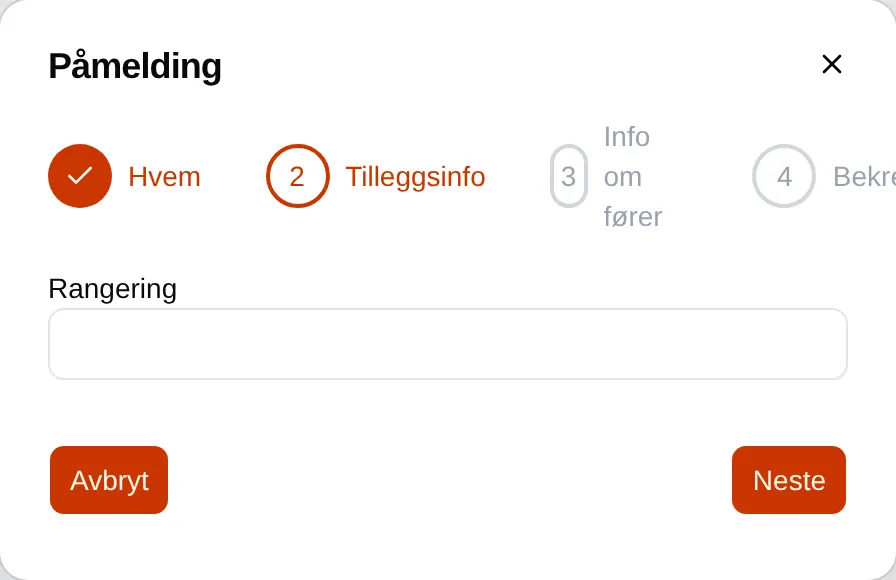
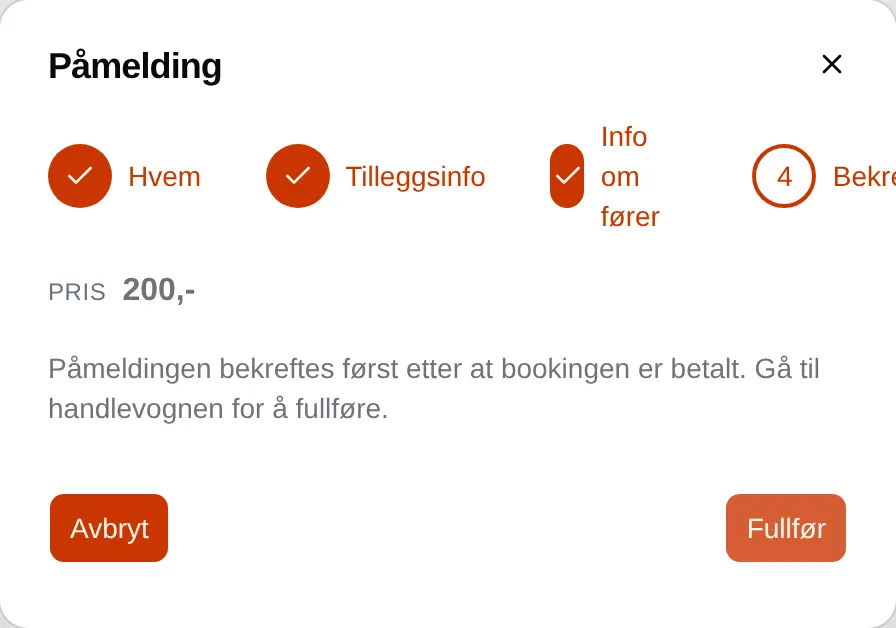
- Fields with * must be filled in. There is no error message — Next stays grey until they are filled in.
- Yes/no questions start as no.
- Names of handlers and dogs you have signed up before are suggested as you type, with the answers you gave last time. They are listed under Min side (My page).
- Finish adds the ticket to the cart. The registration is confirmed only after the booking has been paid.
Change ticket
Section titled “Change ticket”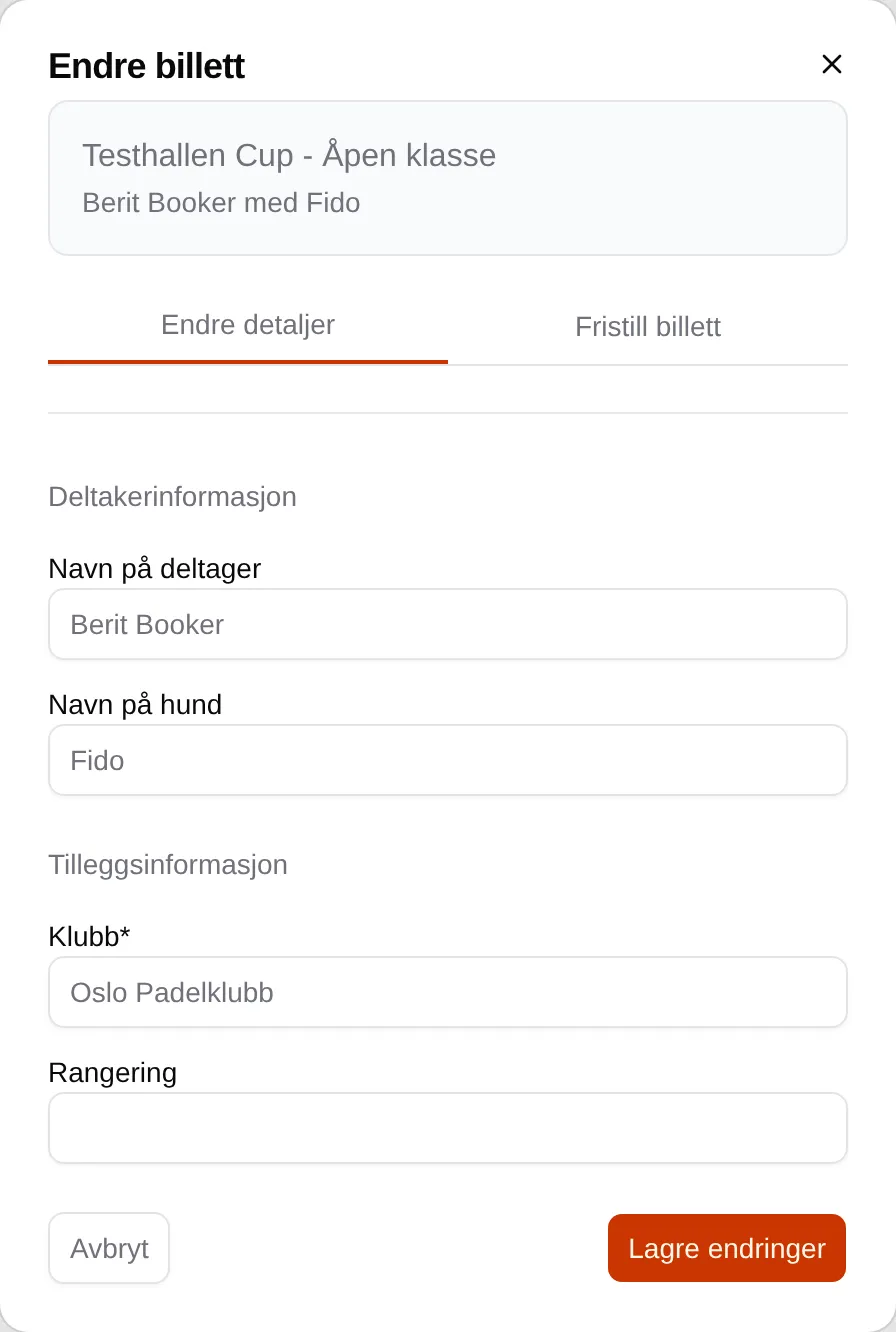
The pencil next to a ticket opens Change ticket with two tabs:
| Tab | Does |
|---|---|
| Edit details | Change handler, dog and answers, and tap Save changes. After the organizer’s deadline it says The ticket can no longer be changed. |
| Release ticket | Give up the ticket. Requires ticking I understand that the ticket is released without a refund. Cannot be undone. |
Messages
Section titled “Messages”Public messages can be read by everyone. Private messages are seen only by those who have a paid ticket. Unread messages have a blue border, and are marked as read when you open the tab. You cannot reply in Velpr.
Feedback
Section titled “Feedback”If the organizer has made a form, you get the email Tilbakemelding: … (Feedback: …) with the button Gi tilbakemelding (Give feedback). You do not need to sign in.
| Part | Means |
|---|---|
| Submit anonymously (the answer will not be linked to you) | The organizer sees the answer, but not who it is from. |
| Submit / Update | Saves the answer. You can change it as long as the link is valid. |
| This link has expired. | The link is valid for one week after the event. |
Step by step: Registration. For organizers: the admin reference for events.