
Terms
Betingelser (Terms) is always in the menu. The text is created when the facility is set up, based on Owner information under Site. You edit it directly on the page: click Change at the bottom, make your changes and click Save.
Terms are built like rules, with the same fields.
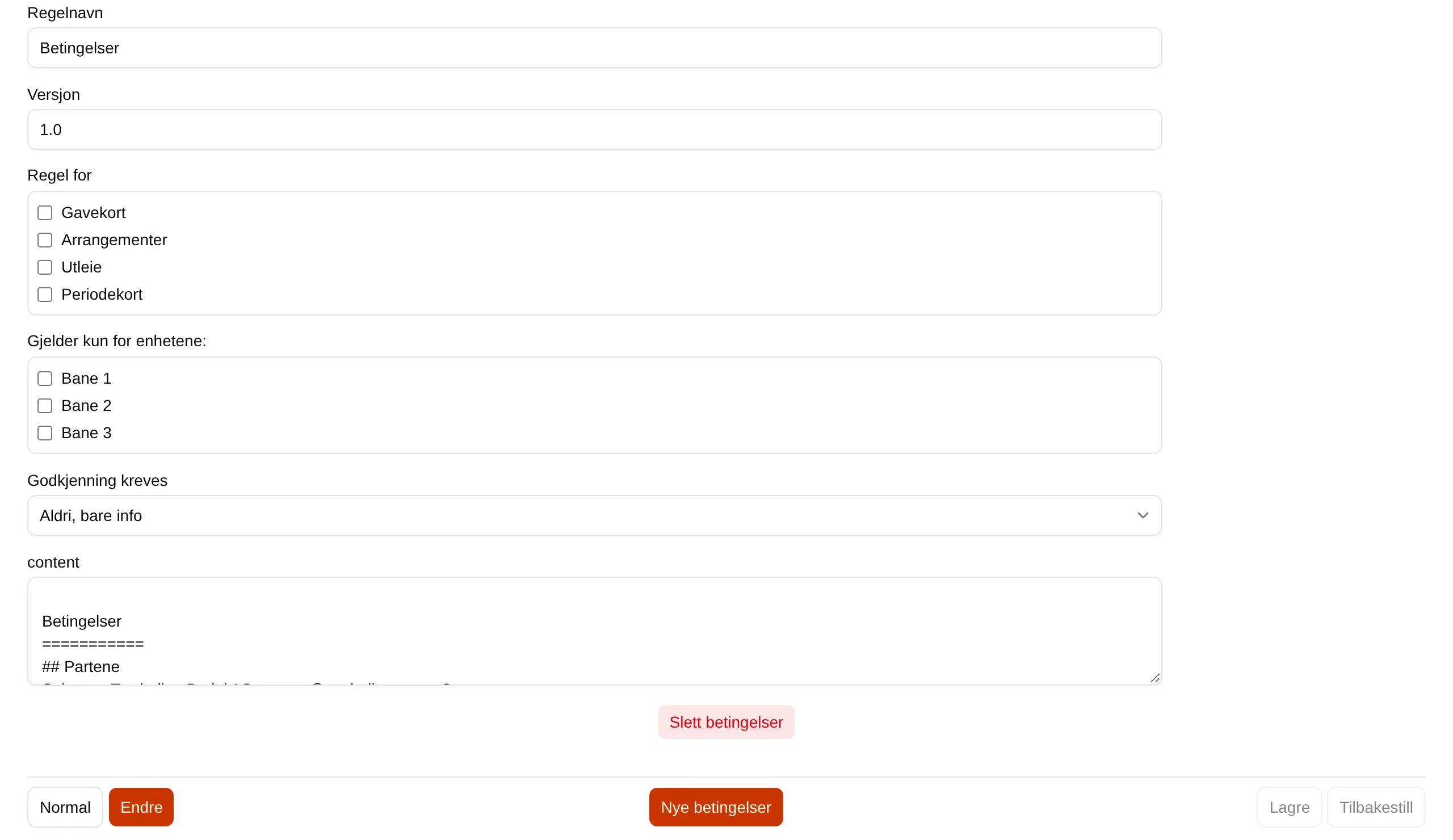
| Field | Explanation |
|---|---|
| Rule set name | The heading of the terms. |
| Version | The version number. Shown on the page. |
| Applies to | Which purchases the terms apply to: Rentals, Events, Gift cards, Season passes. |
| Applies only to these units: | Only applies to Rentals: the units the terms apply to. No ticks means none. |
| Acceptance required | When the customer must accept them. See the table below. |
| The text field | The terms themselves, in Markdown. |
| Delete terms | Deletes the terms. |
| New terms | Creates a new set. Several sets are shown one below the other. |
| Acceptance required | The customer must accept |
|---|---|
| Never, information only | Never. The terms are only shown on the page. |
| Every time | On every purchase. |
| Once | The first time. |
| On major changes | When the major version changes, for example 1.0 to 2.0. |
| Every version | Every time Version changes. |
If the customer must accept, a step with Accept comes before payment.
If you change Owner information later, the text does not change — correct it here.