
Groups
This page walks through every element you come across when the facility uses groups. See Groups for the step-by-step guide.
My groups — Min Side
Section titled “My groups — Min Side”The section is only shown if the facility has turned groups on.
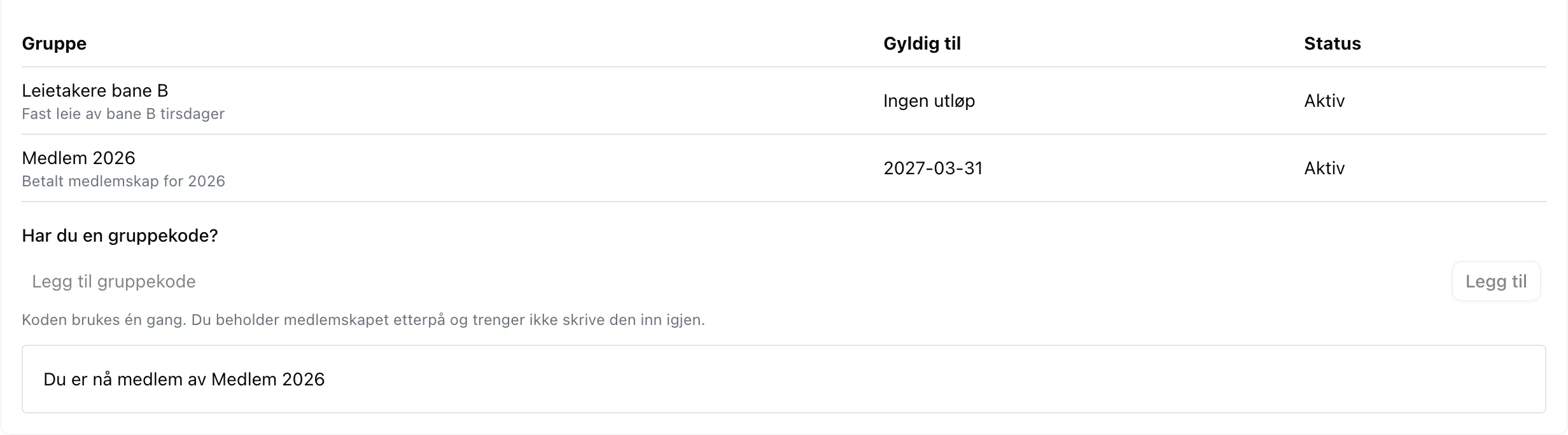
| Element | Explanation |
|---|---|
| Group | The name of the group, with the facility’s description in grey below. |
| Valid until | The date the membership expires. No expiry means it applies until the facility removes you. |
| Status | Active gives access and discounts. Expired gives nothing, but stays in the list. |
| Do you have a group code? | The field where you enter a code you got from the facility. The code is used once; after that you are a member and don’t need it again. |
| You are not a member of any groups at this facility. | Shown when the list is empty. |
Responses when you use a code
Section titled “Responses when you use a code”| Message | Meaning |
|---|---|
| You are now a member of … | The code worked. The group appears in the list above. |
| Du er allerede medlem av denne gruppen (you are already a member of this group) | You have used the code before, or the facility has added you. Nothing has changed. |
| Ugyldig kode — Koden er ukjent eller ikke lenger gyldig (invalid code — the code is unknown or no longer valid) | The code does not exist, has expired, or has reached its maximum number of uses. The system deliberately does not say which. |
The last two messages are currently shown in Norwegian regardless of language.
Codes are case-sensitive.
Slot cards in the slot picker
Section titled “Slot cards in the slot picker”| Appearance | Meaning |
|---|---|
| Normal green card | The slot is open to you — either to everyone, or because you are in the group it is reserved for. |
| Grey card, people icon in the top right, group name | The slot is reserved for a group you are not in. You can see that it exists, but you cannot book it. |
| Text other than the group name on a grey card | The facility has chosen to show something else, for example Rented, instead of the group name. |
| % by the price | You get a discount on the slot, for example because you are in a group that gives a discount. |
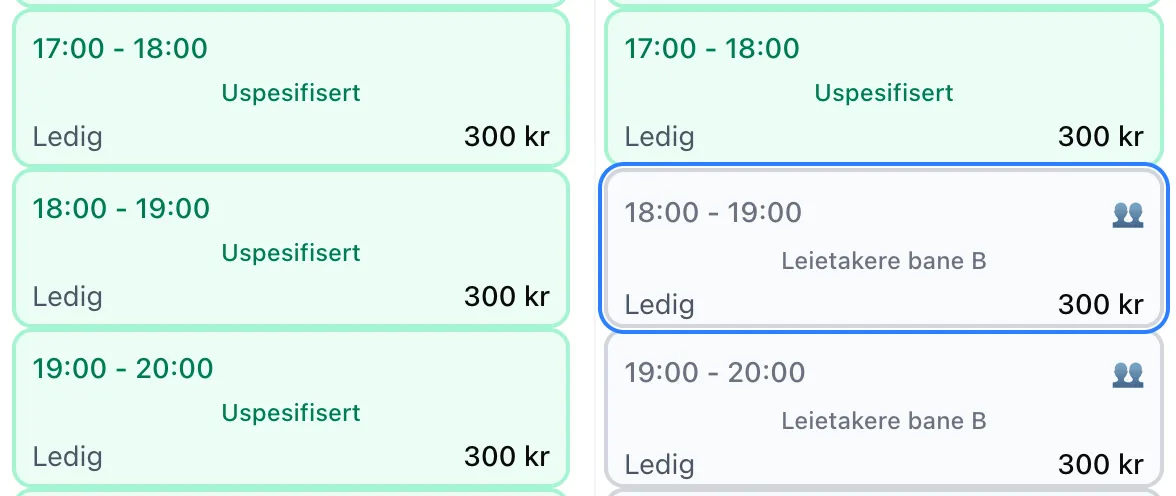
If you are in the group, you see the slot with its normal activity — never the group name.
The info sheet for a locked slot
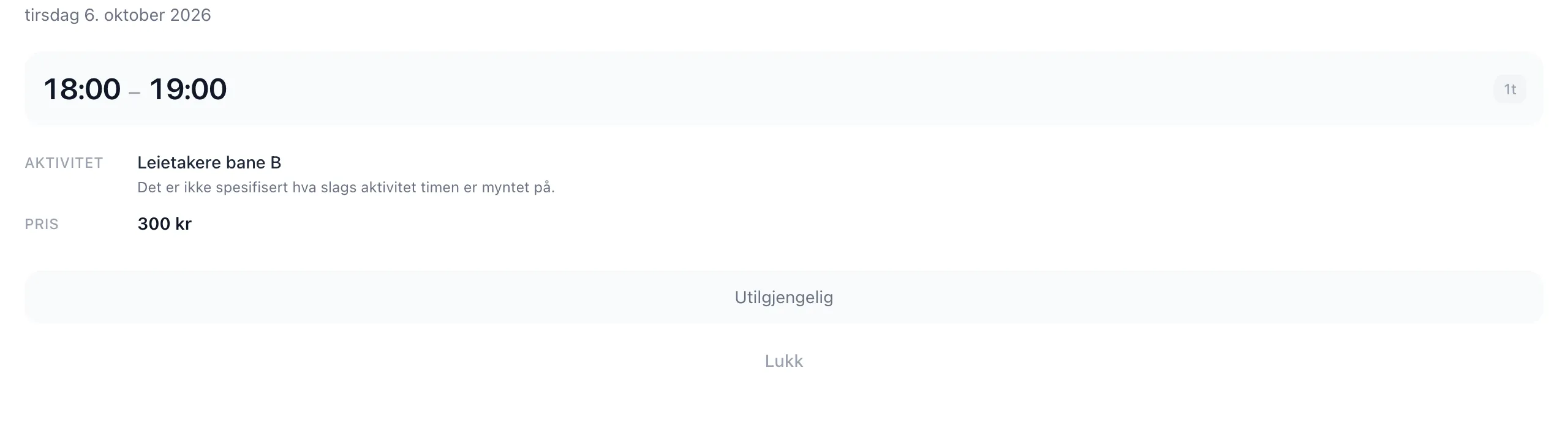
Section titled “The info sheet for a locked slot”If you click a grey card, the group name is shown under Activity, and the button at the bottom is replaced with Unavailable:
Missing rental units
Section titled “Missing rental units”A facility can make a whole rental unit private to a group. The unit is then not shown in the slot picker at all until you are in the group. It is not an error that two people see a different number of rental units.
Group discount
Section titled “Group discount”If a group gives a discount, it is deducted automatically — you don’t need to choose anything.
| Place | What it looks like |
|---|---|
| Slot card | The price after the discount, with %. |
| The info sheet for a slot | Discounted price, the ordinary price struck through, and the badge Discount. |
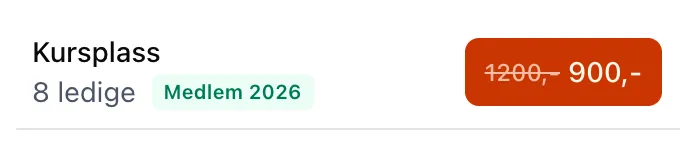
| The ticket list on events | A green badge with the group name, and the button shows the ordinary price struck through next to your price. |
| The cart | The slot at full price, and the group name on an indented line below with the deduction as a negative amount. |
| The receipt | The group name is saved with the order. If the facility renames the group later, the receipt keeps the old name. |
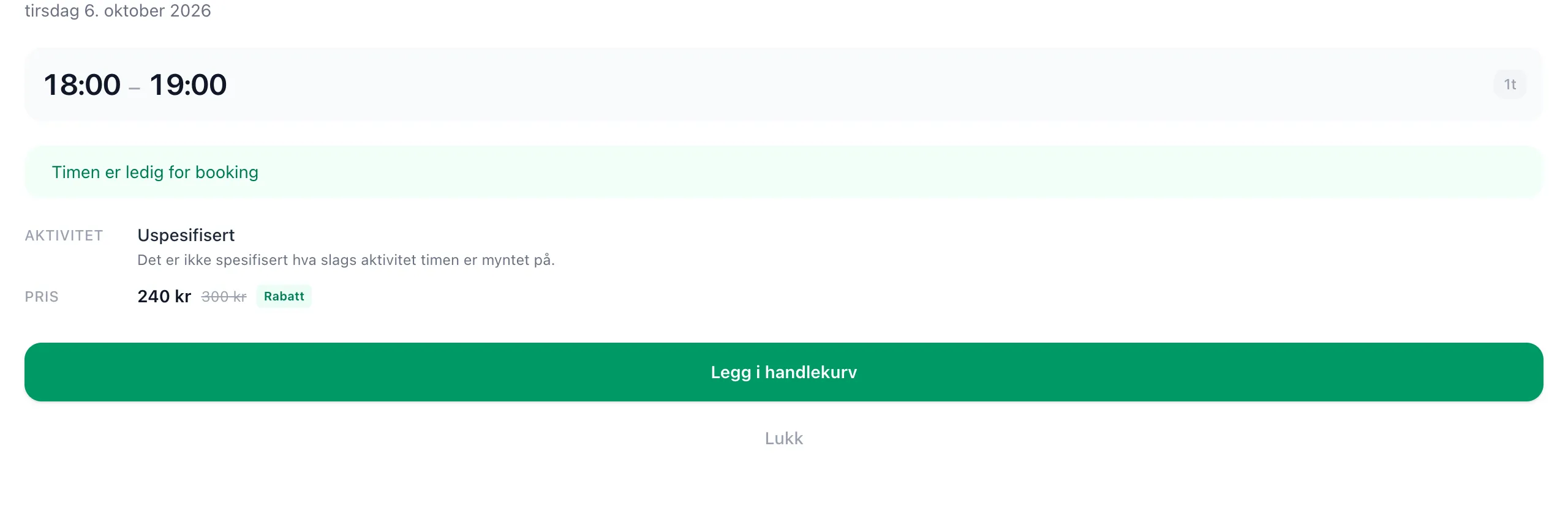
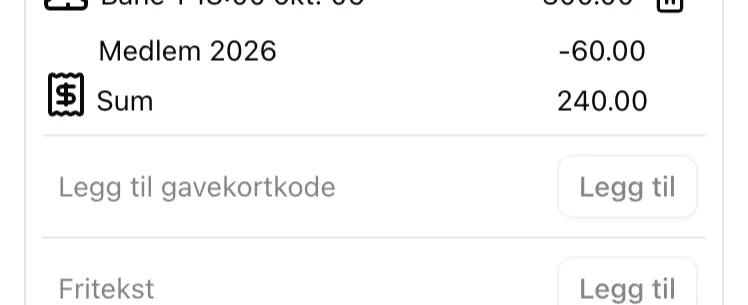
Two people on a 300-kroner slot where the group gives a 20 % discount: the member pays 240, the other person 300.
Good to know
Section titled “Good to know”- Membership is checked when you book. If the membership expires or you are removed from the group afterwards, you keep the slots you have already booked.
- A membership applies to one facility. Being a member of the club’s group at one facility does not apply at another, even if it is the same club.
See the admin guide and the admin field reference for the facility’s side of it.