
Club codes
A club code is a secret text that anyone who knows it can use. It suits when you want to give “those in the know” access or a discount, without keeping track of who they are.
Step 0 — turn on club codes
Section titled “Step 0 — turn on club codes”Go to Site → Modules, turn on Club codes — for discounts, season passes and restricted slots or events and click Save. Club codes then appears in the admin menu, and the Add club code field in the cart.
Step 1 — create the code
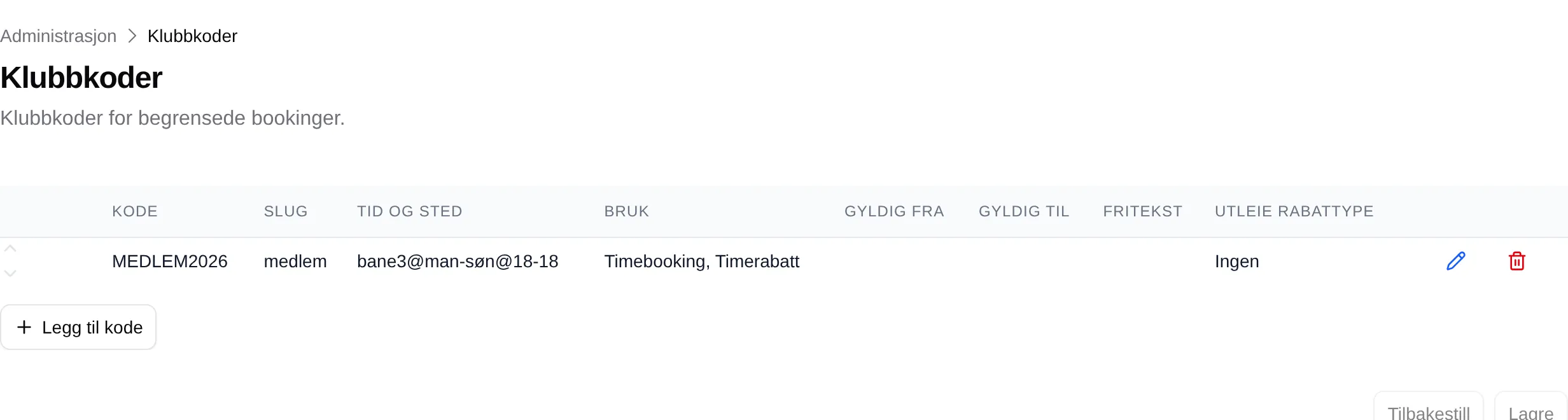
Section titled “Step 1 — create the code”Go to Club codes and click Add code. Click the pencil on the new row.
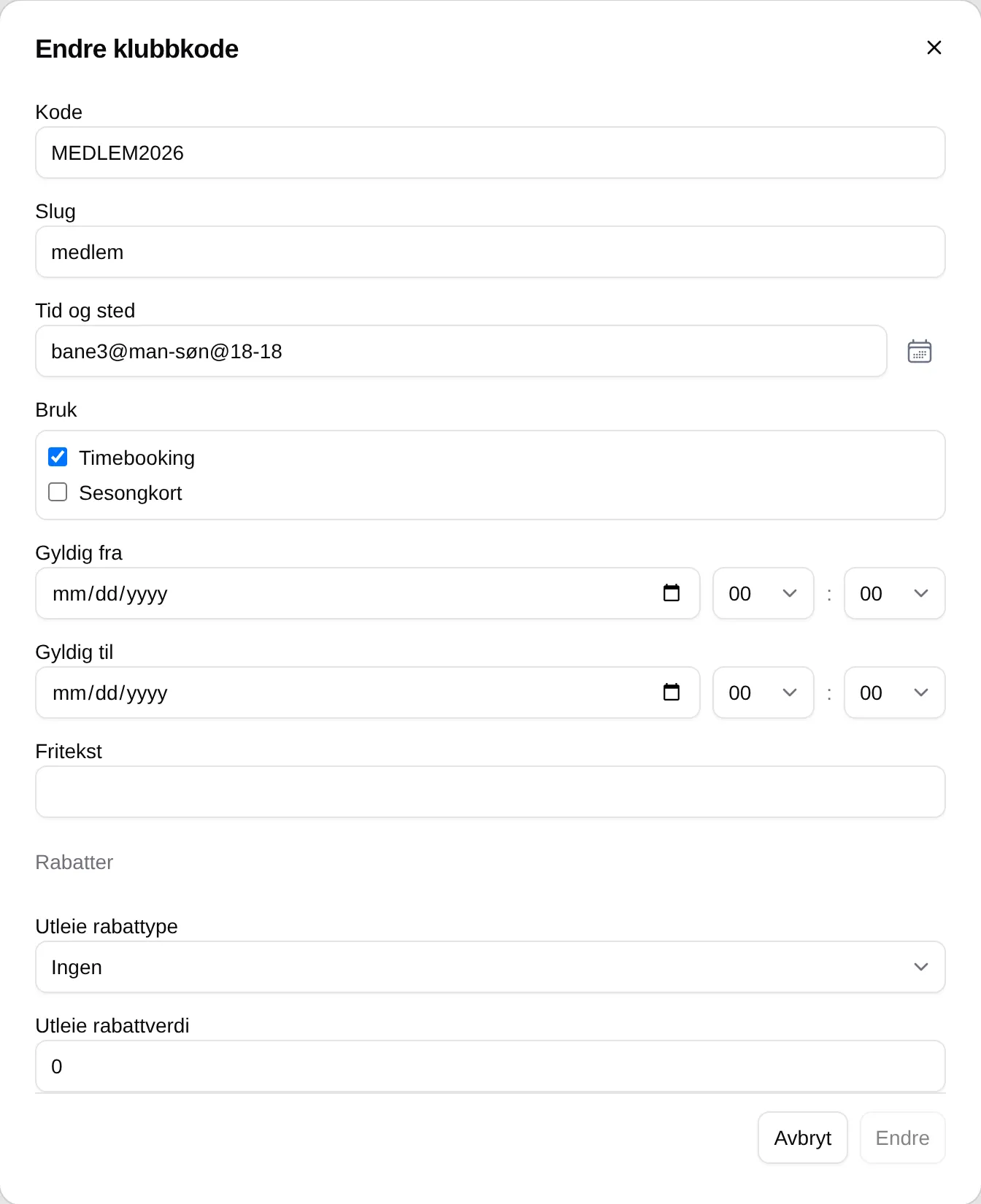
- Code — the text customers will type, for example
MEDLEM2026. Upper and lower case count. - Slug — a short name without spaces, for example
medlem. Give each code its own. - Time and place — the slots the code unlocks. See Time and place.
- Usage — tick Slot booking to unlock slots.
- Valid from and Valid to — when the code works. Empty means always.
- Click Change, and then Save at the bottom.
Step 2 — lock the slots
Section titled “Step 2 — lock the slots”The code does nothing until some slots require it. Go to Rental → Rental slots, open the rental slot and set Status to Available with a club code under Access and status. The slots are then shown as 🔑 Members only to others.
See Booking.
Give a discount with the code
Section titled “Give a discount with the code”Choose a Rental discount type — Percentage or Fixed amount — and enter the Rental discount value. Customers with the code in the cart get the discount.
Good to know
Section titled “Good to know”- The customer must enter the code again for every order.
- Valid from and Valid to apply to the date the customer books, not the date of the slot.
- The order of the codes in the list makes no difference.
- Anyone who knows the code can use it. Change the code when it has spread too far.
Every field and every rule: the admin reference for club codes. What it looks like for customers: Club codes.