Notifications and outbox
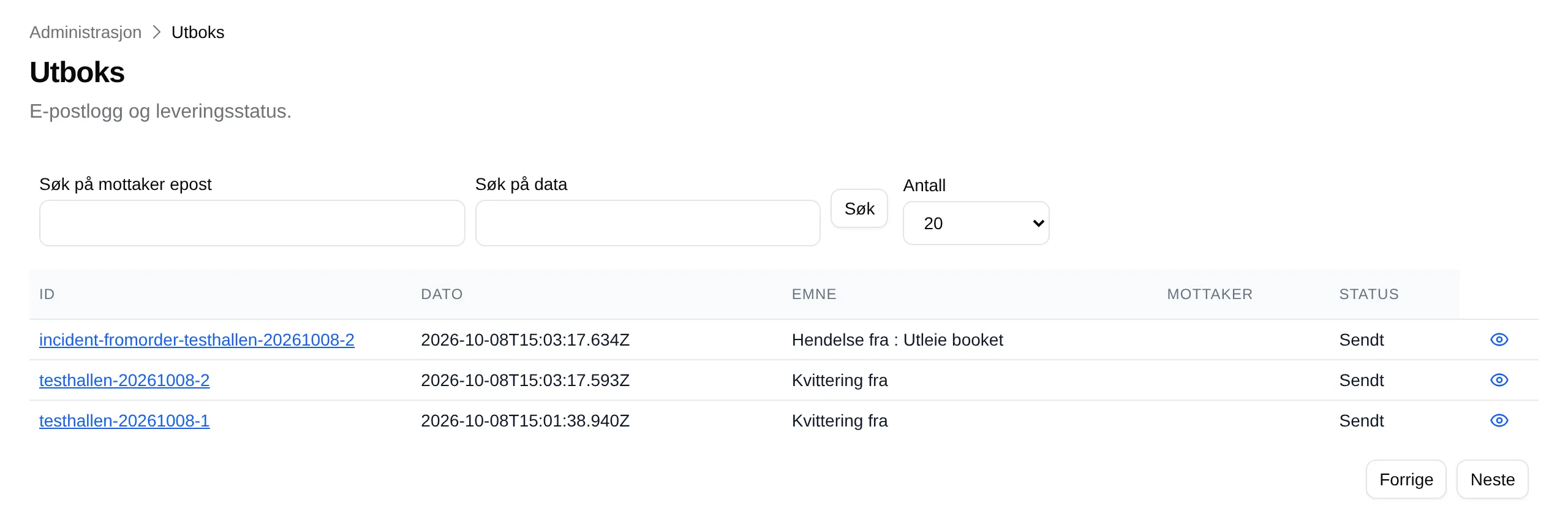
Velpr can send you an email every time someone books, signs up or buys a card — useful if the café needs to know the court is booked, or if you want to keep an eye on sales. Everything Velpr sends ends up in the Outbox, so you can check what a customer has received.
Get an email when something is booked
Section titled “Get an email when something is booked”- Go to Administration → Incidents.
- Under Varslingsinnstillinger (notification settings), click Add.
- Tick the incidents under Hendelsestyper (incident types), for example Utleie booket (rental booked).
- Enter the addresses in Epost mottakere (komma-separert) (email
recipients, comma-separated), for example
cafe@example.com, board@example.com. - Leave Aktiv (active) on, and click Add.
- Click Save at the bottom of the page.
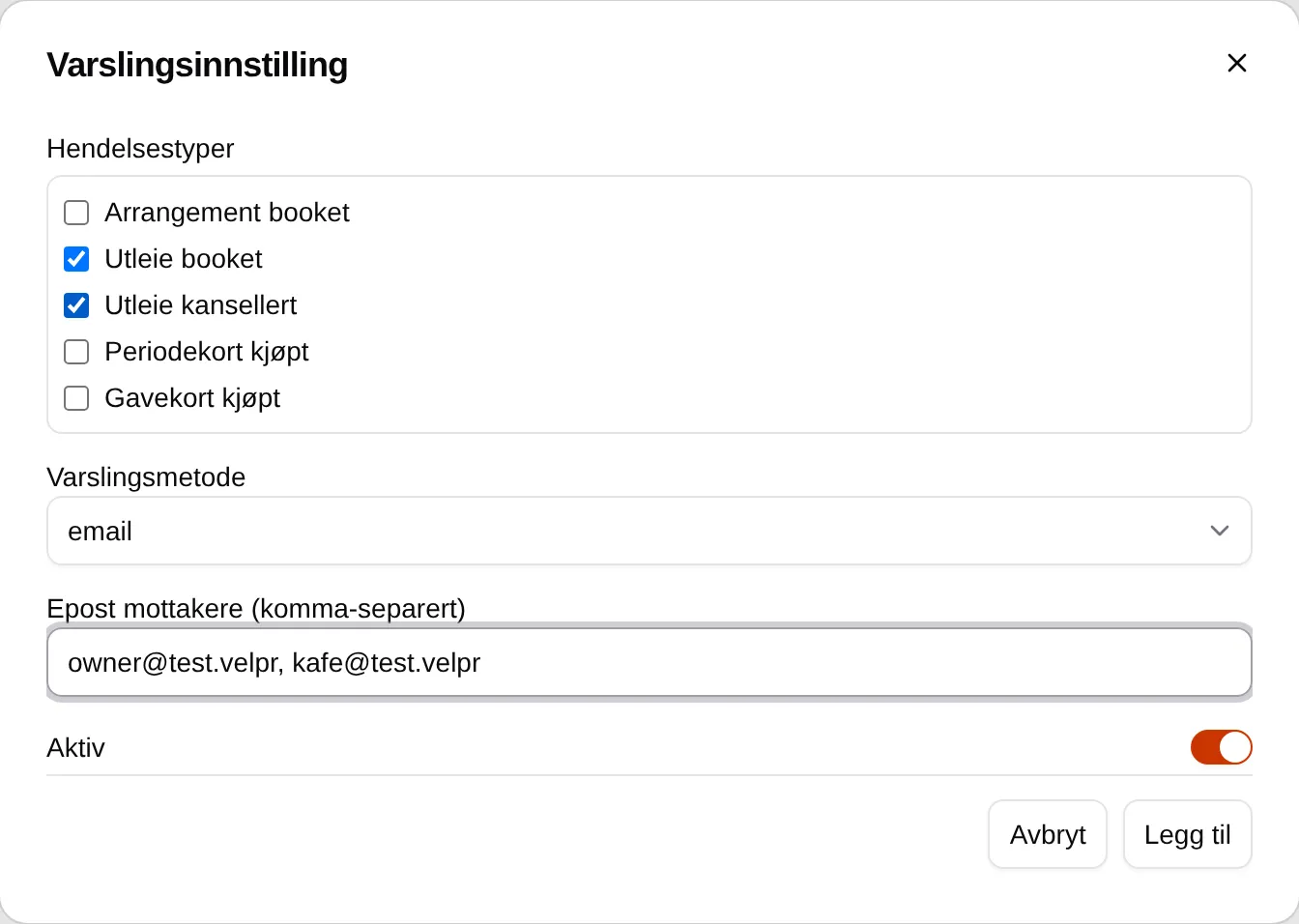

From now on the addresses get an email with the subject Hendelse fra … for every order. If an order matches several rows, only one email is sent.
You can see every incident under Hendelseslogg (incident log), with a link to the order.
When a customer has not received an email
Section titled “When a customer has not received an email”-
Find the order number, for example from the customer or under Reports.
-
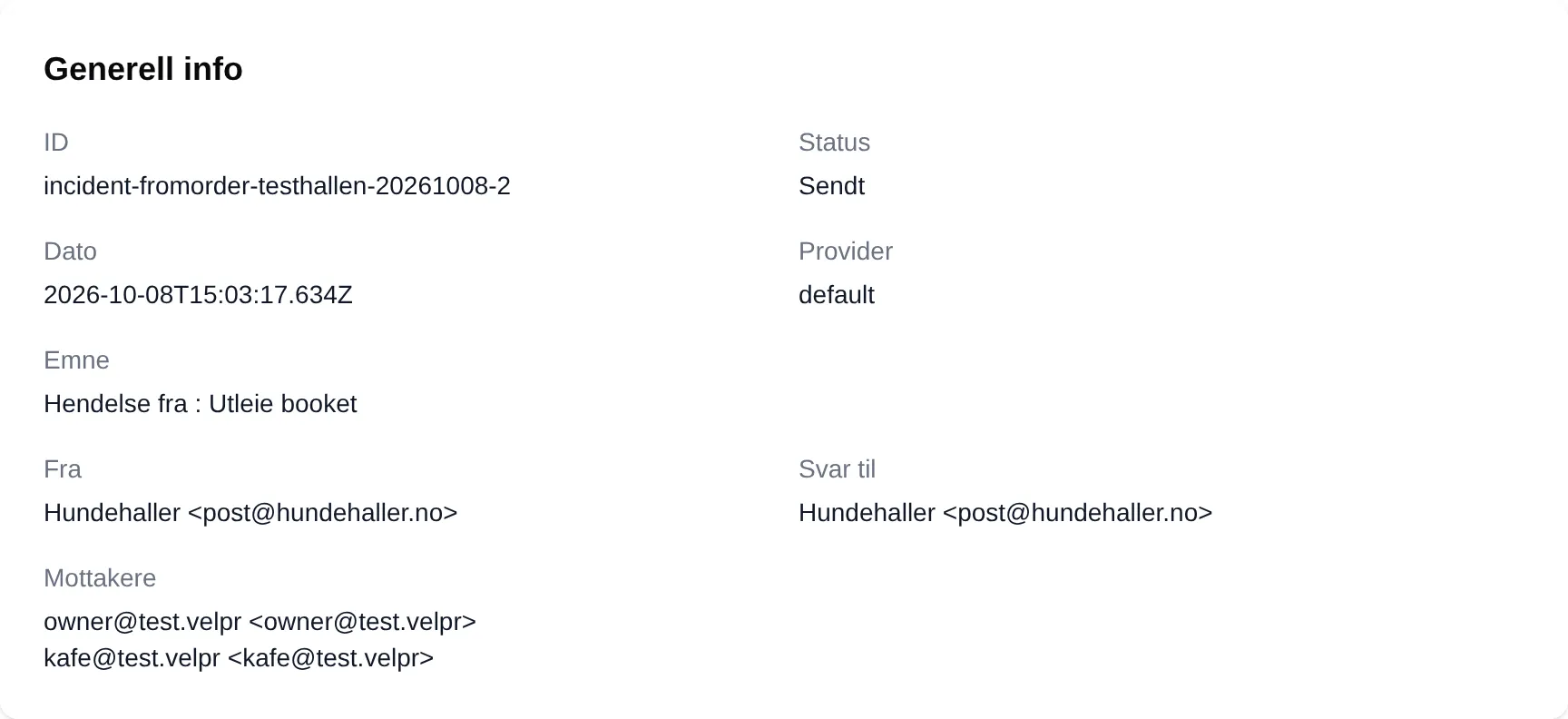
Go to Administration → Outbox. The receipt has the same ID as the order — click it.
If you don’t have the number, browse the list. The search fields don’t work.
-
Look at Status and Recipients.
| If it says | Do this |
|---|---|
| Sent | The email was sent. Check that Recipients is the right address, and ask the customer to look in their spam folder. |
| Failed | See Error under Delivery details. Velpr retries for an hour; if it still fails, contact Velpr. |
| Waiting for a long time | The email is stuck. Contact Velpr. |
| No email with that ID | The order was not completed, so no receipt has been sent. |
If the address is wrong, the customer can correct Email on My page. You can resend an invoice, also to a different address, from Invoices. Other emails cannot be resent from admin.