Version 2025.08
Ticket group
Section titled “Ticket group”Rental units can now be linked so that a ticket in one unit automatically makes the tickets for the other units in the group unavailable. This means you can rent out the hall with or without an instructor, or rent out the whole hall and half the hall at the same time.
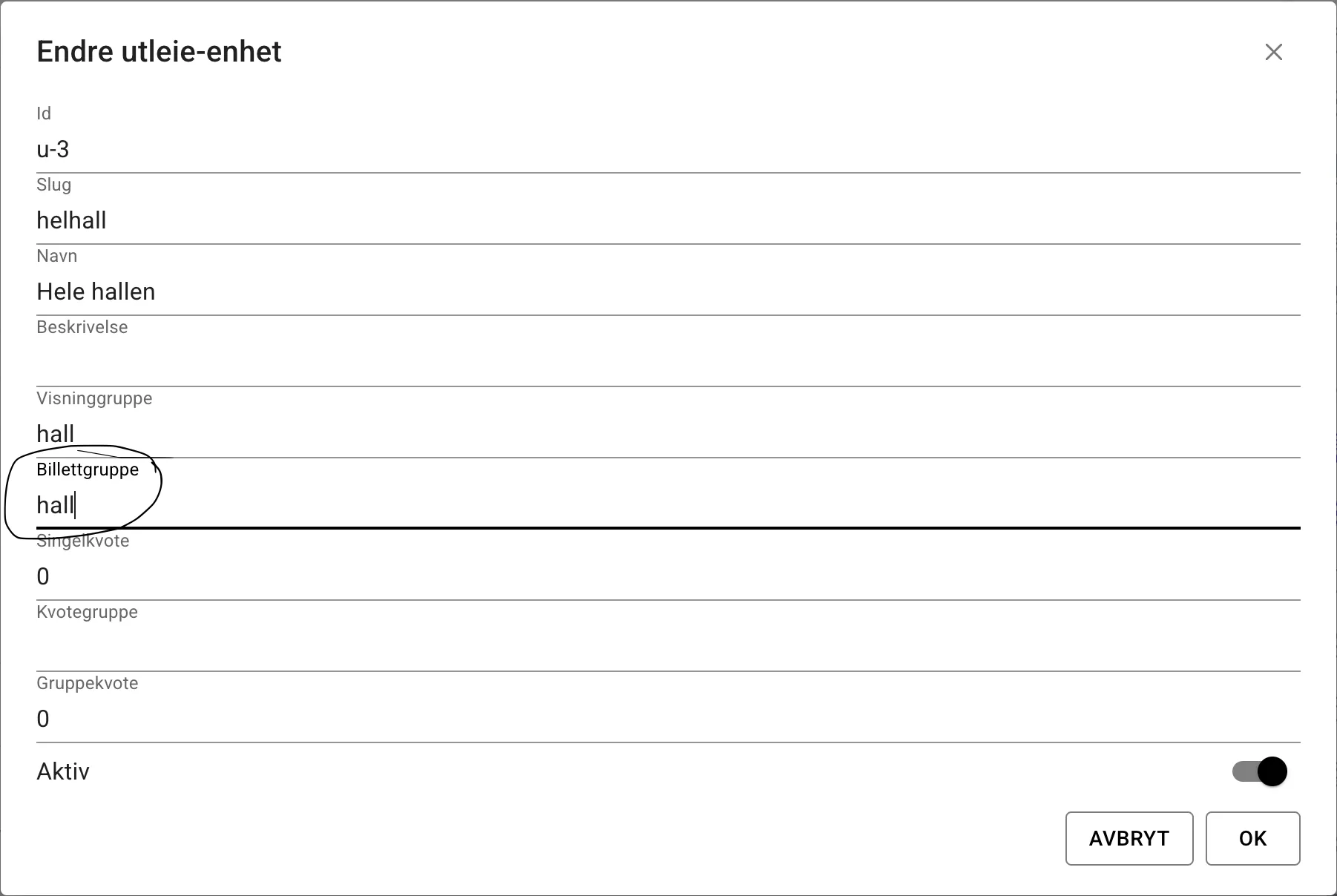
There are thus three different group memberships you can set on rental units. Often all three will have the same name and be used as if they were a single group (i.e. you don’t distinguish between display group and ticket group, for example).
The different groups you can set on rental units are now:
- Display group: all rental units with the same display group are grouped together in the slot picker
- Quota group: where you can limit how many outstanding tickets someone can have across the units in the group
- Ticket group: where a ticket for one of the units in the group makes the same time unavailable for the other units in the group.
Incidents and notifications
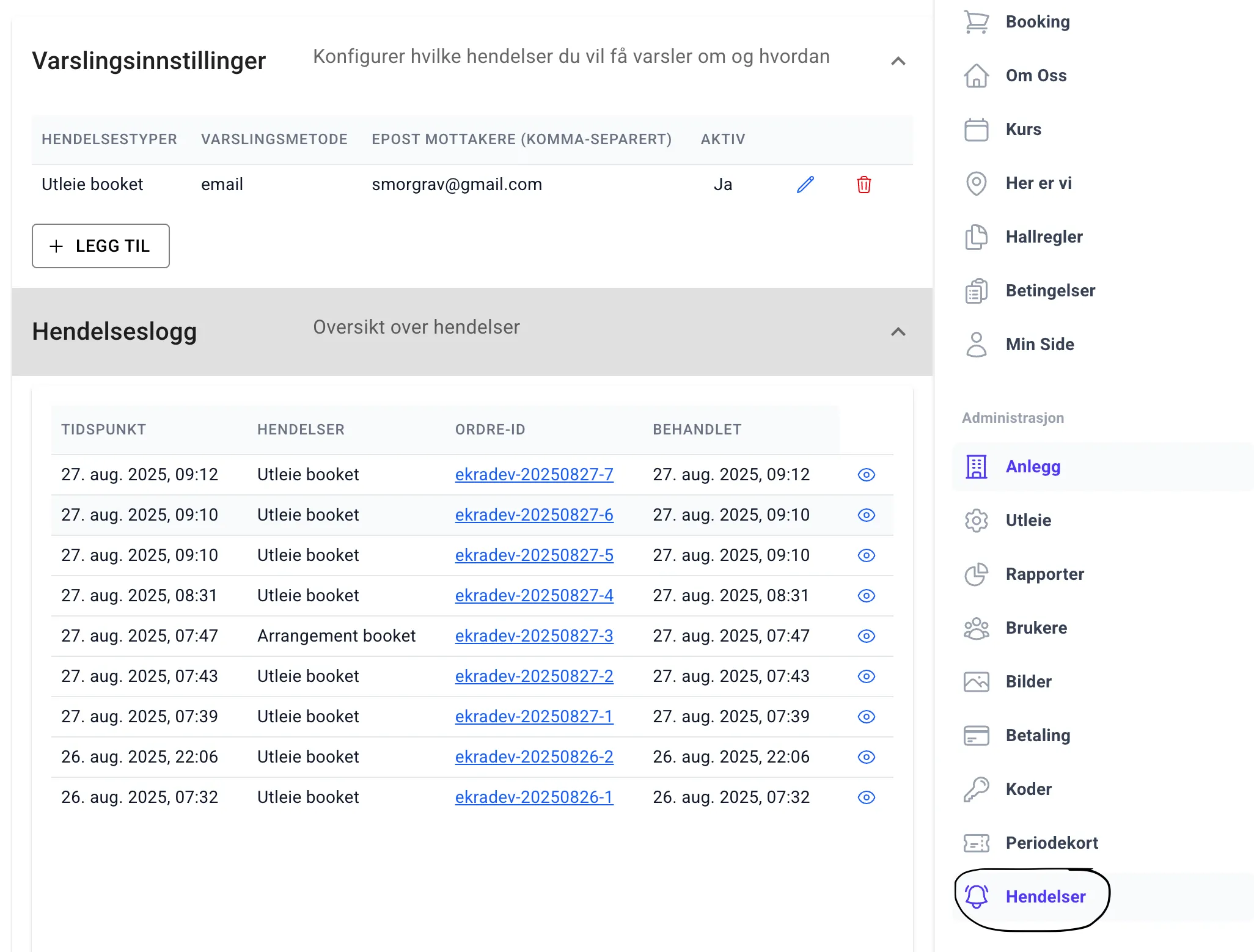
Section titled “Incidents and notifications”A new admin page with notification settings for incidents is now available under admin > incidents.
Here you can set up notifications for incidents in the system, such as a punch card being bought or someone booking a slot. Notifications are sent by email. A notification can contain several incidents. That is, the same notification may be sent if a gift card and a slot are bought/booked in the same transaction/order.
The admin page also has a list of the most recent notifications.
Lists and tables
Section titled “Lists and tables”Most lists and tables have been replaced with a version that I hope adapts more easily to small screens, and whose look and behaviour are understandable and predictable. On top of that, the implementation is much simpler for me.
No fields in lists and tables can now be edited directly in the table. Instead, you have to press the pencil icon on the right if you want to change the fields for a row.
If the table has no data that can be changed, an eye icon appears instead of the pencil. The table only shows some of the available columns, so to see everything, or to see long fields in full, you have to press either the pencil or the eye to open the row in a form in a dialog.
This change has been time-consuming to test, so if you see something that seems odd here, that is probably why. Let me know :)