
Outbox
Every email Velpr sends for the facility ends up here: receipts, invoices, reminders, access codes, gift cards, messages to participants, notifications from Incidents and emails about passwords and signing in.
Step by step: the admin guide for notifications.
The list
Section titled “The list”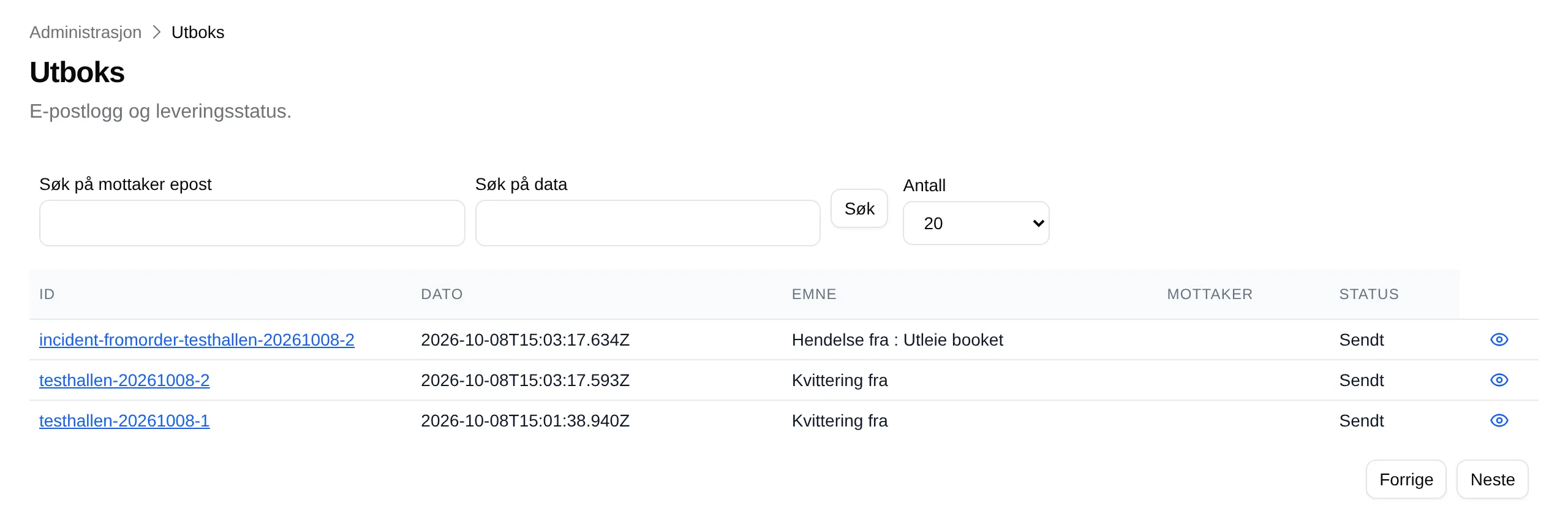
| Part | Explanation |
|---|---|
| ID | Receipts have the same ID as the order. The link opens the email. |
| Date | When the email was created. |
| Subject | The subject line of the email. |
| Recipient | Empty. |
| Status | Waiting, Sent or Failed. |
| The eye | Shows the same fields for one email. |
| Count | How many emails are shown at a time: 10, 20, 50 or 100. |
| Previous / Next | Pages through the list. |
The newest is at the top. An email that is resent moves to the top.
One email
Section titled “One email”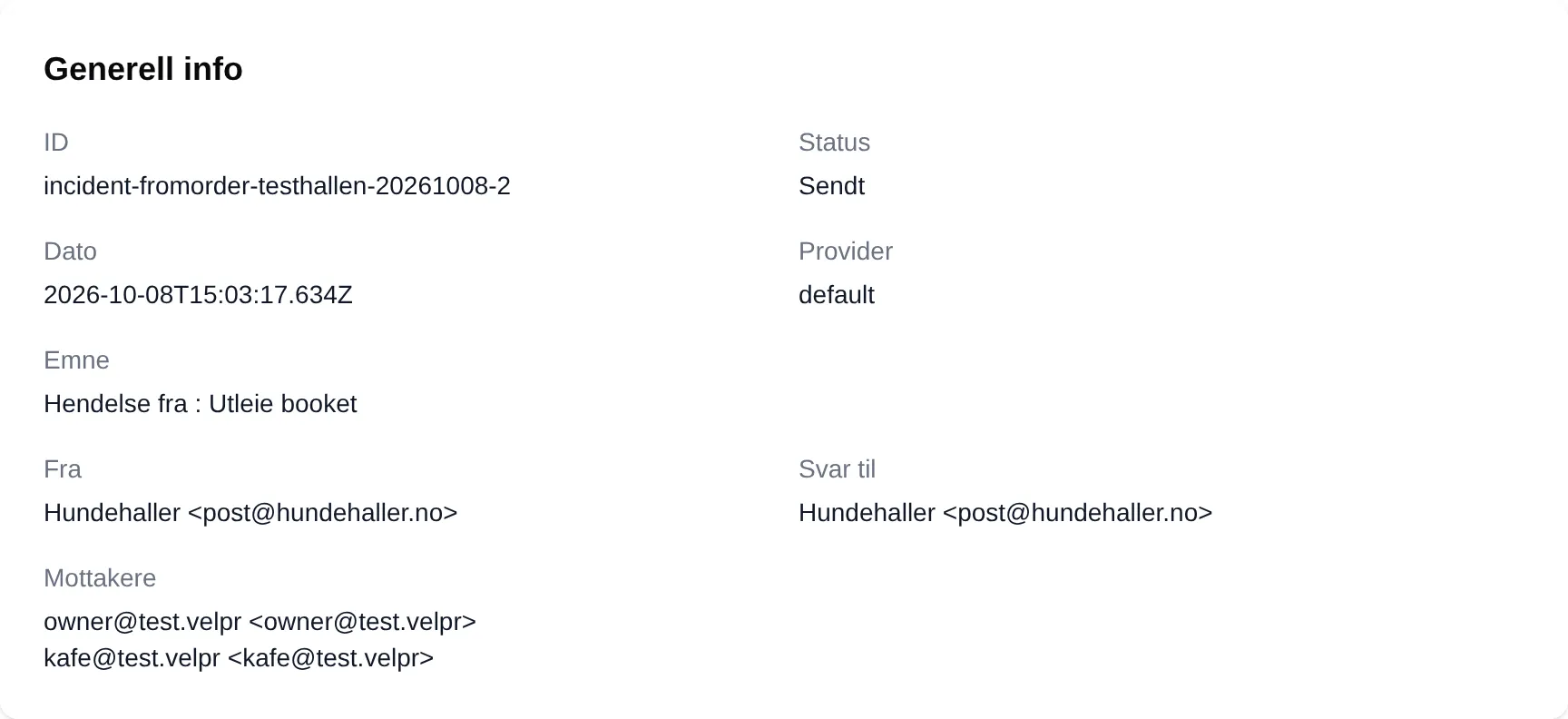
| Part | Explanation |
|---|---|
| Status | Sent means the email service accepted it — not that it arrived. |
| Provider | The service that sent it. |
| From / Reply to | The sender, and the address replies go to. |
| Recipients | Who the email went to. |
| Content | The email as HTML code. |
| Delivery details | One attempt per row, with Error when an attempt failed. |
Emails that fail are retried automatically for an hour. After that they show as Failed.
The outbox has no button for resending an email. An invoice can be resent from Invoices.