
Groups
Many facilities have slots, rental units or prices that only apply to some people — members, the board, a training group, or those who rent a unit on a regular basis. The facility manages this with groups: a list of people. If you are on the list, you get the access and the price automatically. You never have to type a code into the cart.
You join a group in one of three ways:
- The facility adds you. You don’t need to do anything.
- The facility invites your email address. The membership is waiting for you and becomes yours the first time you sign in to the facility with a verified email address.
- You get a group code, for example in a membership email. You enter it once on Min Side (My page).
How to use a group code
Section titled “How to use a group code”- Sign in and open Min Side from the user menu in the top right corner.
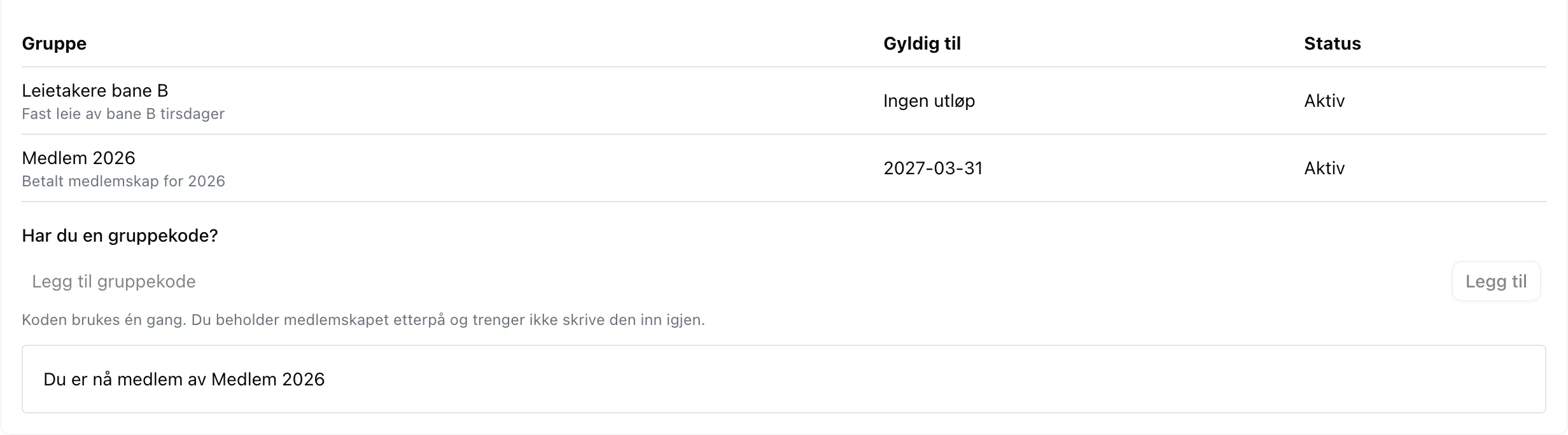
- Open the My groups section.
- Type the code in the field under Do you have a group code?
- Click Add.

If it works, you see “You are now a member of …”, and the group appears in the list above. The code is used up as far as you are concerned — you keep the membership and never need to enter it again.
How to see which groups you belong to
Section titled “How to see which groups you belong to”Under Min Side → My groups you see all your groups, with the date the membership expires and whether it is Active or Expired. An expired membership gives no access and no discount, but stays in the list until the facility removes it.
How to book a slot reserved for your group
Section titled “How to book a slot reserved for your group”You don’t do anything special — you book as usual. If you are in the group, the slot looks completely normal to you, and you can add it to the cart.
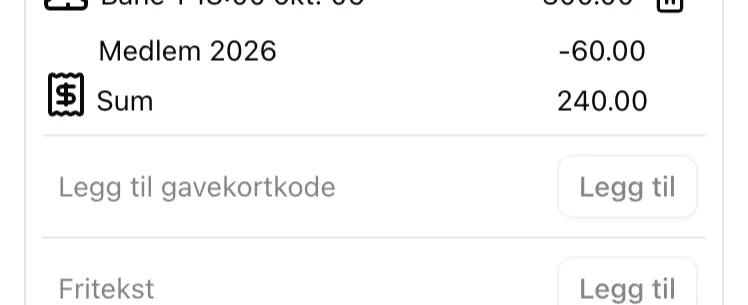
If the group gives a discount, you see the new price directly in the slot picker, marked with %. In the cart, the slot is listed at full price with the group name on a separate line below, showing the amount you save:
When a slot is not for you
Section titled “When a slot is not for you”If you are not in the group, the slot is greyed out, with a small people icon and the group name where the activity normally is. If you click it, it says Unavailable where the Add to cart button would have been.
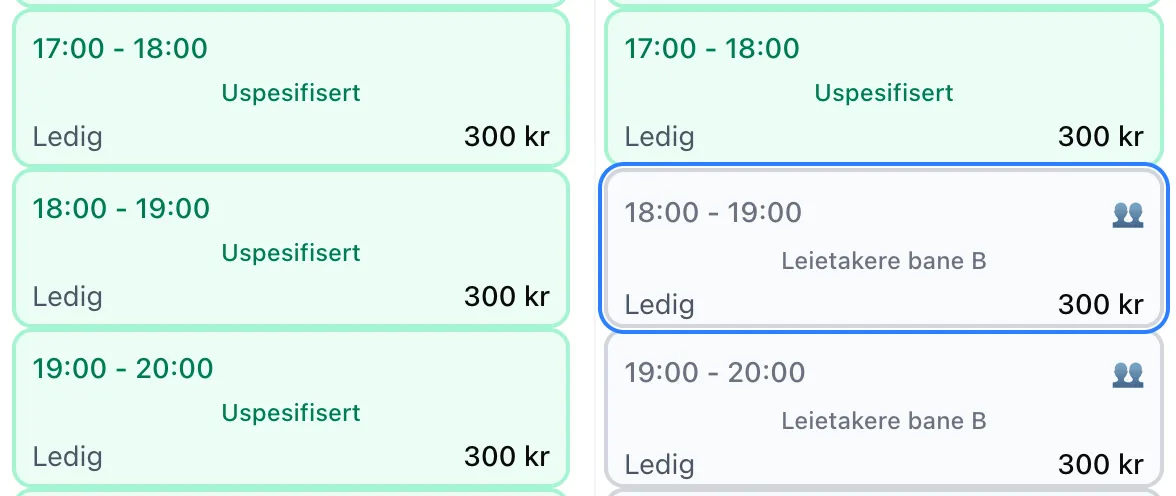
There is no code you can enter to unlock such slots. If you think you should be in the group, contact the facility.
See groups in the interface for a walkthrough of every field and badge, and the admin guide for how the facility sets this up.