
Light control
The fields are listed on Light control. The setup step by step is in the admin guide for light control, and the installation of the controller itself in Installing a Shelly controller.
What lights a zone
Section titled “What lights a zone”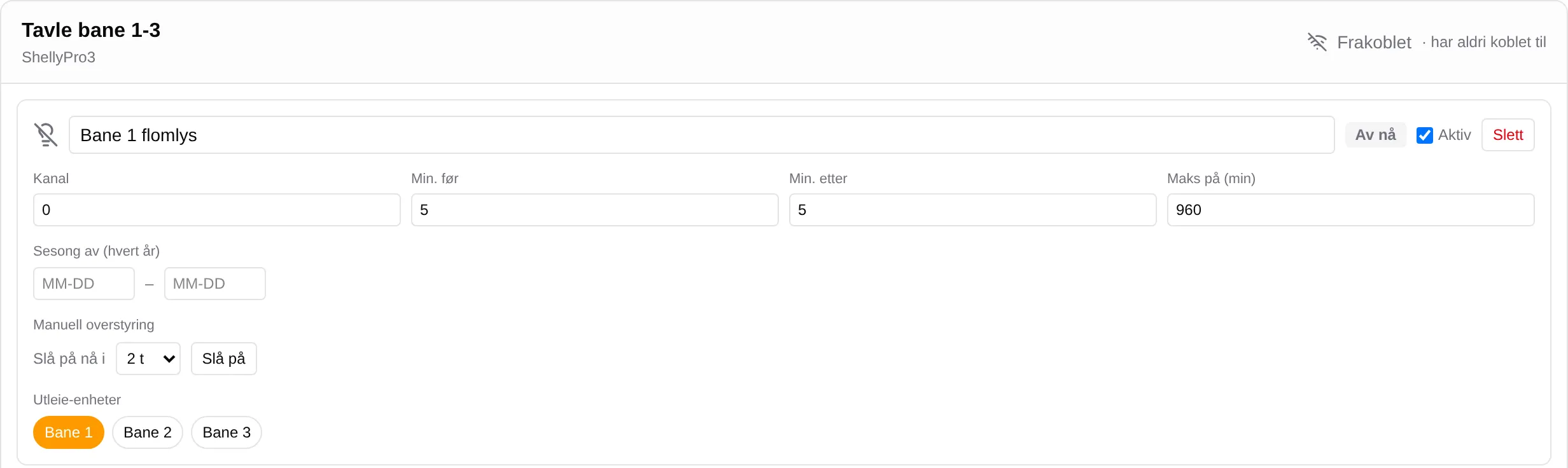
A zone is lit for slots on the rental units it is linked to, when at least one ticket in the slot is booked.
| Turns the lights on | Does not |
|---|---|
| Confirmed bookings | Slots that are in a cart or being paid for |
| Fixed times that are shown as booked | Events |
| Closed slots |
The lighting window runs from Min. before before the slot starts to Min. after after it ends. Windows that overlap or meet are merged: with 5 + 5 minutes, the lights stay on between two slots with less than 10 minutes between them.
A slot 17:00–18:00 with 5 and 5 minutes gives light 16:55–18:05.
The order the rules are applied in
Section titled “The order the rules are applied in”- Active off — the zone gets no windows, not even from manual override.
- Season off (every year) — windows that start on a day within the period are removed. Both dates must be filled in. The period can span New Year.
- The windows are merged.
- Max on (min) — each merged window is cut down to its first minutes. 0 means no limit.
- Manual override — added last, and beats season and Max on.
Zones on the same channel on the same controller are merged: the lights are on when one of them should be on. The page shows an error message when two zones have the same channel.
Scheduled lighting
Section titled “Scheduled lighting”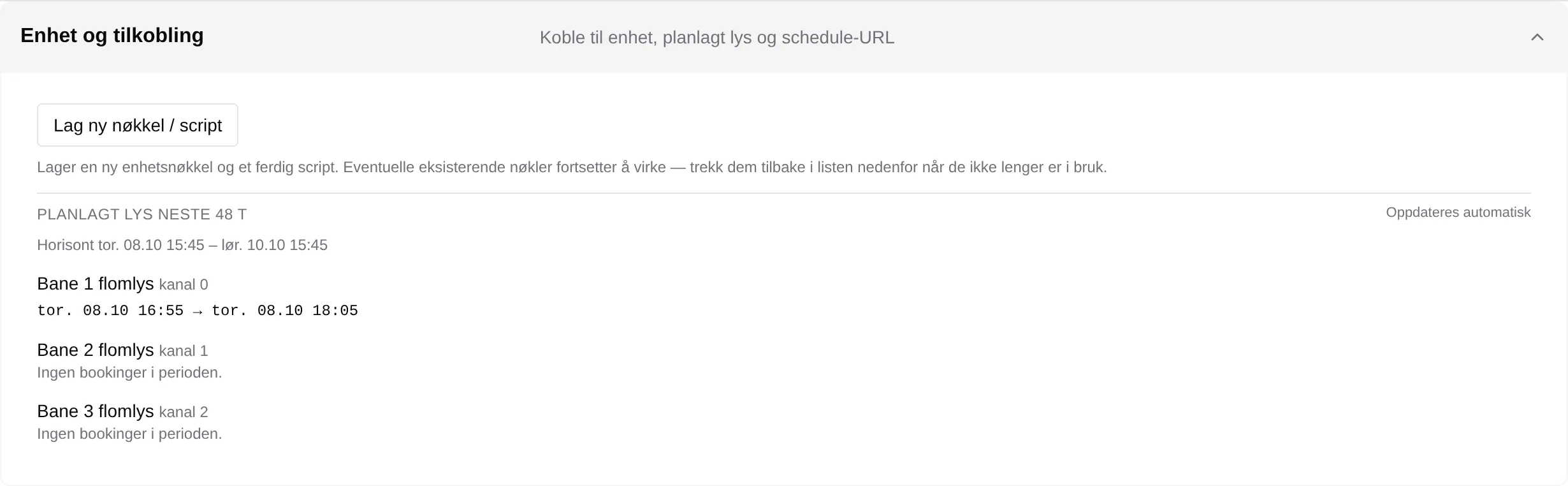
Scheduled lighting for the next 48 h under Device and connection shows the windows Velpr sends to the controller, for each zone. It is updated every minute and shows the saved setup. If Max on has cut a window short, it says … window(s) were shortened by the maximum on-time — check the setting.
ON now and Off now on the zone are what Velpr has planned right now — not a message from the relay.
Manual override
Section titled “Manual override”Turn on now for 1–24 hours (default 2 h) lights the zone right away, regardless of bookings, season and Max on. While it is on, it says Manually on until … with the Cancel button. The override is saved right away, without Save, but cannot be used while the page has unsaved changes.
The controller
Section titled “The controller”| What | How it works |
|---|---|
| Fetching the plan | The controller fetches the plan every minute. |
| Connected / Disconnected | Connected when the controller has fetched a plan in the last 3 minutes. |
| Without a network | Keeps running on the last plan for up to 48 hours, and then switches everything off. |
| After a restart without a network | Leaves the relays as they start up, until it has fetched a plan. |
| If the script stops | Each “on” has its own off time, so the lights go off at the end of the window anyway. |
| Clock | The controller must have set its clock over the internet to switch lights. |
Create new key / script creates a new key and a ready-made script. The key is shown only once. Old keys keep working until you press Revoke under Device keys — they are not revoked by themselves.
Only administrators and owners can use the page.
The setup step by step: the admin guide for light control.