
Club codes
The page is shown when the Club codes module is on under Site → Modules.
How to create a code: the admin guide for club codes. What the fields do: the admin reference for club codes.
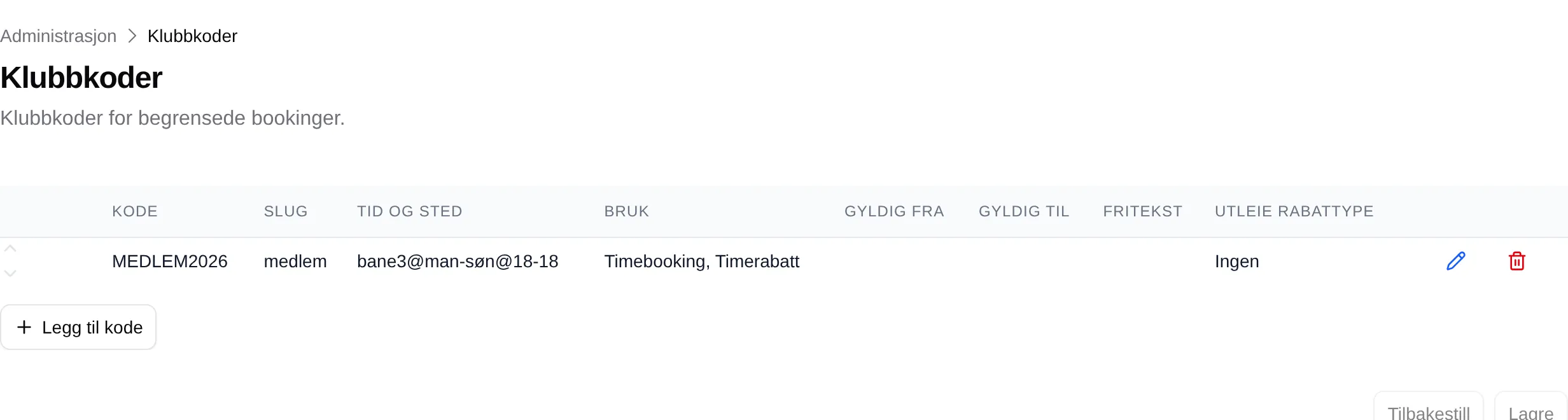
Add code creates a new row. The pencil opens Edit club code, the bin deletes the code, and the arrows change the order. The changes are saved with Save at the bottom; Reset discards them.
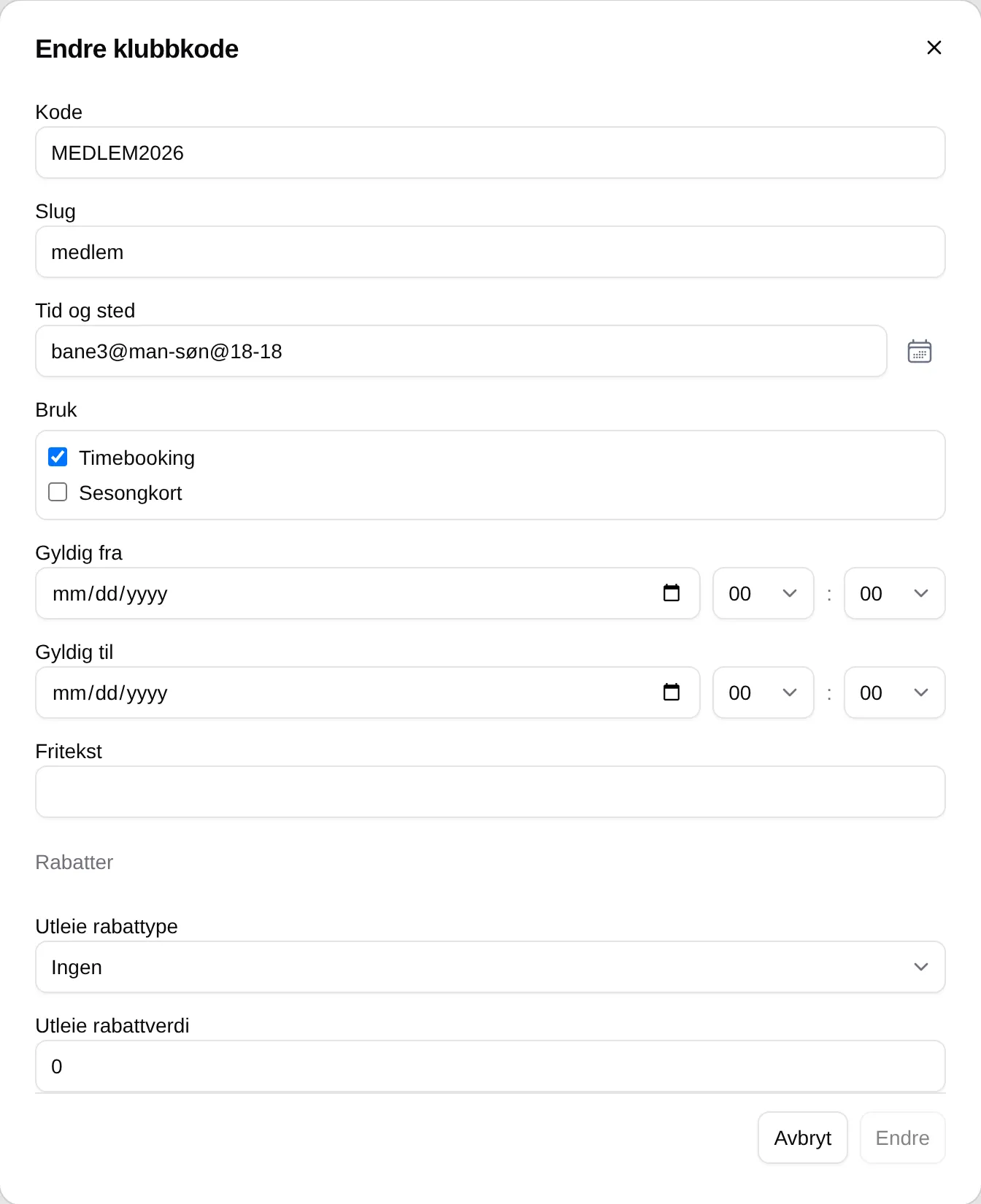
| Field | Explanation |
|---|---|
| Code | The text the customer types in the cart. |
| Slug | A short name discounts can refer to. |
| Time and place | The slots the code unlocks. |
| Usage | Slot booking and/or Season pass. |
| Valid from / to | When the code works. |
| Free text | A note for administrators. |
| Rental discount type | Ingen (None), Percentage or Fixed amount. |
| Rental discount value | The discount in percent or kroner. |