
Optional prices
This page walks through every element you come across when the facility offers several prices for the same slot or ticket. See Choose your own price for the step-by-step guide.
Badges in the overview
Section titled “Badges in the overview”You never see the cheaper prices in the overview itself — it always shows the regular price. That alternatives exist is marked like this:
| Where | Badge | Meaning |
|---|---|---|
| Slot card in slot picker | Yellow + by the price | The slot offers prices you can choose yourself. Click it to see them. |
| Info sheet for a slot | Yellow More prices label | The same, but spelled out at the top of the info sheet. |
| Sign-up button, event | + after the price | The ticket type offers prices you can choose yourself. |
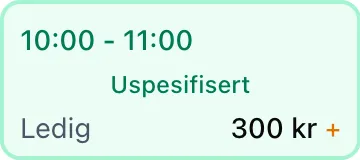
The badges sit alongside the other price badges: % for a discount and a blue G for group pricing. A slot card can show several of them at once.
Choose price — the price list
Section titled “Choose price — the price list”The price list is a list of radio buttons. Exactly one price is selected at any time.
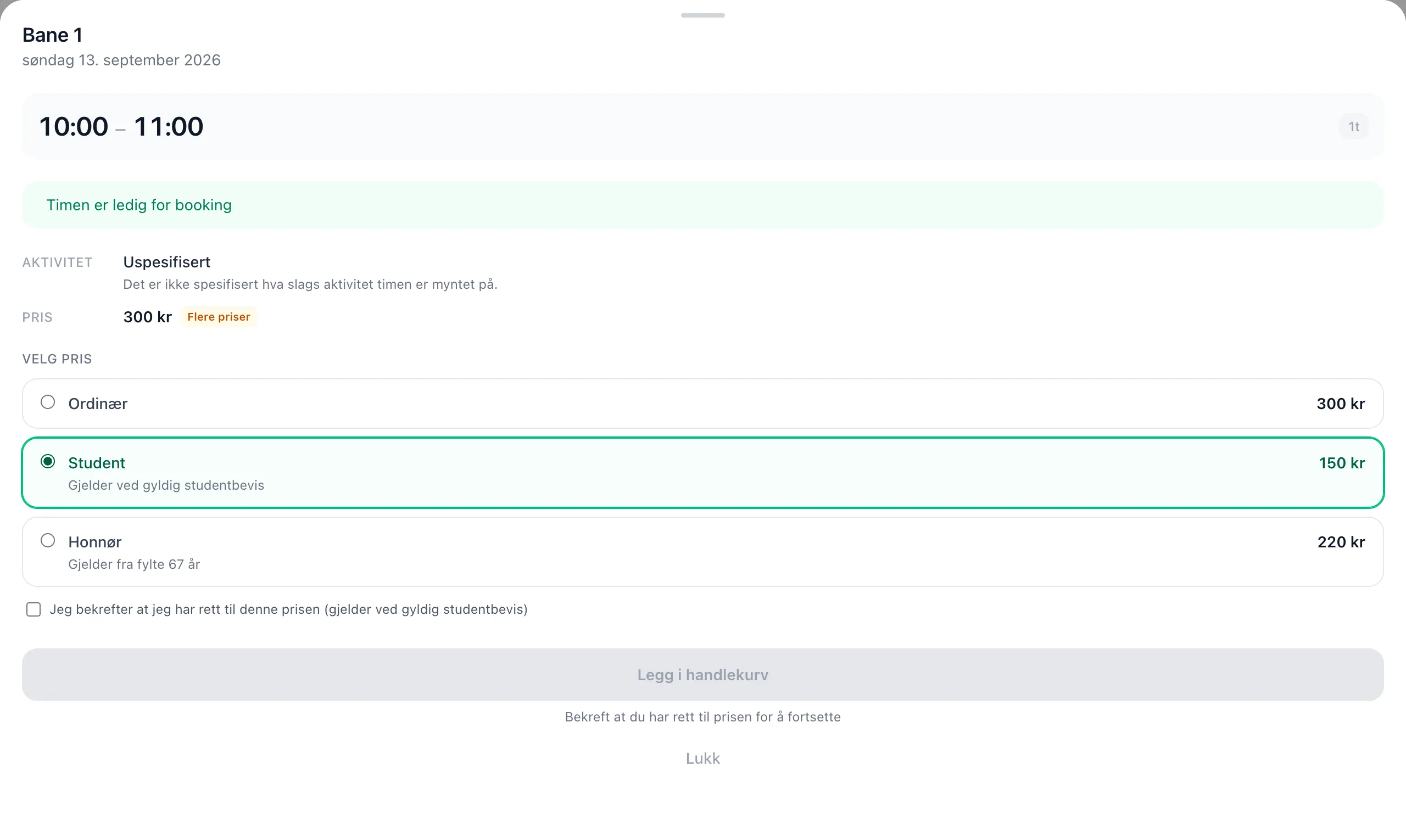
| Element | Explanation |
|---|---|
| Regular | The top row, and always preselected. This is the price everyone pays. A cheaper price is never chosen for you. |
| Name of the price | The name the facility has given the price, e.g. Student or Senior. This name ends up on the receipt. |
| Amount on the right | What you actually pay for one ticket if you choose this row — including any group surcharge. |
| Grey text under the name | The terms the facility has set, e.g. “Requires a valid student card”. The system doesn’t enforce them, but they state what you are agreeing to. |
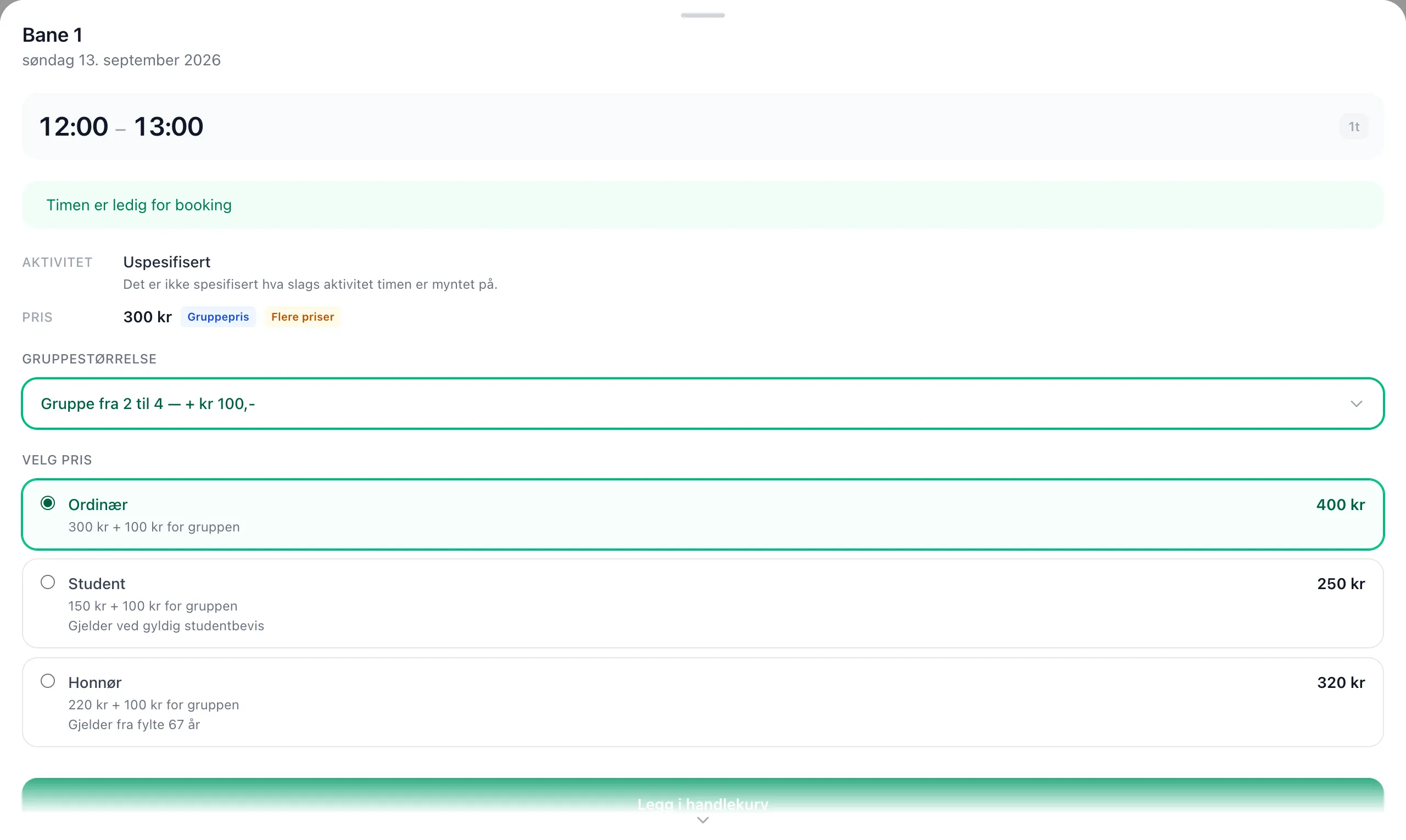
| “kr X + kr Y for the group” | Only shown on group slots. The first amount is the slot price after your choice, the second is the group surcharge, which is not discounted. |
Confirmation
Section titled “Confirmation”If the facility has ticked that the buyer must confirm, a checkbox appears below the list when you choose that price:
☐ I confirm that I am entitled to this price (requires a valid student card)
The Add to cart / Complete button is disabled until the box is ticked. If it says “Confirm that you are entitled to the price to continue” under the greyed-out button, this is the box that is missing.
If you switch price, the checkbox is cleared.
“Choose group size first”
Section titled ““Choose group size first””On group slots the price list can’t work out the total until you have chosen how many of you there are, because the group surcharge is added on top of the price you choose. Until you have chosen, it says:
Choose group size first — the group price comes on top of the price you choose here.
Once the group size is chosen, each row shows the total and how it is made up:
For events
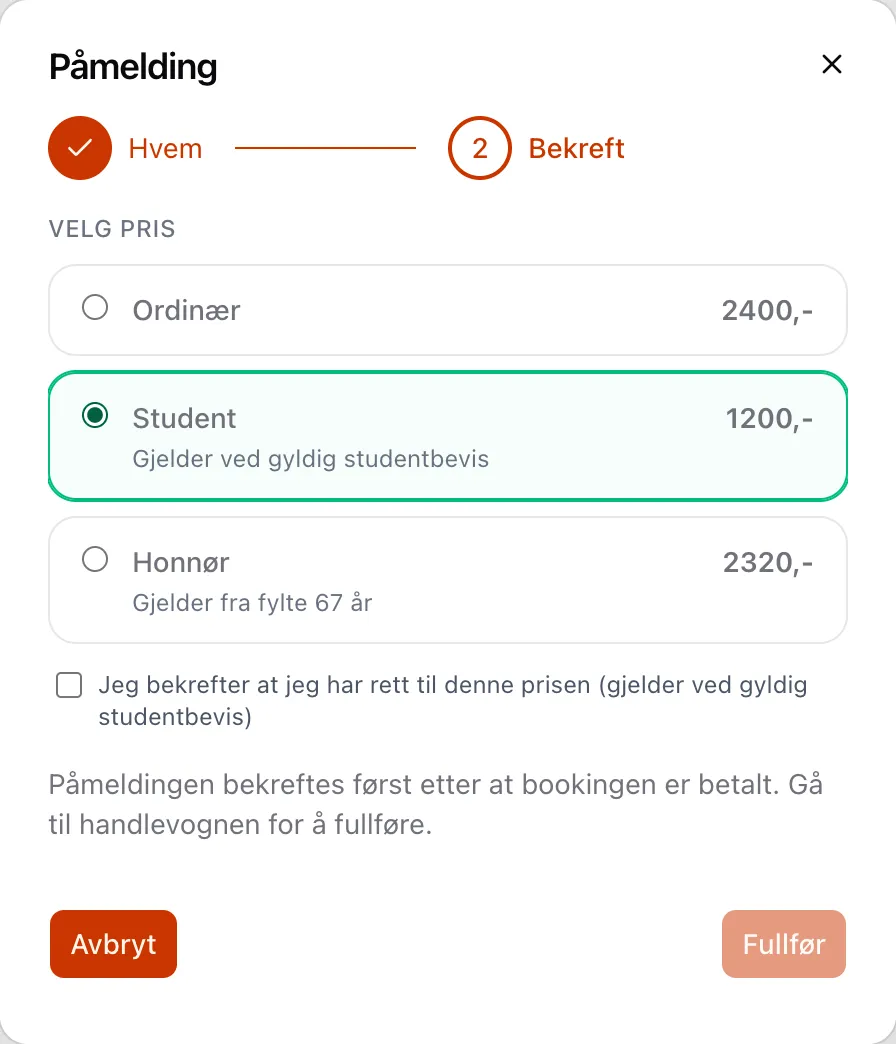
Section titled “For events”In the sign-up dialog the price list is on the last step, Confirm — after you have filled in who is taking part. It works the same way, but without a group surcharge:
Where your choice shows up afterwards
Section titled “Where your choice shows up afterwards”| Place | What it looks like |
|---|---|
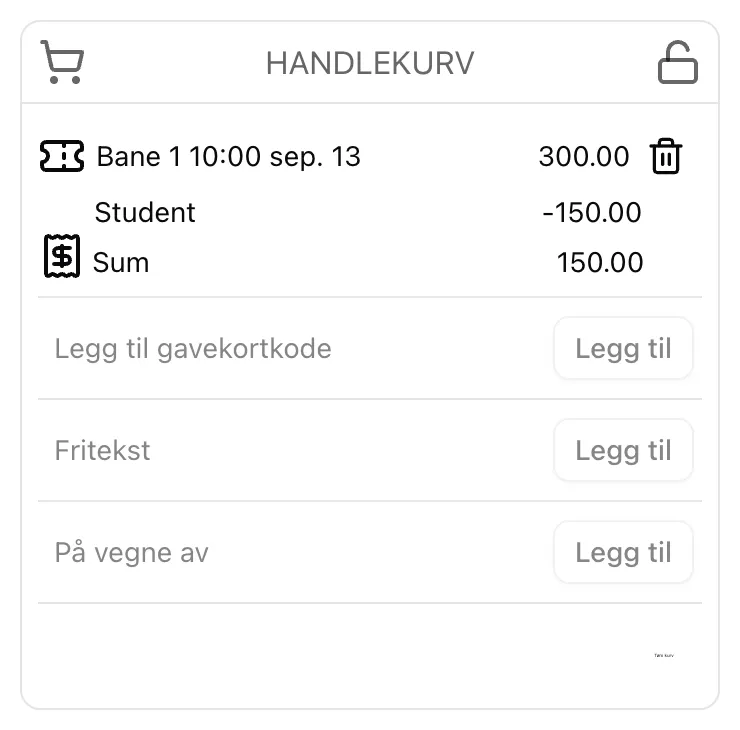
| The cart | The slot or ticket is listed at full price, and the name of the price you chose sits as an indented line below, with the deduction as a negative amount. Same layout as punch cards and group pricing. |
| The receipt | The name of the price is stored with the order. If the facility later changes or deletes the price, old receipts still say the same thing. |
| Participant lists | The facility can see which price each participant chose. |
When the price picker isn’t shown
Section titled “When the price picker isn’t shown”| Situation | What happens |
|---|---|
| The facility hasn’t turned on optional prices | No badges, no price list — as before. |
| The slot costs 0 kr | No price list. |
| Your punch card covers the slot | No price list — a punch is used. |
| Your club code gives a season pass (free) | No price list. |
| Your club code gives a discount | The price list is shown, but the lowest price applies. Discounts never stack. |
| You remove the slot from the cart | Your choice goes with it. Add it again to choose differently. |
- An optional price changes the price, never the availability. Quotas, number of seats and when sales open are the same whatever you choose.
- The price is chosen per ticket. If you add two slots, you choose a price for each of them.