
Version 2026.03
Stability improvements
Section titled “Stability improvements”The last update changed a great deal about how things worked under the hood, from the code that runs to where it runs in the cloud. Unfortunately, this caused stability problems for some facilities. All of February was spent continuously fixing issues as they turned up.
With the update that went out on 1 March, all known problems should be resolved.
Discounts
Section titled “Discounts”Discounts can now be given using the club code feature. A club code can now give a percentage or fixed discount on either slot rentals or event tickets.
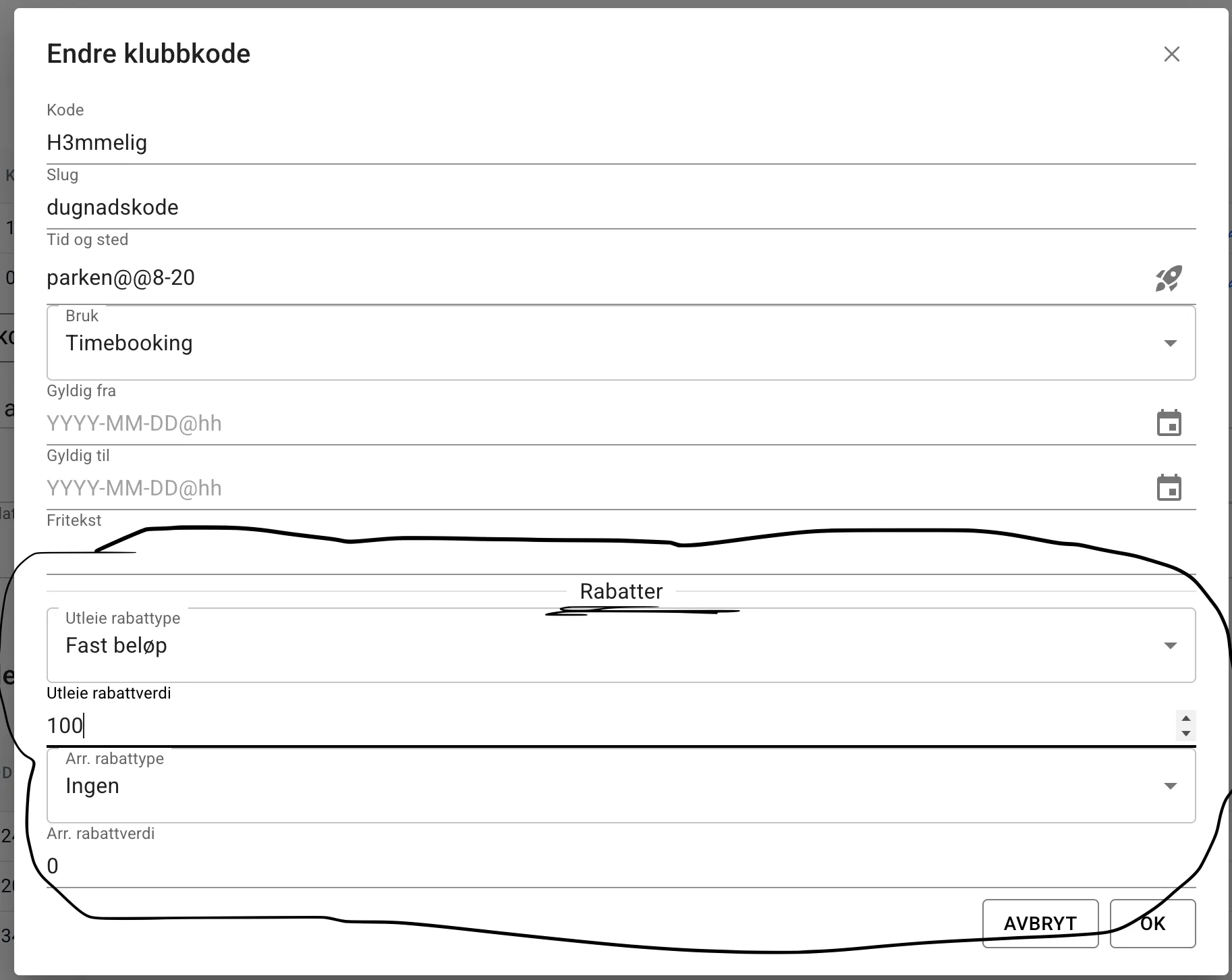
This way of giving discounts is very broad. You cannot give a discount on just specific slots or events, so use it with care. Support for discounts on specific slots or events is coming in a later update.
Discounts can be set up as a percentage or a fixed amount. Either way, the maximum discount makes the booking free.
New slot picker in beta
Section titled “New slot picker in beta”A prerequisite for having rental slots of variable length is that the slot picker can display them well. The new slot picker now makes this possible, and also improves usability and the overview of available slots.
The monthly overview of slots in particular is now much better and gives a clearer picture of available slots.
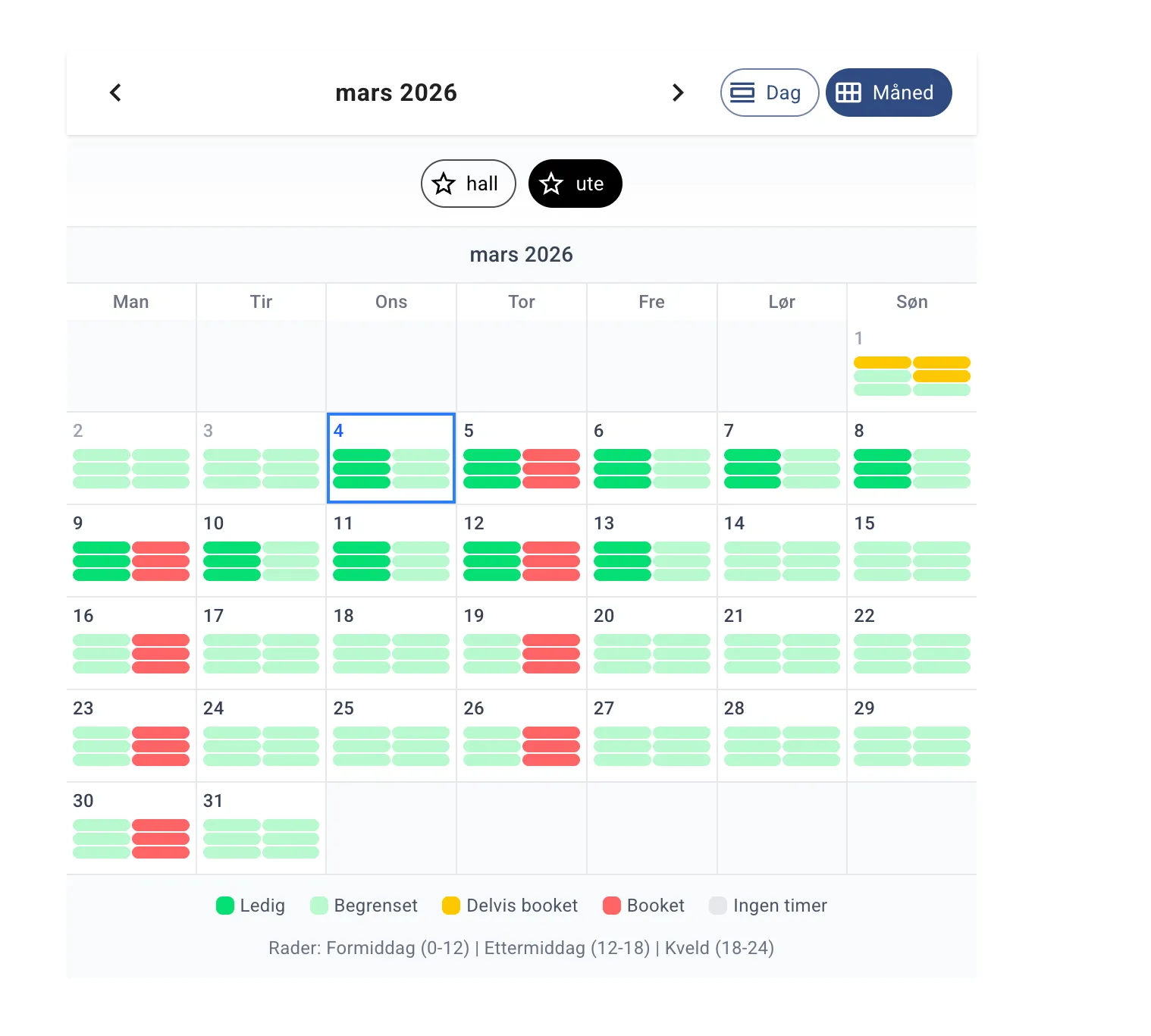
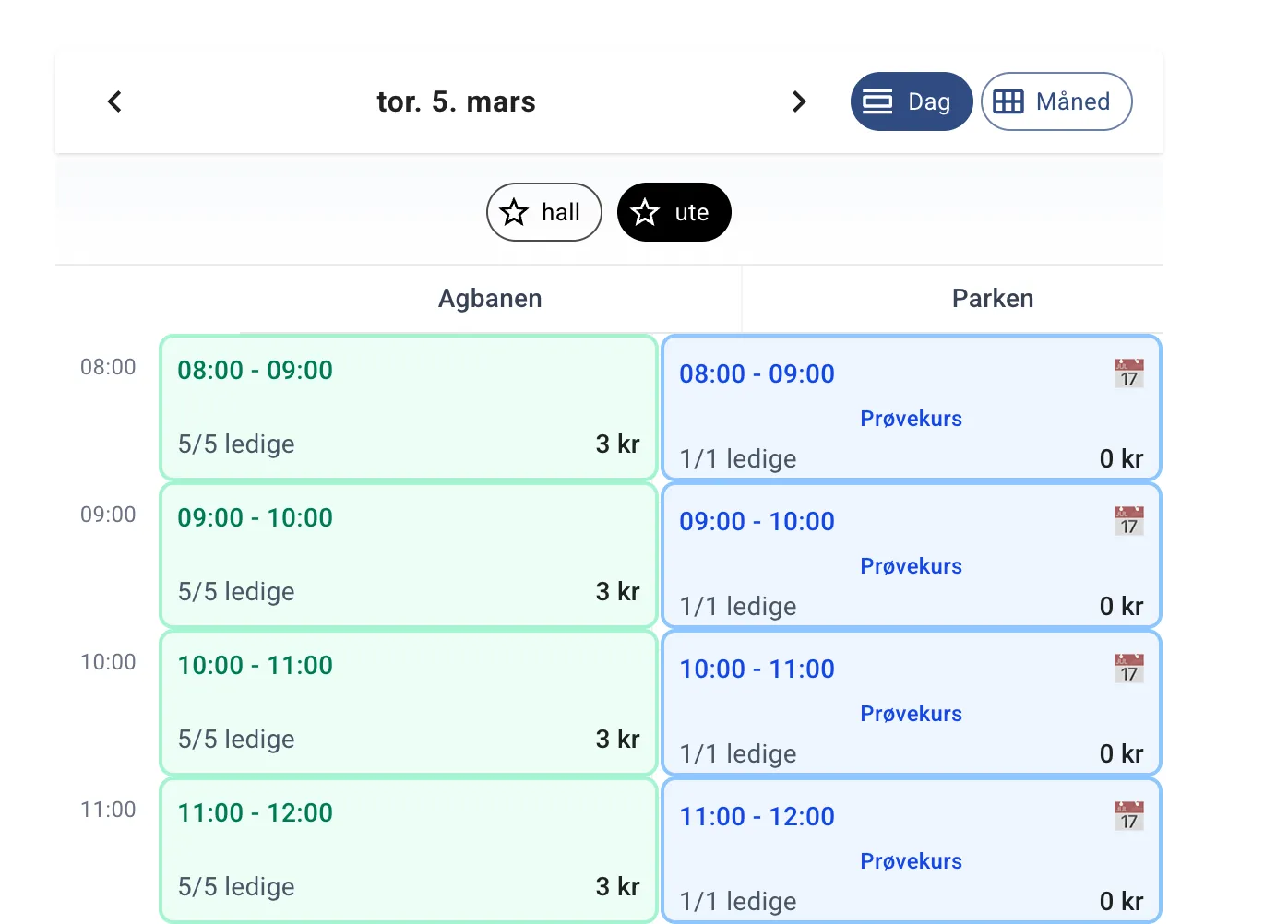
The new component can be enabled under admin > experimental - but I recommend waiting a few weeks so that any bugs and gaps can be fixed before you start using it.
That said, I greatly appreciate feedback, and to test it on your own facility you can go to a secret path under admin called nytimevelger. For Trensau’s facility, the slot picker is available at https://velpr.online/trensau/admin/nytimevelger.
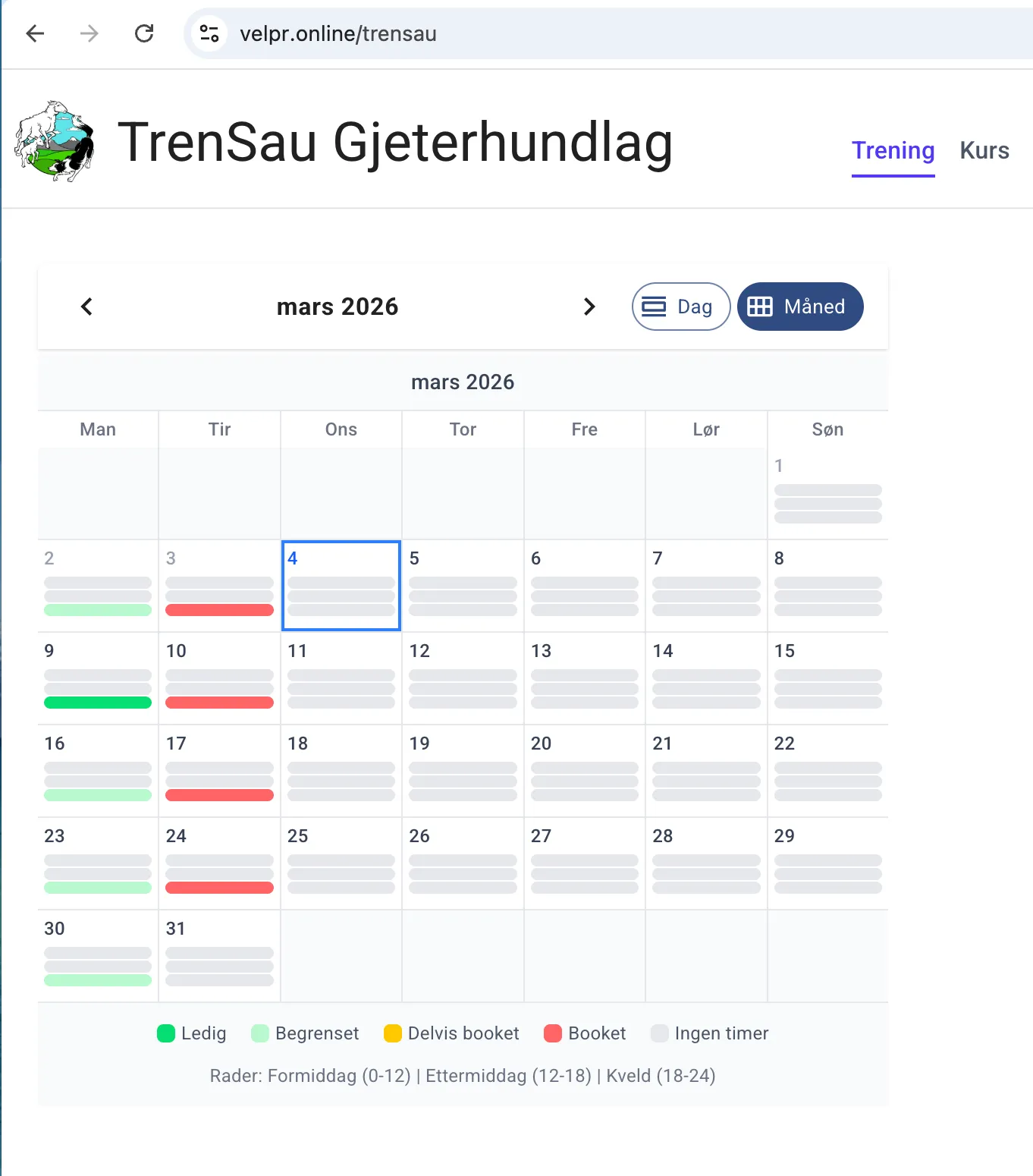
Trensau’s facility is the first to get the new slot picker in production, so
anyone can see how it works there by going to https://velpr.online/trensau.
Outbox
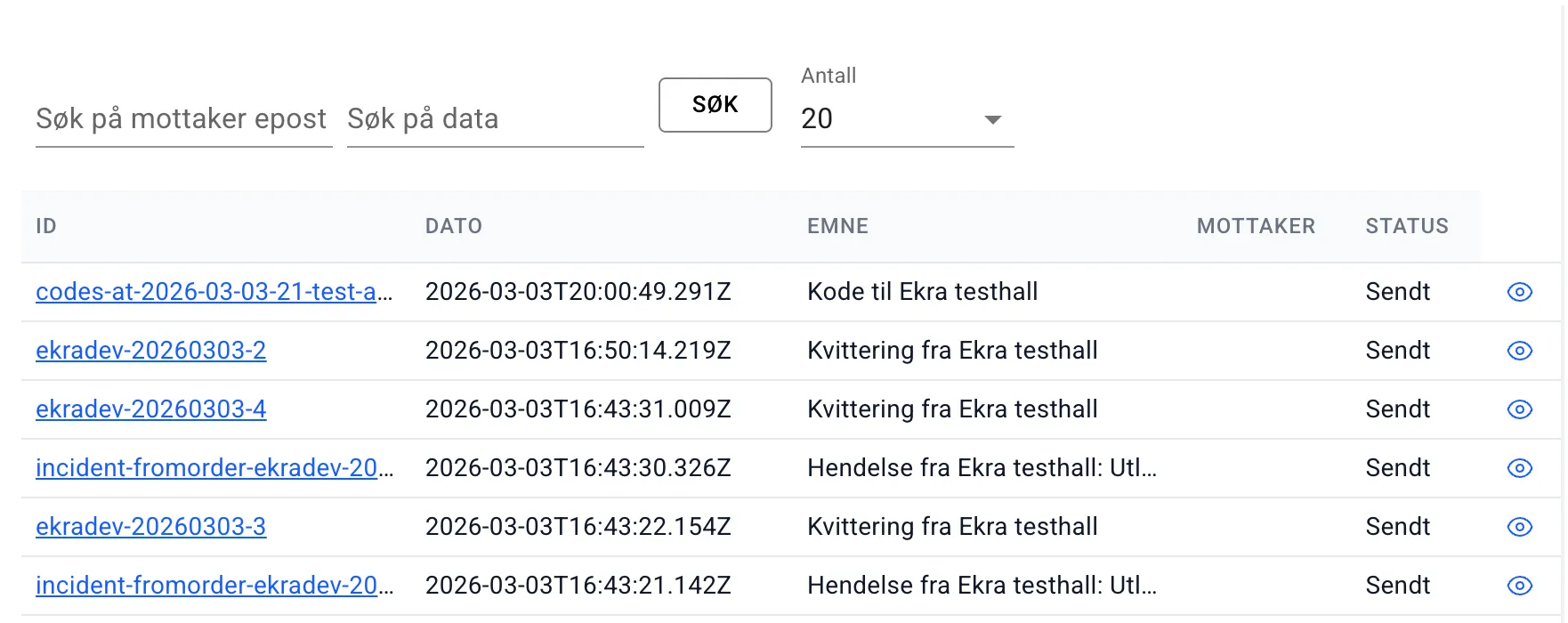
Section titled “Outbox”Admin now has a new menu item and page called “Outbox”. Here you can see all emails sent out from the system, e.g. emails about access codes, receipts, invoices and so on.
You can also see there whether an email failed. A failed send can have several causes, but an invalid email address is a common one.
Gift cards
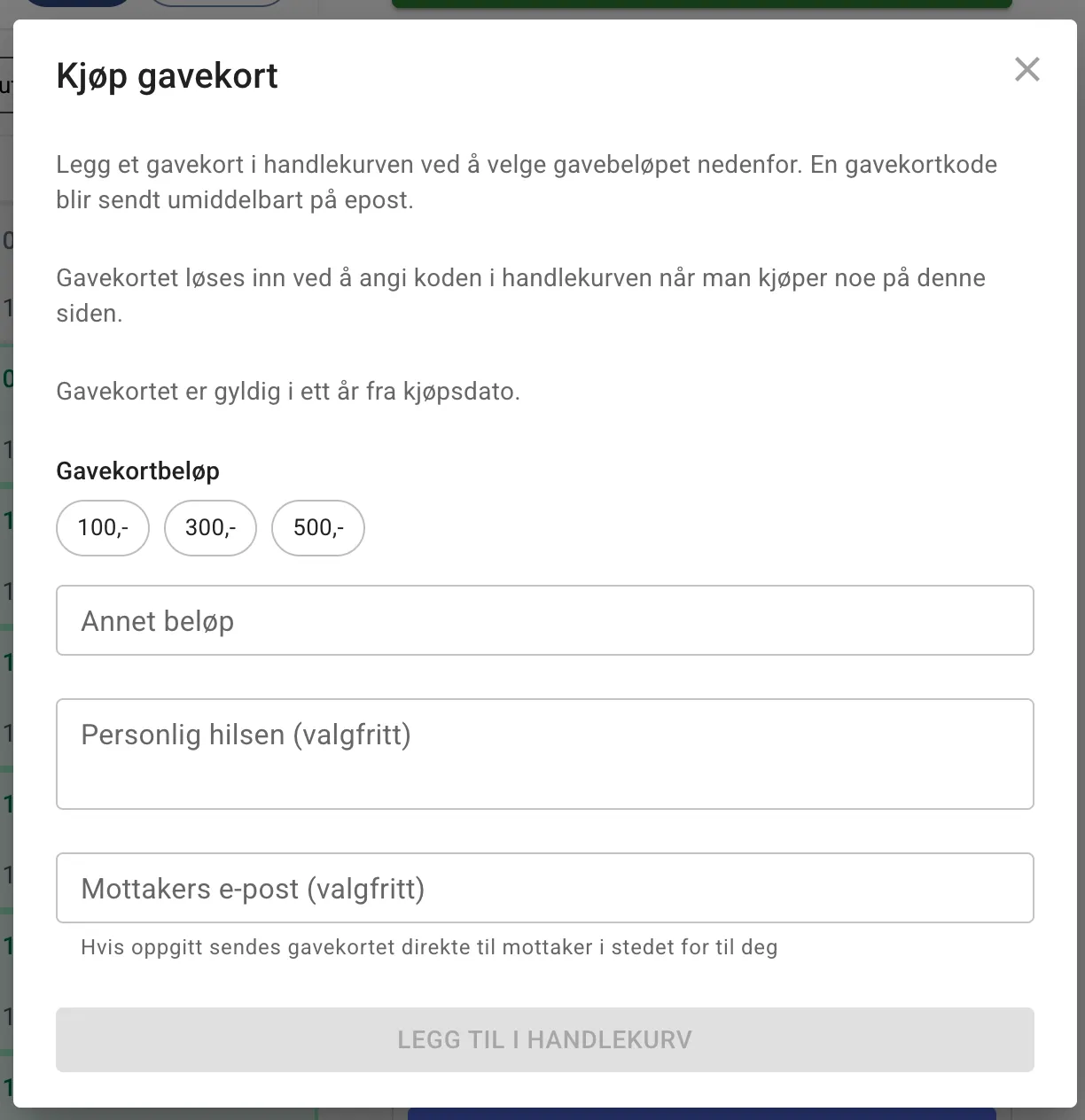
Section titled “Gift cards”Gift cards have had a small facelift. You can add a message or greeting to the gift card and send it directly to the recipient’s email address. It is also possible to send the gift card to yourself and print a physical copy.
Language improvements
Section titled “Language improvements”The word “paid” has been replaced with “date” in several places in the interface to give a more neutral and accurate description, especially for bookings that are to be paid by invoice or are free.