
Min side
Min side (My page) is a list of parts that open and close separately. Some are only shown when the facility uses the feature:
| Part | Shown when |
|---|---|
| Access code at the top | The facility sends access codes, and you have a slot coming up. |
| My account | Always. |
| Receipts | Always. |
| Invoices | The facility offers invoicing. |
| Bookings | Always. |
| Events | The facility has events. |
| My dogs and handlers | The facility has events and is a dog facility. |
| Punch and season passes | The facility sells punch and period cards. |
| My groups | The facility uses groups. |
My account
Section titled “My account”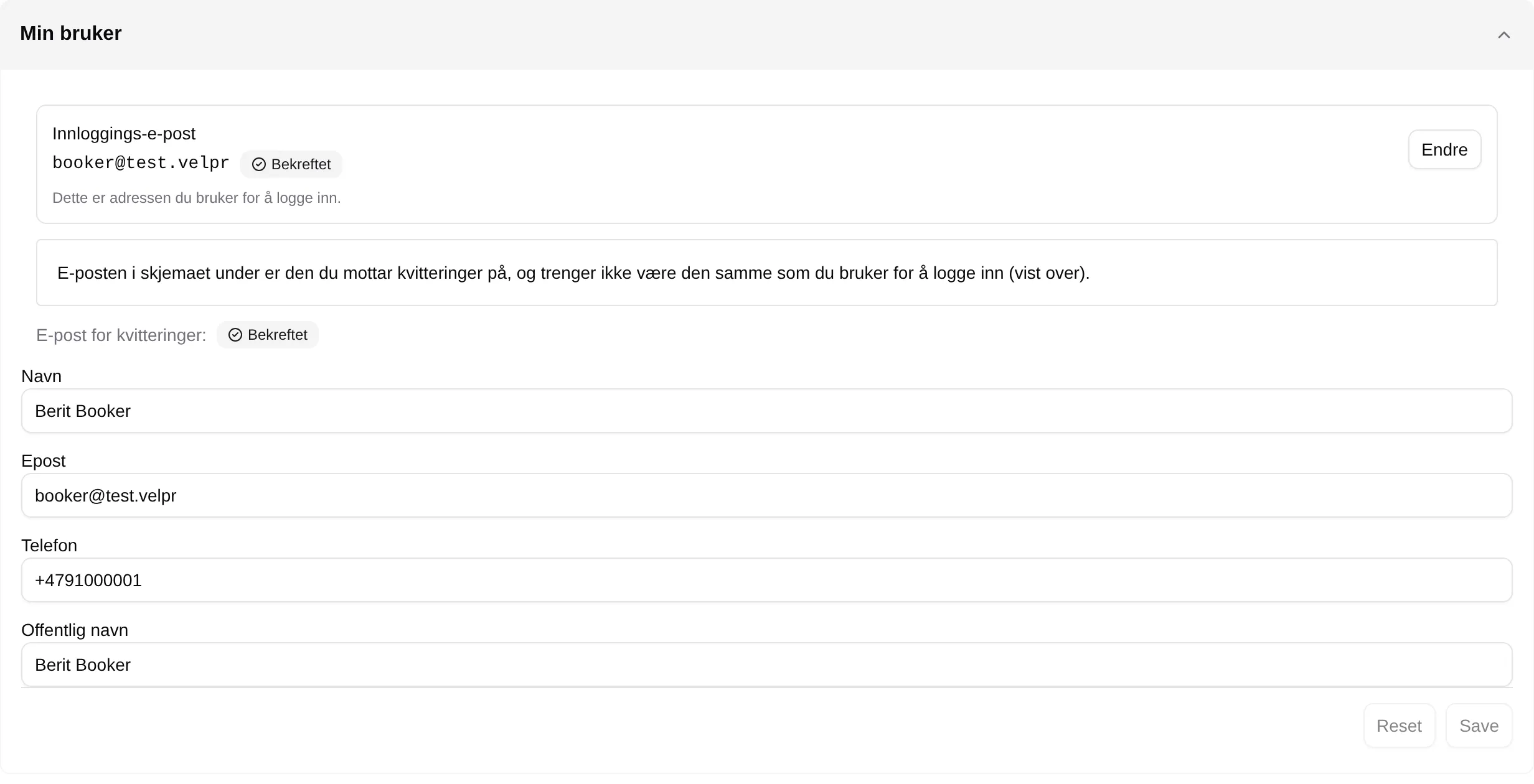
| Field | Means |
|---|---|
| Login email | The address you sign in with. Verified or Not verified. |
| Change | Changes the login email. Only shown when you sign in with email and password. |
| Resend | Sends the verification link for the login email again. Shown when it is not verified. |
| Receipts email: | Whether the address in Email below is verified. Send verification sends a link there. |
| Name | Your name on receipts, and what the facility sees. |
| The address receipts and notifications are sent to. | |
| Phone | So the facility can reach you. |
| Public name | The name others see on slots you have booked, when the facility shows ticket holders. |
| Save / Reset | Saves the changes, or discards them. |
Login email and Email are two different things. The first is your account with Velpr and applies to all facilities. The second applies only to this facility.
Change login email
Section titled “Change login email”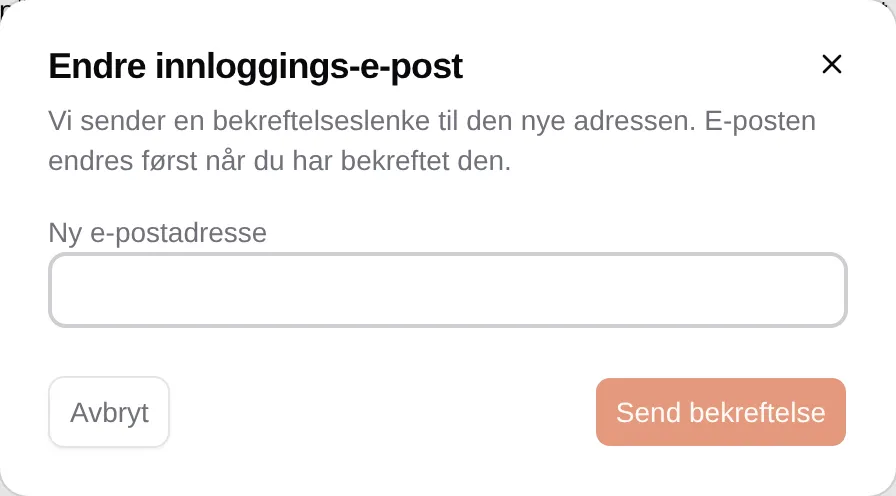
Enter a New email address and press Send verification. The address only changes once you have opened the link in the email. If the new one is the same as the old one, you see The new address is the same as the current one.
Receipts
Section titled “Receipts”
All the orders you have placed with the facility. The columns and the receipt are described in the payment reference.
Invoices
Section titled “Invoices”
| Column | Means |
|---|---|
| Invoice no. | The invoice number. |
| Invoice date | When the invoice was created. |
| Due date | The last day to pay. |
| Amount | What you have to pay. |
| Status | For example Unpaid. |
| Actions | What you can do with the invoice. |
Bookings
Section titled “Bookings”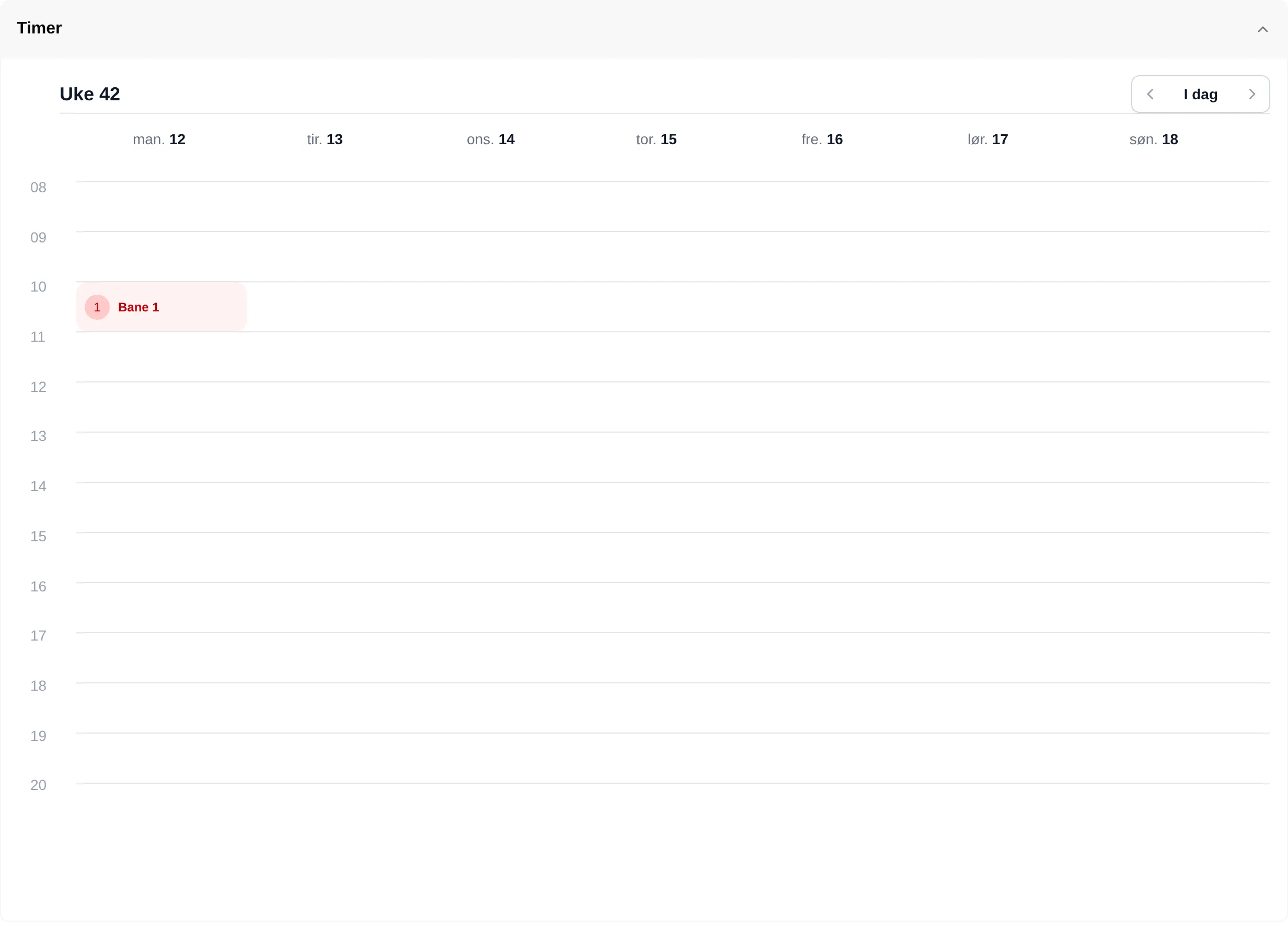
A weekly calendar with the slots you have booked. The number in the red circle is how many tickets you have for that slot. Press the slot to see the court, activity and group size.
| Button | Does |
|---|---|
| ‹ › | Previous and next week. |
| I dag | Back to the current week (today). |
Events
Section titled “Events”
Events you are registered for, with the date and how many tickets you have. Press one to go to the event. Without registrations it says You have no active tickets.
My dogs and handlers
Section titled “My dogs and handlers”
The dogs and handlers you have entered for events, saved so you don’t have to type them in again. They are filled in automatically when you register. The bin deletes an entry.
Punch and season passes
Section titled “Punch and season passes”
| Column | Means |
|---|---|
| Card name | The name of the card. |
| Valid from | The first day the card can be used. |
| Valid to | The last day the card can be used. |
| Punches | How many punches the card has. |
| Punches used | How many you have used. |
| Time and place | Which courts and times the card applies to. |
| Paused | Whether the facility has paused the card. |
Press a row to see Punch card details.
My groups
Section titled “My groups”
The groups you belong to, and the field for using a group code. See Groups.
How to change your email and find what you are looking for: Min side.