
Invoice
The settings are on Payment, and which customers may use invoice is described in Payment — invoice requirements. This page explains what happens afterwards.
Invoice or deferred payment
Section titled “Invoice or deferred payment”| Mode | The customer gets | Shown in Invoices |
|---|---|---|
| Invoice | An invoice with an invoice number, by email: Kvittering & Faktura (Norwegian subject line). | Yes |
| Deferred payment | A Payment request with the order number, without an invoice number. | No |
In both cases the order is confirmed right away, and the invoice is Unpaid with a due date after Payment terms (days).
Payment requests are not shown under Invoices. If you use Deferred payment, you have to follow up in your own system.
Numbering
Section titled “Numbering”Invoices and credit notes share one number series, which starts at 10001. Invoice numbering starts at under Payment has no effect on facility invoices today. A number can be skipped if an order fails.
With VAT liable off, the invoice has 0 in VAT. With VAT liable on, 25 % VAT is added on top of the price the customer saw at checkout: a slot at 300 becomes 375 on the invoice. Check that this matches how your prices are set.
The invoice has one line, with free text from the cart or Booking — not one line per slot or ticket.
Statuses
Section titled “Statuses”| Status | Set when |
|---|---|
| Unpaid | The invoice is created. |
| Partly paid | You register a payment that is less than what remains. |
| Paid | You register what remains. |
| Credited | You create a credit note. |
| Overdue | — not set today. |
Nothing sets Overdue today. The tab is always empty, and Block new invoices when there are overdue ones stops no one.
Actions
Section titled “Actions”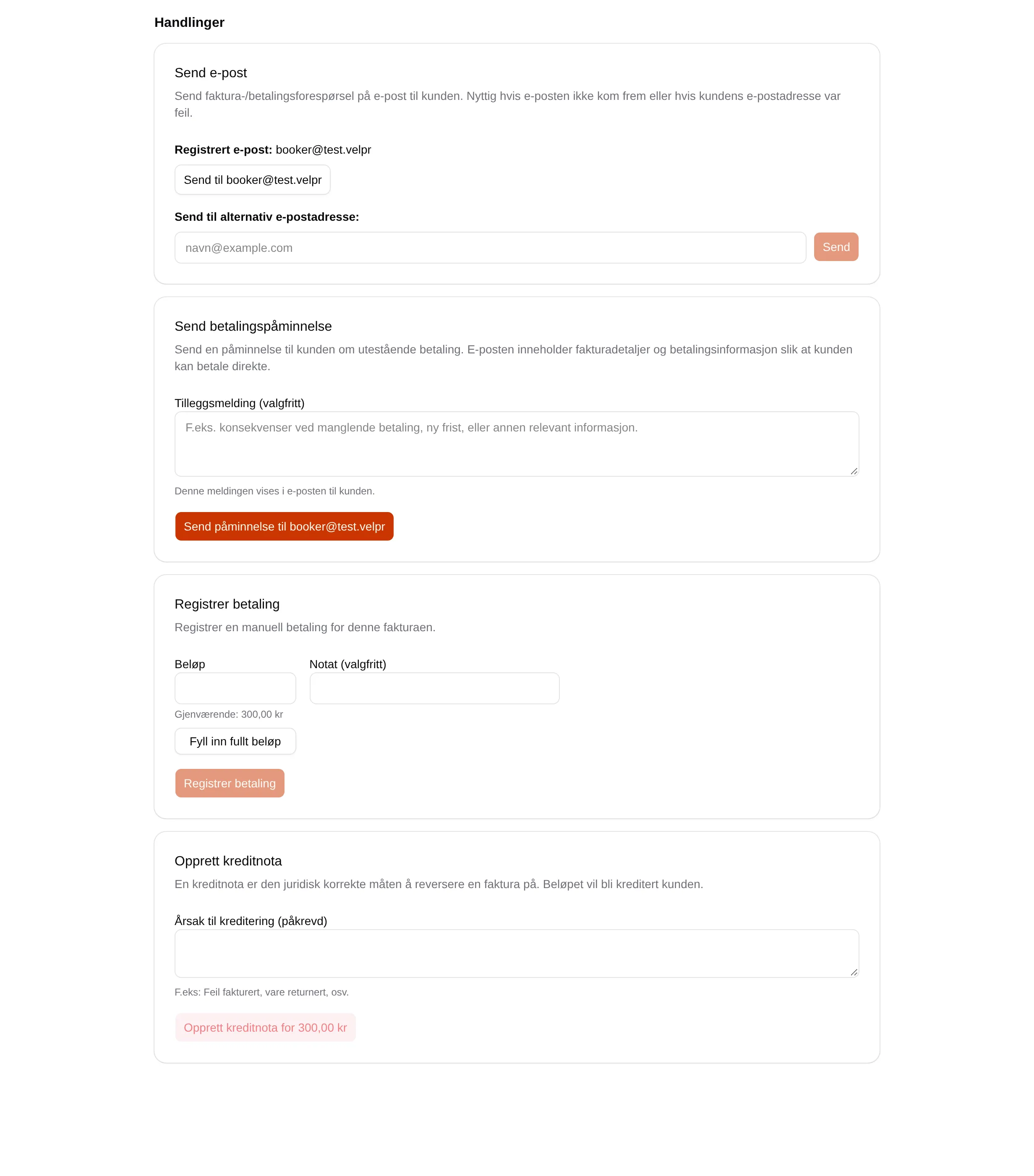
| Action | Shown when | Does |
|---|---|---|
| Send email | Always | Sends the invoice again. Sent to another address, it also goes to the customer. |
| Send payment reminder | Unpaid or partly paid | Sends a reminder with the invoice and the Additional message. The text says the invoice is overdue. |
| Register payment | Something remains, and the invoice is not credited | Registers a payment. More than what remains is rejected. |
| Create credit note | An invoice that is not credited | Credits the whole amount, after you have confirmed. |
Credit note
Section titled “Credit note”- A credit note gets the next number in the series, and is listed under the Credit notes tab.
- It always credits the whole invoice amount. An amount that has already been paid is not deducted: with 100 paid of 300, Remaining shows −100.00 kr.
- The customer gets the credit note by email. Velpr refunds nothing; if the customer has paid, you have to sort that out yourself.
- The order stays in place.
What the customer sees
Section titled “What the customer sees”The customer sees the invoices under Min side → Invoices. Payments and credit notes you register are not shown there — the invoice shows as Unpaid. This also affects the limits: a paid invoice still counts towards Maximum unpaid invoices per customer and Maximum outstanding amount per customer.
The follow-up step by step: the admin guide for invoices. The customer’s side: the invoice reference.