
Version 2026.04
Event messages
Section titled “Event messages”Organisers can now send messages to the participants of an event directly from the admin page. The messages can be sent as a private message to those who have signed up, and are delivered by email with a link back to the event.
This makes it easier to share practical information ahead of an event, send updates when something changes, or thank people for coming afterwards - without having to use a separate email channel.
Creating a message as admin:
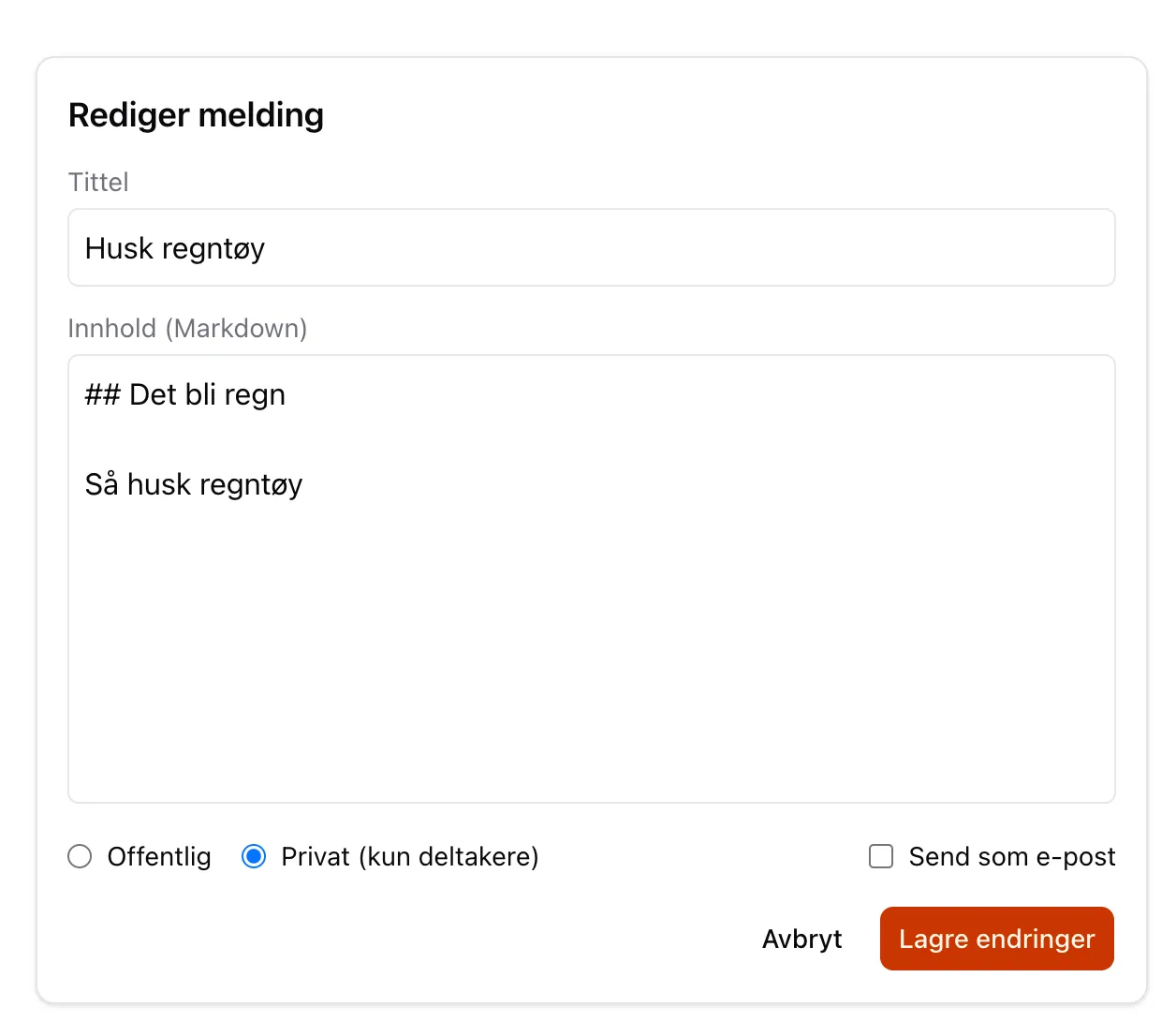
You can use markdown here for simple formatting of the email, but plain text works fine too.
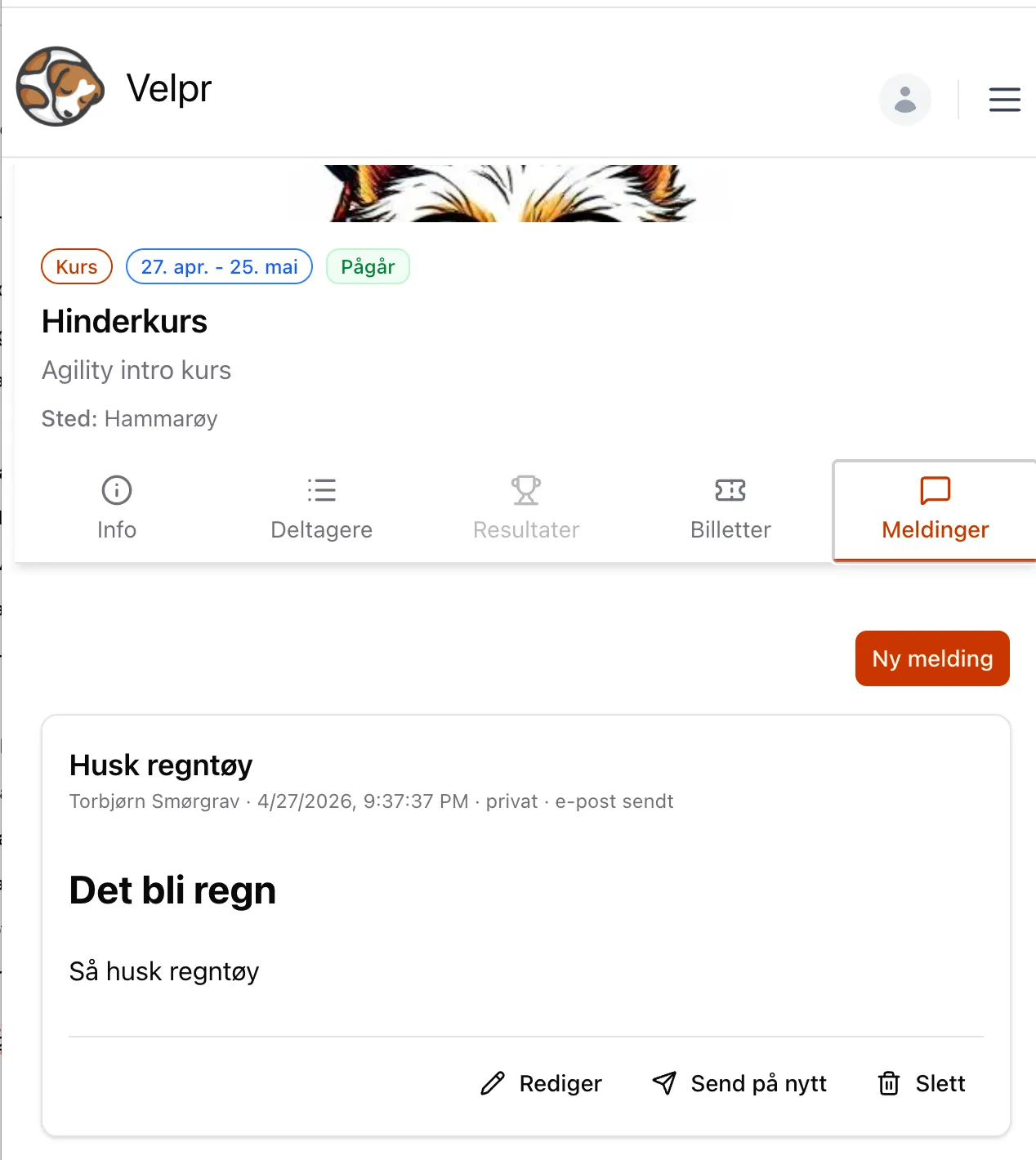
The messages appear under a new tab on the event:
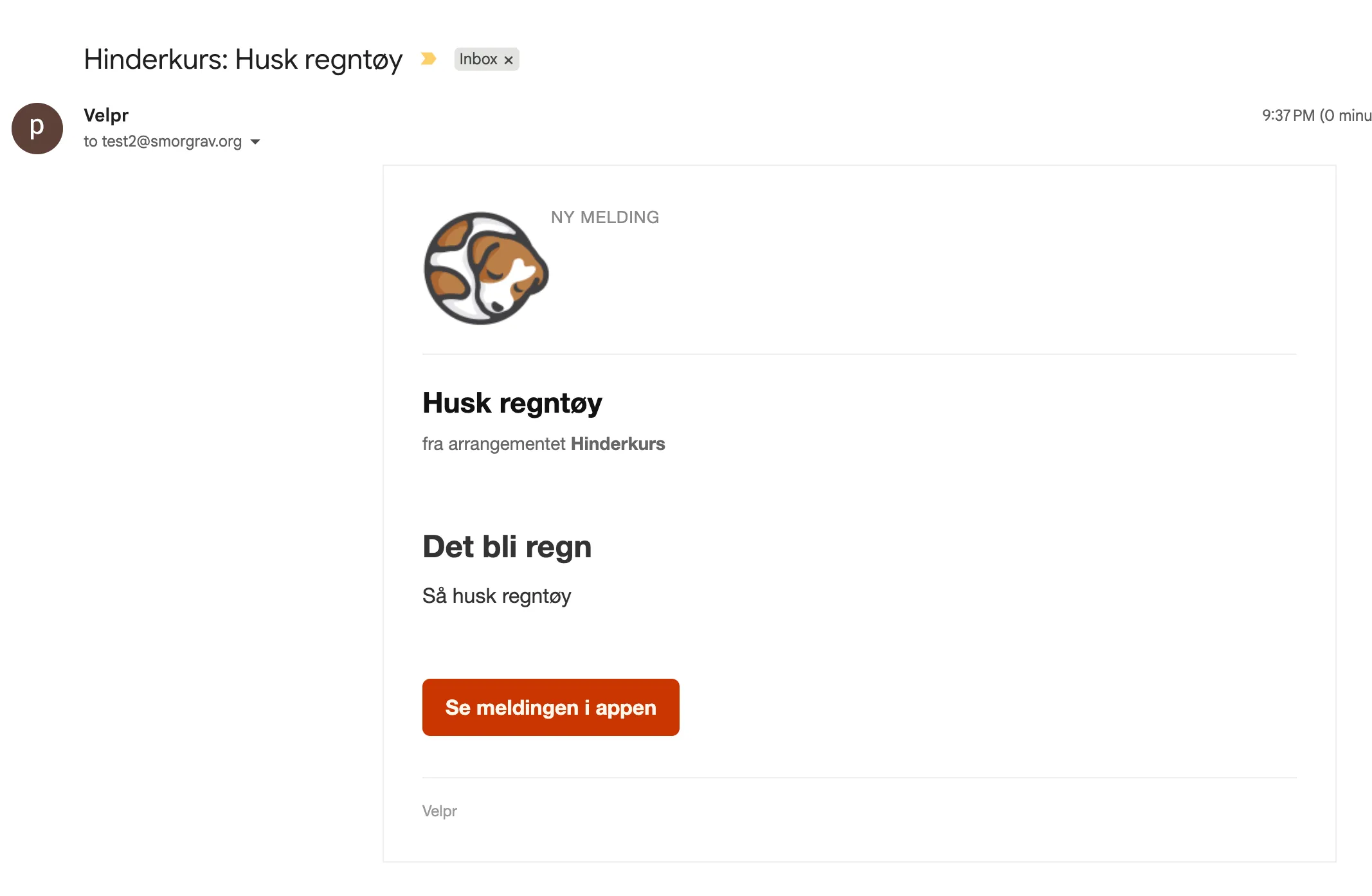
If you choose to also send it as an email, it could look like this:
New slot picker as default
Section titled “New slot picker as default”After a trial period, the new slot picker is now enabled by default for all facilities.
Several improvements have also been made:
- Month view as default: The slot picker now opens in month view, which gives a better overview of available slots (can be overridden)
- Quick select in day view: A quick select function has been added when choosing slots in day view
- Better handling of multiple units: The time and place editor now handles multiple time and place units better
- Some fixes for slots that start on the half hour
Improved invoicing
Section titled “Improved invoicing”The invoice module, launched in January, has received several improvements:
- Dedicated invoice page: Each invoice now has its own page with all the relevant information in one place
- Detailed invoice view: Improved display of invoice details with a better overview of lines, payment status and history
- Email reminder: Administrators can now send reminders about unpaid invoices directly from the invoice page
- Initial invoice number: Facilities can now set a starting number for invoice numbers.
Search in punch cards
Section titled “Search in punch cards”The punch card list now has search. You can search for punch cards by name and email, which makes it easier to find the right punch card at facilities with many active cards.
Mobile-friendly forms
Section titled “Mobile-friendly forms”Forms and dialogs used for booking and event sign-up are now better adapted to mobile devices. The sign-up steps in particular work better on smaller screens, and required fields are shown more clearly.
Refreshed velpr.online
Section titled “Refreshed velpr.online”velpr.online has had a visual upgrade with new colours and design elements, as well as a new blog post.
The documentation for booking and event sign-up has also been updated.
Better image picker
Section titled “Better image picker”The image picker used for events and in the admin interface has been upgraded.
Stability and bug fixes
Section titled “Stability and bug fixes”A number of improvements have been made to make the system more robust:
- Transactions on release: More robust handling of transactions when tickets are released
- Better error handling in payment: Improved error handling for policy acceptance in the payment button
Other improvements
Section titled “Other improvements”- Half-hour slots are now generated correctly
- Sorting of the display order for groups has been fixed
- Fixed slots no longer show a release button (since they cannot be released)
- Rental slots that cross midnight are handled correctly
- The slug for time and place is now trimmed of whitespace when read
- Moved away from old session cookies for a better login flow
- Price selection for groups and activities has been improved
- Various fixes for the event form and sign-ups
- Updated dependencies for better security and performance