
Version 2024.06
Confirmation dialog on completed booking
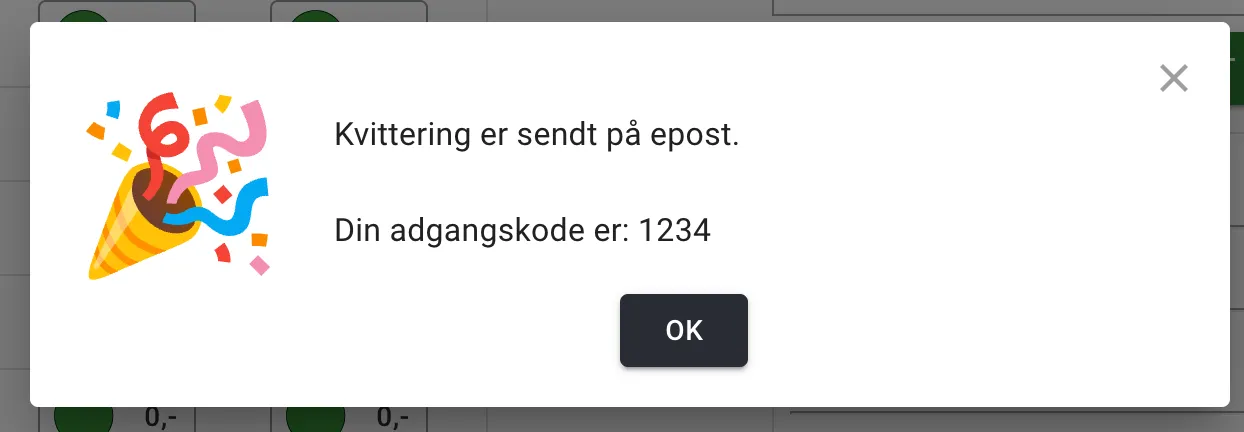
Section titled “Confirmation dialog on completed booking”When customers have paid for a booking, they now get a confirmation dialog with information about the access code. This gives the customer a better experience and makes it easier for them to understand what happens after they have paid. If the customer has booked slots that have an access code, the code is shown in the confirmation dialog — if the code is available. If the access code is not available, the customer is told that they will receive the access code by email.
More flexible code delivery
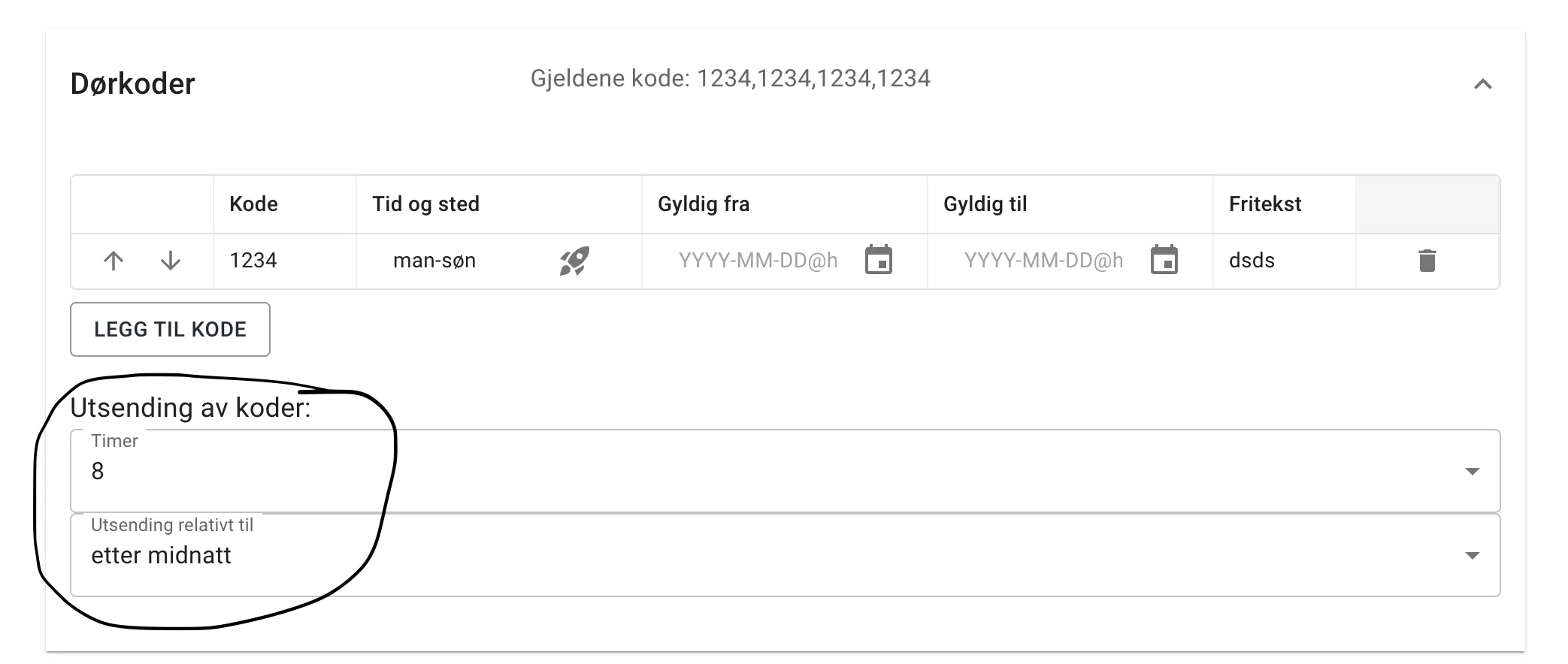
Section titled “More flexible code delivery”The access code module now has an option for choosing when the code becomes available. You can now choose between sending the code once after midnight on the day of the booking, or once after midnight on the day before the booking. The default is 2 hours before the booking.
My Page improvements
Section titled “My Page improvements”My Page now has an overview of all bookings that have been made. This makes it easier for customers to keep track of their bookings. In addition, it is now possible to change the name, phone number and email address that receipts and access codes are sent to.
Rental units
Section titled “Rental units”The rental units have gained a couple of new settings that make it easier to adjust how they are shown in the slot picker. You can now create groups of rental units so that the slot picker can handle more than 3 rental units. Only one group at a time is then shown in the slot picker.
In addition, you can now explicitly set the order of the rental units in the slot picker. This used to be based on alphabetical order.