
Invoice
Invoices on My page
Section titled “Invoices on My page”
| Column | Means |
|---|---|
| Invoice no. | The invoice number. |
| Invoice date | When the invoice was made — the same day as the order. |
| Due date | The last day to pay. |
| Amount | What the invoice is for. |
| Status | See below. |
| Actions | Show details and Download PDF. You do not pay in Velpr. |
Statuses
Section titled “Statuses”| Status | Means |
|---|---|
| Unpaid | Not paid. |
| Partly paid | Some of the amount has been paid. |
| Paid | The whole amount has been paid. |
| Overdue | The due date has passed. |
| Credited | The invoice has been credited — you do not owe the amount. |
| Partly credited | Part of the amount has been credited. |
Invoice details
Section titled “Invoice details”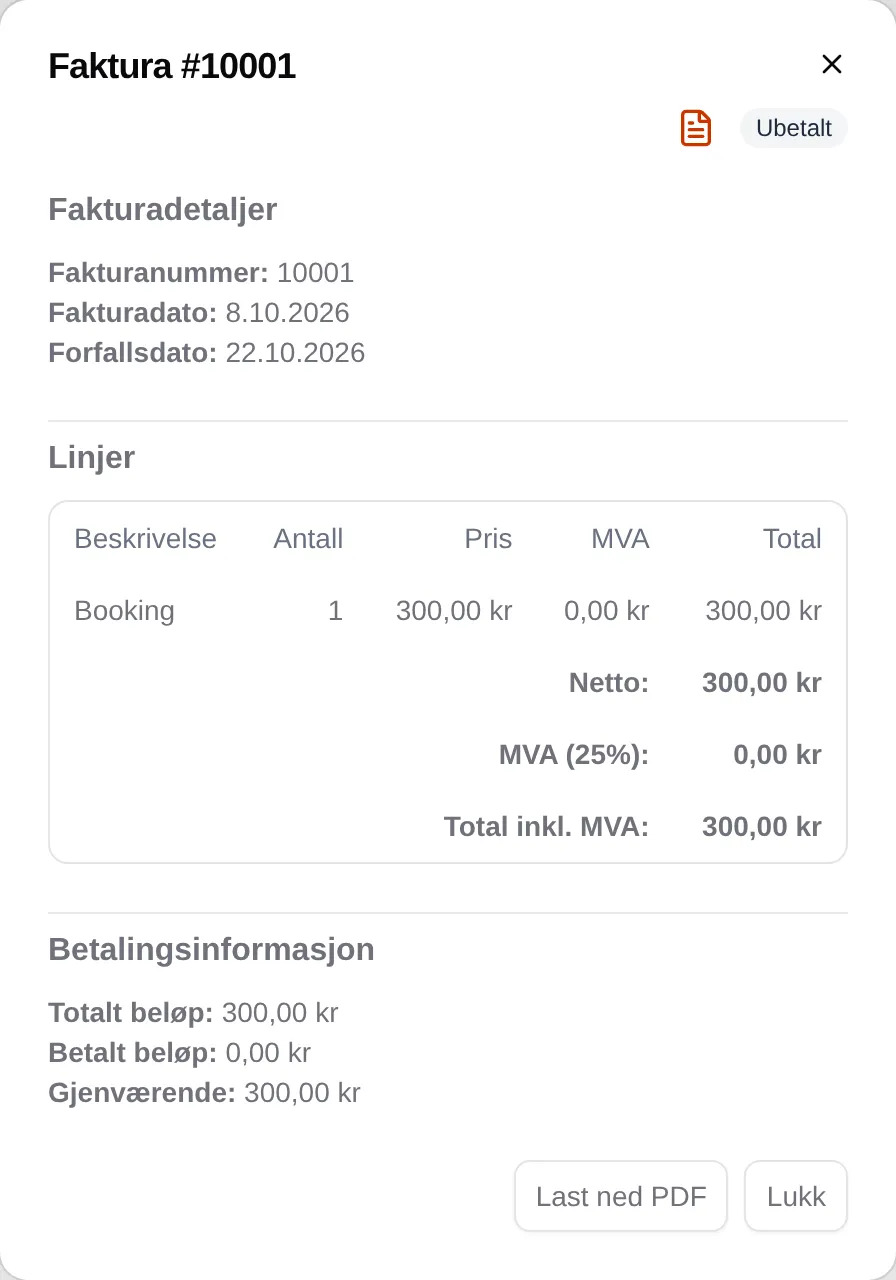
| Part | Contents |
|---|---|
| Invoice details | Invoice number, invoice date and due date. |
| Lines | What the invoice is for, with price and VAT, and Net, VAT and Total incl. VAT. |
| Payment information | Total amount, Amount paid, any Credited amount, and Remaining. |
| Payment history | Payments the facility has registered. |
| Download PDF | The invoice as a PDF, with seller, customer, lines, account number and payment instructions. |
Payment request
Section titled “Payment request”Some facilities invoice in their own system. You then get a Payment request with the order number instead of an invoice with an invoice number. The invoice itself comes from the facility.
What happens to the order
Section titled “What happens to the order”The order is confirmed when you choose invoice. It stays in place even if the invoice is not paid or is credited.
How to pay by invoice: Invoice. For administrators: the admin reference for invoices.