
Period and punch cards
The Season and punch cards screen has two parts: Card definitions — the cards you sell — and Purchased cards — the cards customers have. Only administrators and owners can reach the screen.
Card definition
Section titled “Card definition”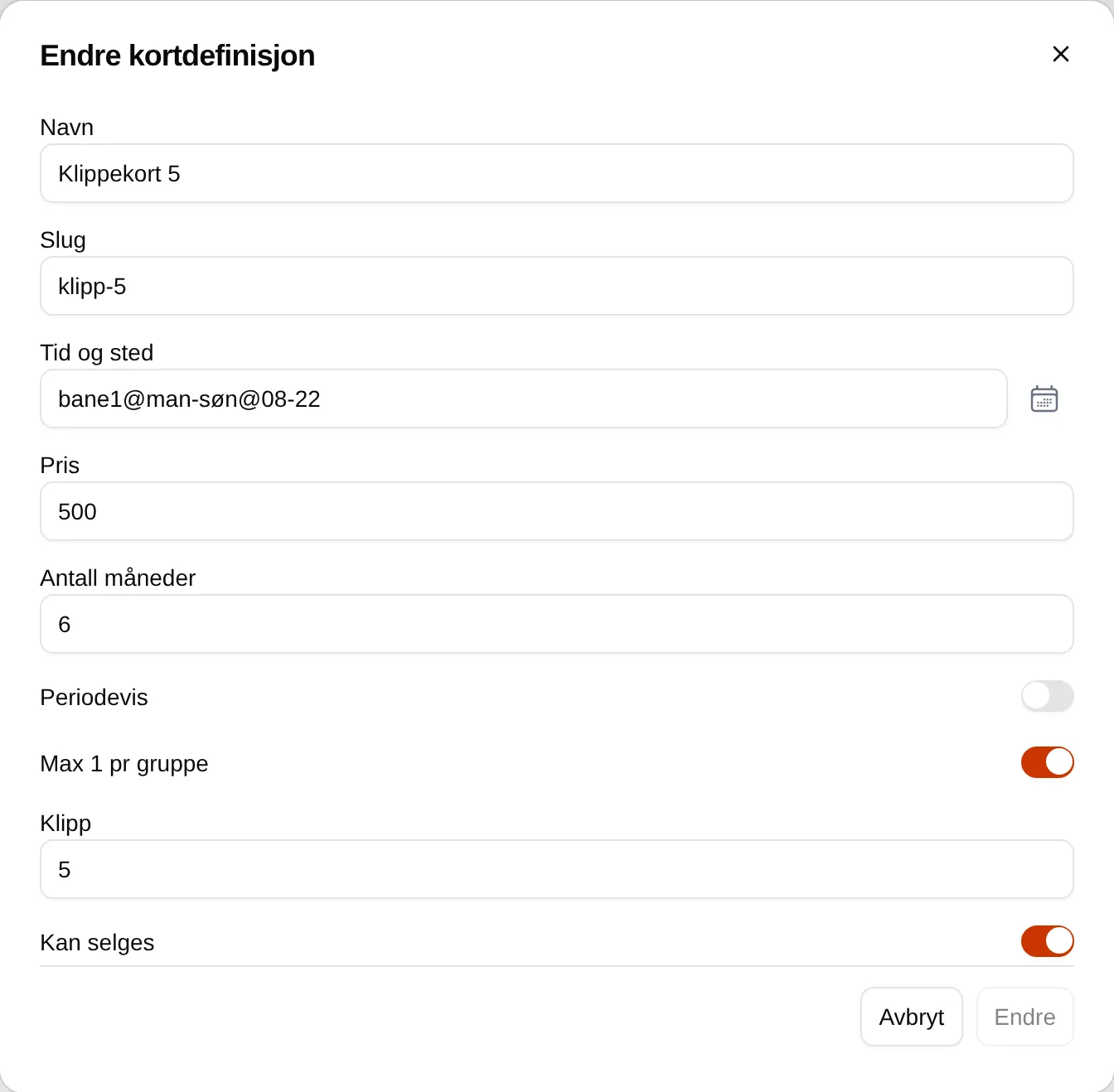
| Field | Works like this |
|---|---|
| Name | Shown in the purchase window, in the cart below the slot and on the receipt. |
| Slug | A short name that rental slots and events can give a discount to. See discount for card holders. |
| Time and place | The slots the card covers. Empty means all slots at the facility. Time and place. |
| Price | What the card costs. |
| Number of months | How long the card is valid: 1, 2, 3, 4, 6 or 12. Other numbers do not work. |
| Periodic | Off: the card is valid from the day of purchase. On: the card follows fixed periods — with 6 months, January–June and July–December — and the buyer chooses this or the next period. |
| Max 1 per group | The card covers only one ticket per slot. Has nothing to do with groups. |
| Punches | Number of slots. 0 makes the card a period card, with no limit. |
| Can be sold | Whether the card is offered in the purchase window. |
The fields are not validated. If you type something wrong in Number of months or Punches, you get no error message.
When the card is shown for sale
Section titled “When the card is shown for sale”A card with Can be sold on is listed in the purchase window. A card with Periodic is shown for the current period until about a month before it ends, and for the next period from about one to two months before it starts. The price is the same no matter how late in the period the card is bought.
How the card is used
Section titled “How the card is used”For every slot Velpr calculates a price for, it first looks for a card the customer has. A card covers the slot when
- the slot matches Time and place,
- the slot starts between the card’s From and To,
- the card has punches left — tickets in the cart count too,
- the card is not Paused,
- with Max 1 per group: the card does not already cover a ticket in the same slot.
The slot then costs 0. If several cards fit, the one with the lowest number of Punches is used first, so that punch cards are used before period cards. Slots that already cost 0 do not use punches.
Each ticket uses one punch, and the punch is counted when the order is completed.
| Situation | What happens |
|---|---|
| The card is in the same cart as the slots | The card does not apply to them. The customer must buy the card first. |
| The customer releases a slot | The punch is used. It does not come back. |
| The card is used up, expired or paused | The slots cost the regular price. |
Discount for card holders
Section titled “Discount for card holders”If you want to give card holders a discount instead of free slots, a rental
slot or an event can give a discount to punch:<slug>. That gives a lower
price, but still uses a punch when the order is completed.
Purchased cards
Section titled “Purchased cards”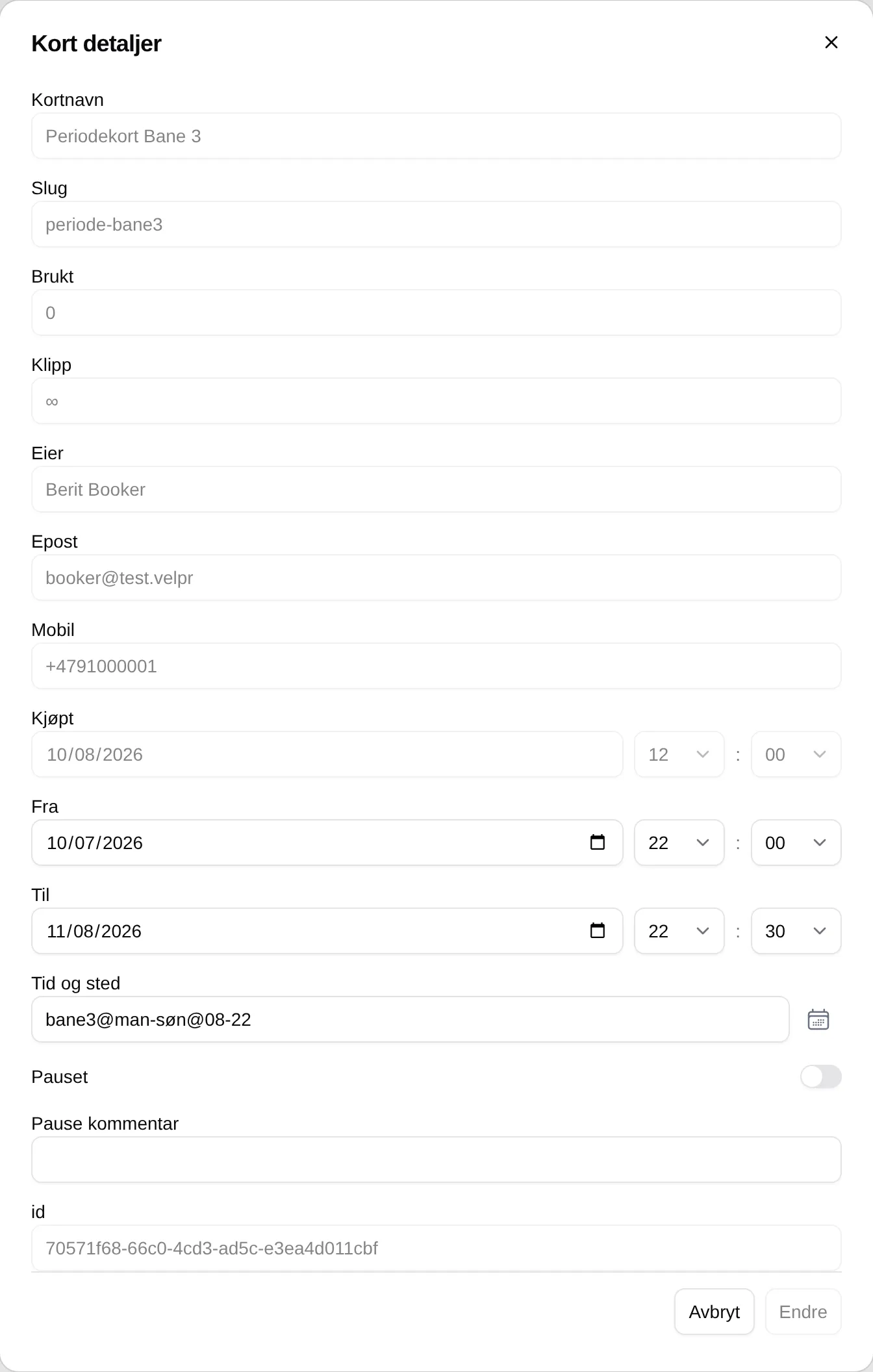
| Field | Works like this |
|---|---|
| Search by name or email | Search by name or email. |
| Vis pauset (Show paused) | Also shows paused cards. |
| Show expired | Also shows cards that are no longer valid. |
| Used / Punches | Punches used, and the number of punches — ∞ for period cards. |
| Owner | The customer who has the card. |
| From / To | When the card is valid. Can be changed. |
| Time and place | The slots this particular card covers. Can be changed for one customer without changing the card definition. |
| Paused | Pauses the card. It covers no slots, and the customer sees it on Min side (My page). |
| Pause comment | The reason, which the customer can see. |
There is no button to refund, delete, give back punches or hand out a card without the customer buying it.
The setup step by step: the admin guide for cards. The customer’s side: the card reference.