
Booking
The slot picker
Section titled “The slot picker”At the top are the date, the arrows and the Day and Month buttons. The facility decides which view you start in.
The month view
Section titled “The month view”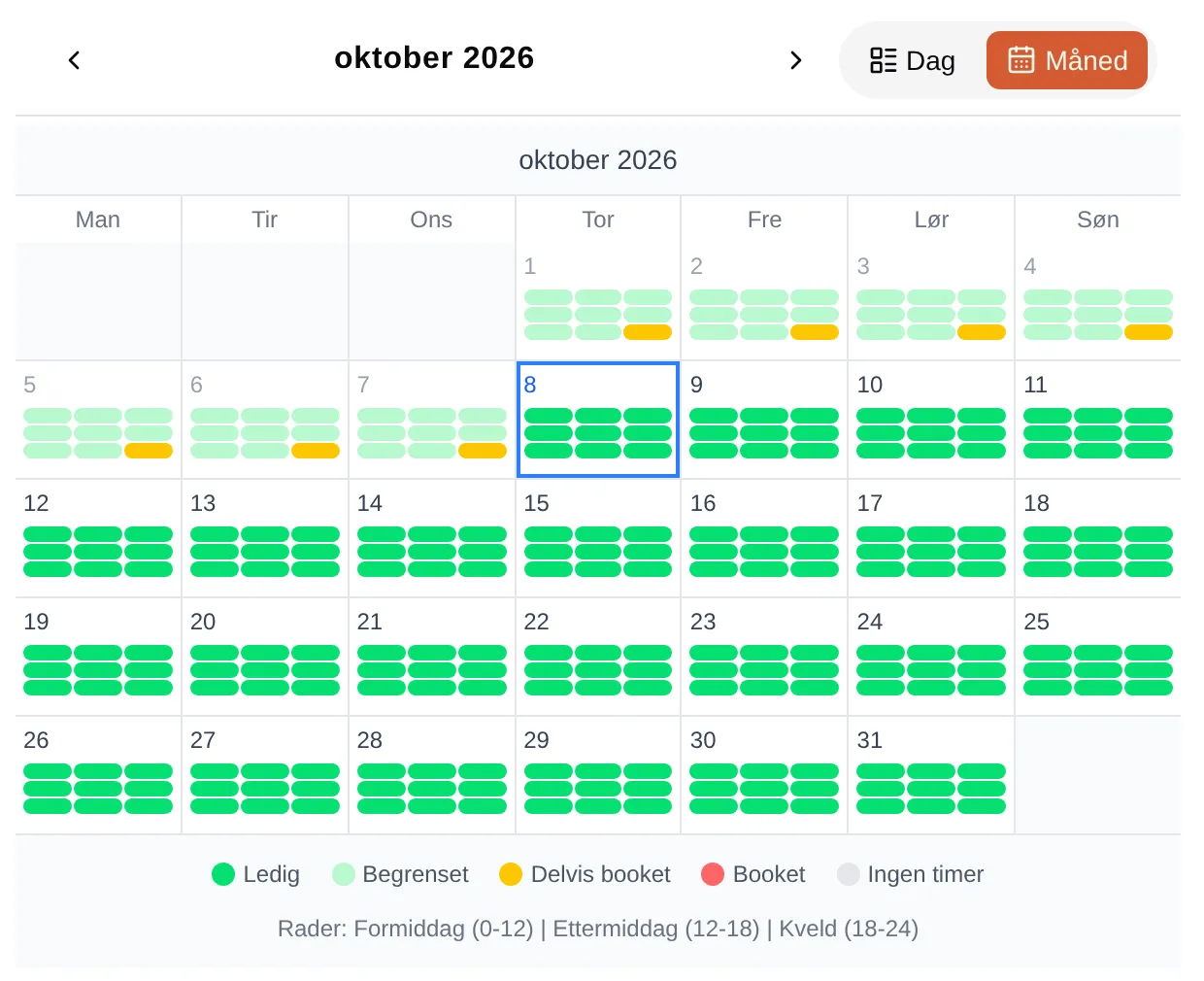
Each day has a square per court (columns) and part of the day (rows): Morning (0-12), Afternoon (12-18) and Evening (18-24).
| Colour | Means |
|---|---|
| Available | There are slots you can book. |
| Restricted | The slots exist, but you can’t book them now — they have passed, are not on sale yet, require a code or membership, or you have used up your quota. |
| Partly booked | Some slots are taken, others are available or restricted. |
| Booked | All the slots are taken. |
| No slots | The facility doesn’t rent anything out here. |
Days that have passed are shown as Restricted.
The slot cards in the day view
Section titled “The slot cards in the day view”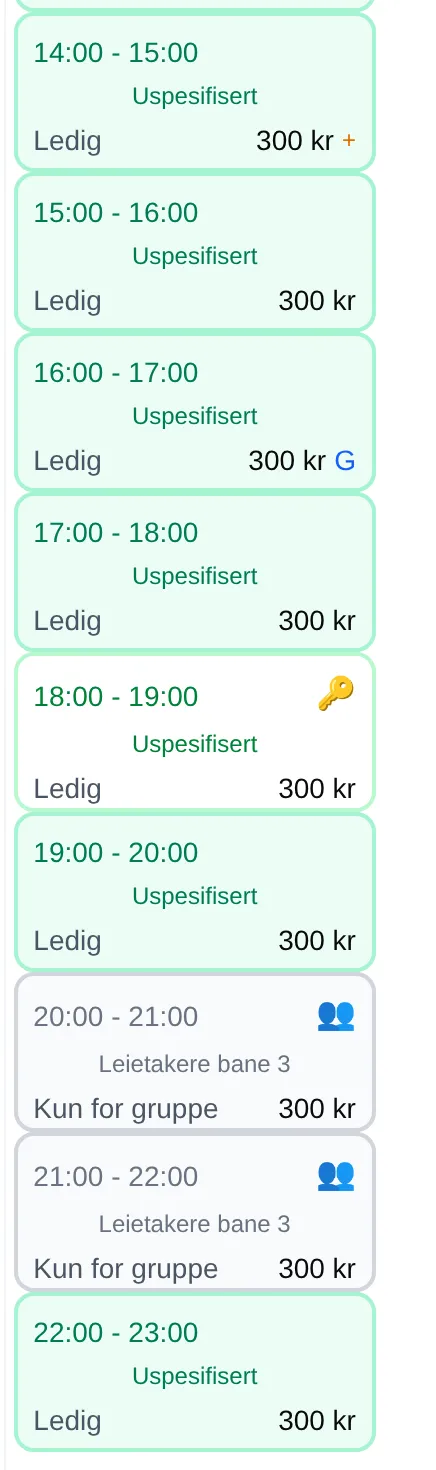
Each card shows the time, activity, status and price.
| Symbol | Status | Means |
|---|---|---|
| Available | You can add the slot to your cart. | |
| 🛒 | In cart | The slot is in your cart, but is not reserved yet. |
| ⏳ | Reserved | Someone is paying for the slot. |
| 🔒 | Booked | The slot is taken. |
| ⭐ | You have a ticket for the slot. Shown together with 🔒 or Available if the slot has several seats. | |
| ⏰ | Closed | The slot is not on sale yet, sales have closed, or the slot has passed. |
| 🔑 | Members only | Requires a club code in the cart. |
| 👥 | Group only | Reserved for a group, for example regular tenants. The info box only shows Unavailable. See Groups. |
| ⚠️ | Quota used up | You have as many slots as the facility allows. See Quota. |
| 📅 | Event | A course or event is using the court. Tap to go to the event. |
| Unavailable | The court is closed for this slot. |
Next to the price there may be a small badge:
| Badge | Name | Means |
|---|---|---|
| % | Discount | You get a discount on the slot, for example through a group. |
| G | Group price | The price depends on how many of you there are. See Group price. |
| + | Several prices | You can choose a student, senior or other price. See Optional prices. |
The info box
Section titled “The info box”Tap a slot to open the info box.
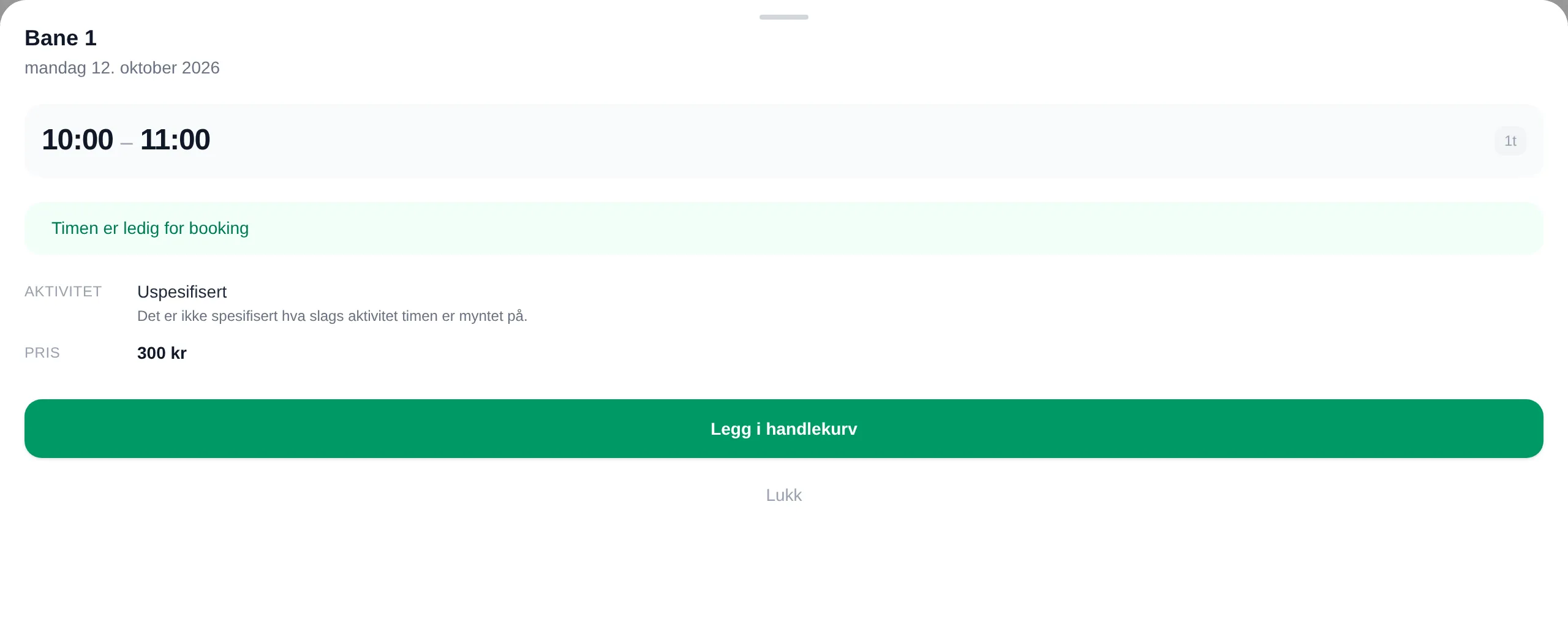
| Part | Contents |
|---|---|
| Heading | Court and date, time and length. |
| Status | A sentence about the slot — see Messages. |
| ACTIVITY | What the slot is set up for, with the facility’s description. |
| PRICE | The price per ticket, with a badge for discount, group price or several prices. |
| SEATS | How many tickets are available, when the slot has more than one seat. |
| QUOTA | How many slots of your quota you have used, when the facility has a quota. |
| TICKET HOLDER | Who has booked, when the facility shows names. |
| ACCESS | The access code, when the slot is yours and the code has been sent. See Access. |
| INFO | Free text from the facility. |
The button at the bottom is Add to cart, Remove from cart when the slot is already there, or Add another ticket when the slot has several seats.
Group price — G
Section titled “Group price — G”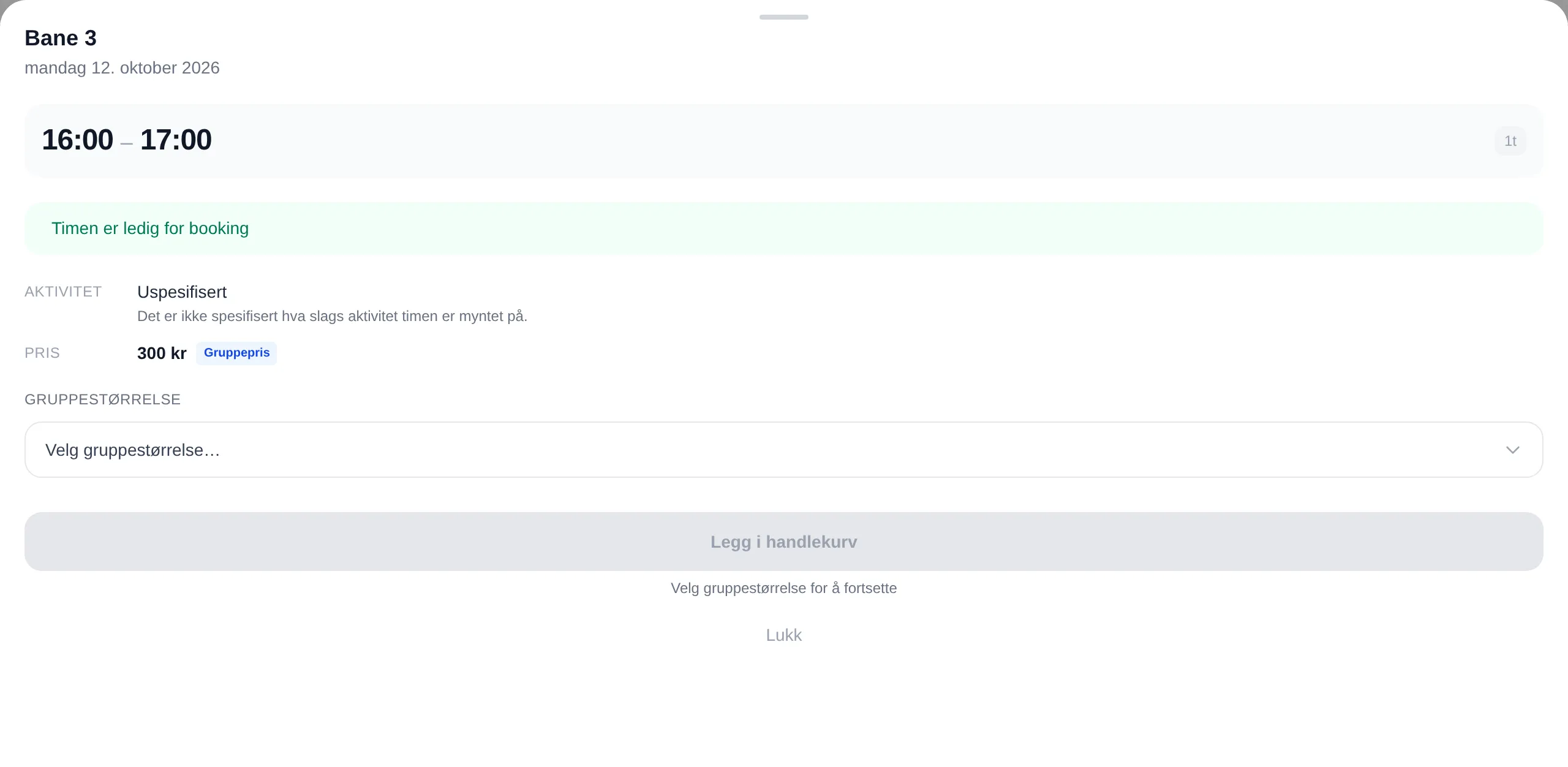
Choose Group size before you add the slot to your cart. The surcharge comes on top of the price for the slot:
| Choice | You pay |
|---|---|
| Fewer than 2 — kr 0,- | 300 |
| Gruppe fra 2 til 3 — + kr 100,- | 300 + 100 = 400 |
| Gruppe på 4 — + kr 200,- | 300 + 200 = 500 |
The figures are from a slot costing 300 kroner. The facility decides the groups and the surcharges. The larger groups are still shown in Norwegian: “Gruppe fra 2 til 3” is a group of 2 to 3, “Gruppe på 4” a group of 4.
Several prices — +
Section titled “Several prices — +”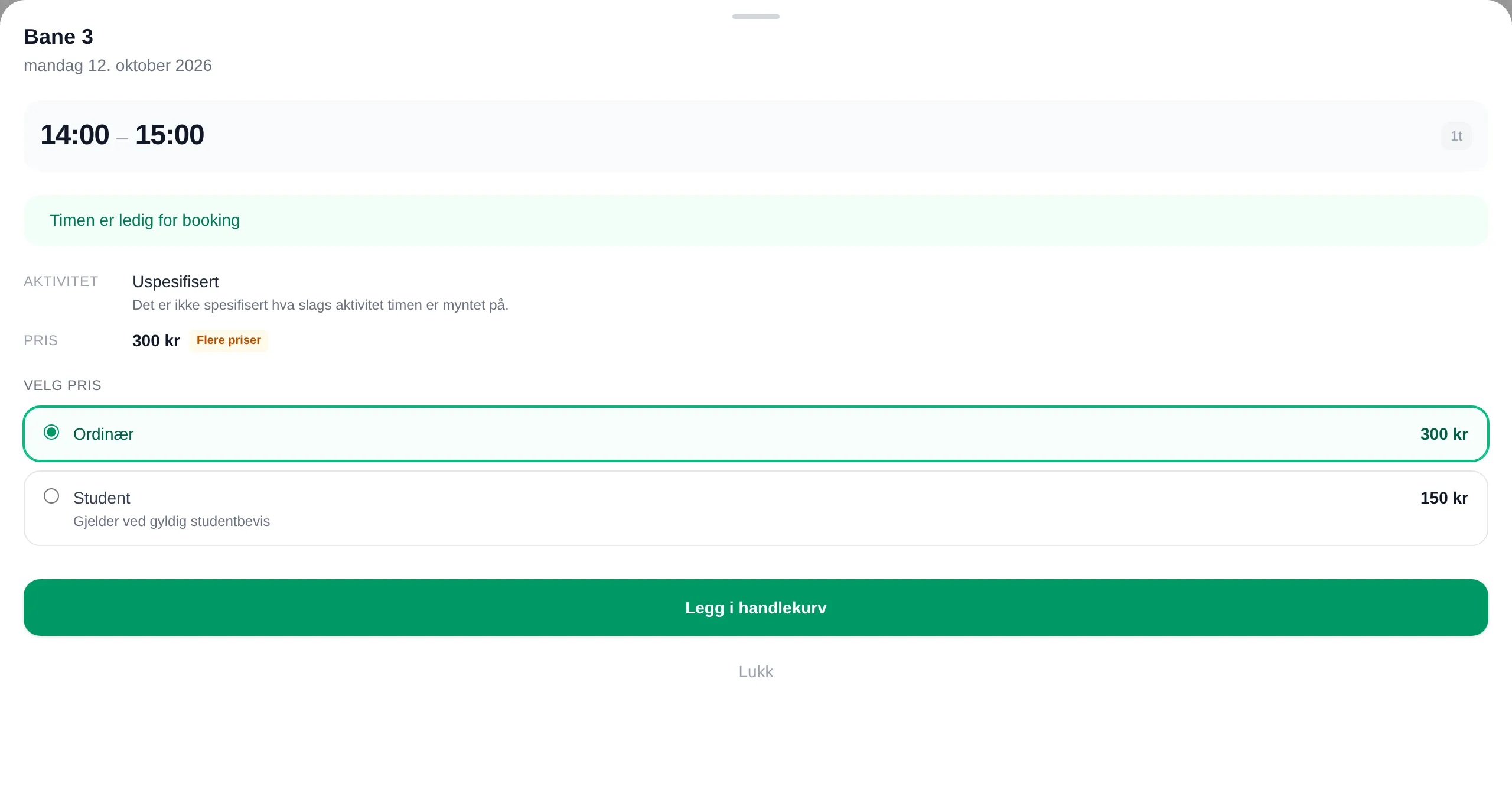
Choose the price you are entitled to under Select price. Ordinary is the regular price. More about this in Choose your own price.
Members only — 🔑
Section titled “Members only — 🔑”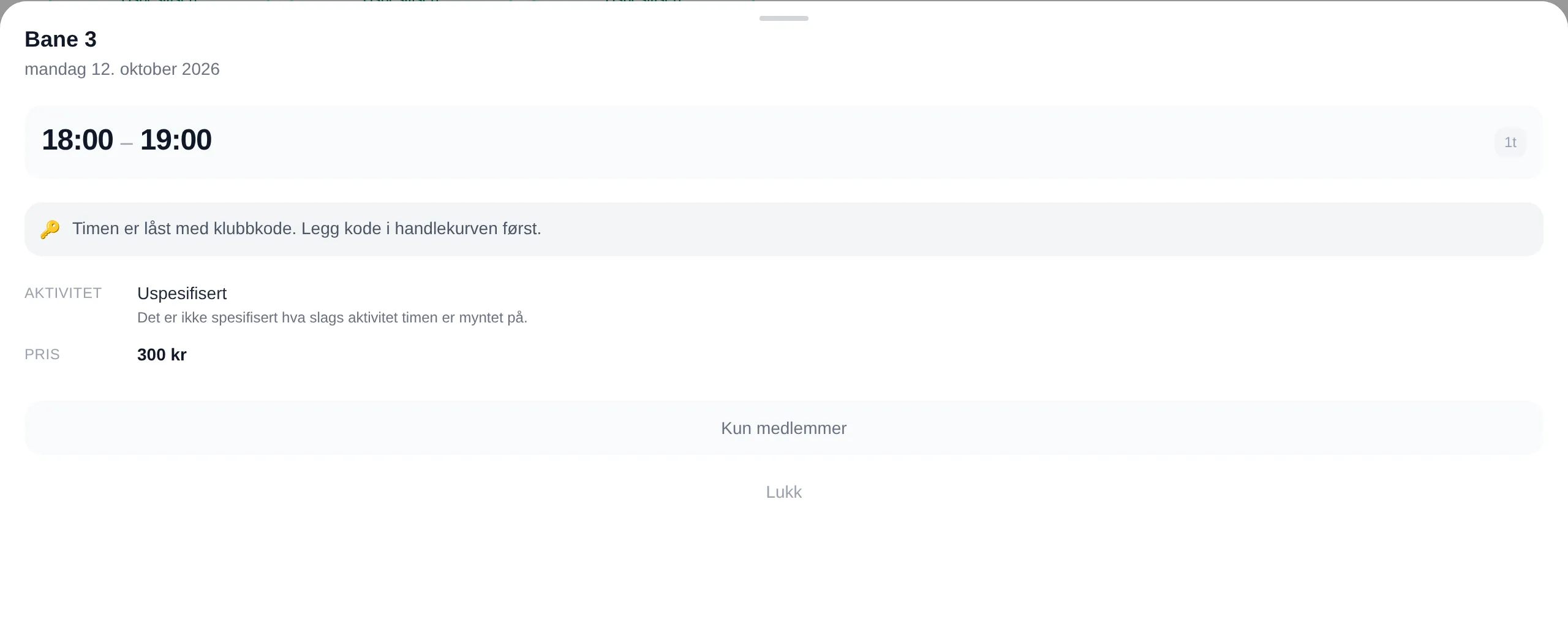
Enter the club code in Add club code in the cart first. Then the slot becomes Available for you. See Club codes.
Your own slot — ⭐
Section titled “Your own slot — ⭐”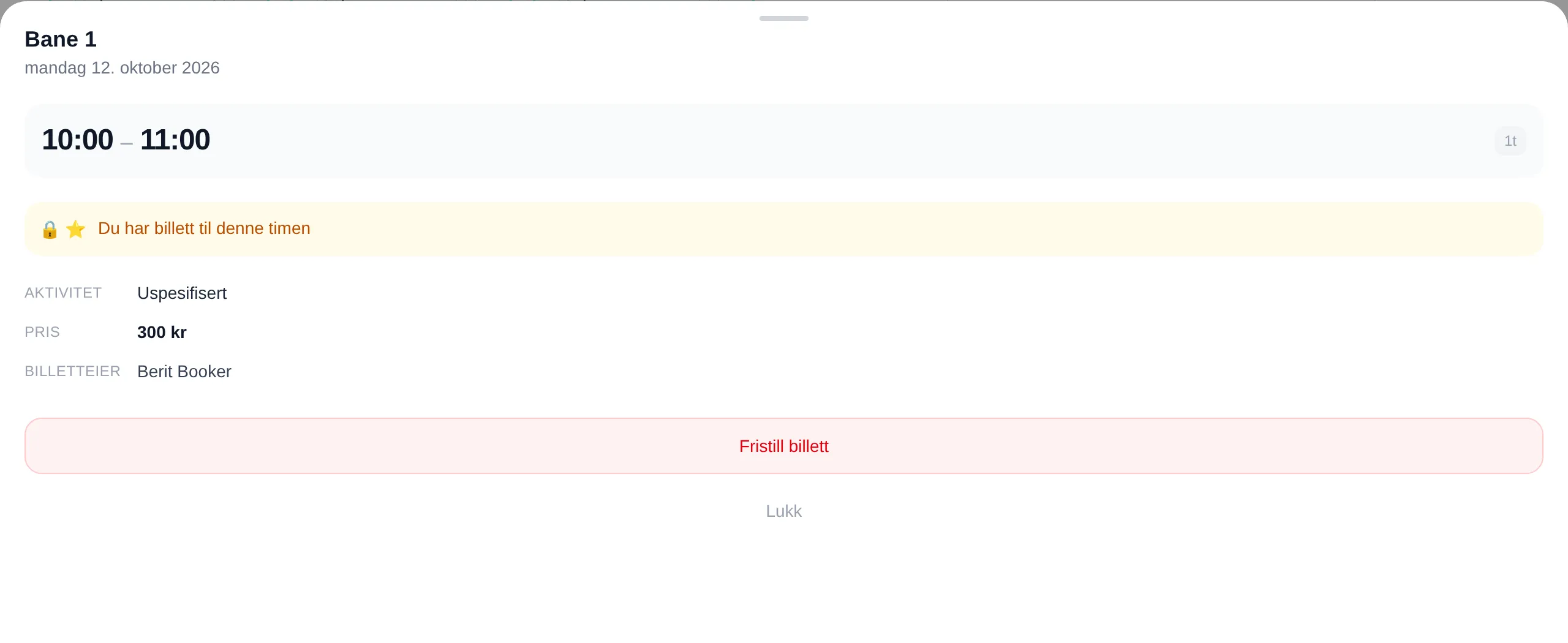
The Release ticket button gives up the slot. It is shown until the slot starts.
Releasing
Section titled “Releasing”| Step | You see |
|---|---|
| 1. Release ticket | A window with status, activity and ticket holder, and the buttons Release and OK. |
| 2. Release | Confirm release: “Tickets are released without compensation unless agreed directly with the facility owner.” |
| 3. Tick and Release | The slot becomes available, and you get a receipt by email. |
If you have several tickets for the same slot, you can tick which ones to give up. If it fails, you see Could not release the tickets. Check your network connection and try again.
Messages
Section titled “Messages”| Message | Means |
|---|---|
| This slot is available for booking | You can add it to your cart. |
| You have a ticket for this slot | The slot is yours. |
| This slot is in your cart, but is not reserved | Others can still book it until you pay. |
| This slot is reserved pending payment | Someone is paying. |
| This slot is fully booked | All the seats are taken. |
| Kan bookes fra 2026-10-20 kl. 08 (can be booked from) | The slot goes on sale then. |
| Booking stengte … (booking closed) | Sales have closed for this slot. |
| This slot has passed and cannot be booked | The slot is in the past. |
| This slot is locked with a club code. Add the code to your cart first. | See Members only. |
| You have reached your quota | See Quota. |
| An event is scheduled for this slot | The court is being used for an event. |
| This slot is not available for booking | The court is closed for this slot. |
| Booking is down for maintenance. Please try again later. | The facility has closed booking for a period. |
| You must sign in to book. | Sign in first. |
Some facilities limit how many slots you can have booked at the same time. The quota counts slots that have not started yet, including those in your cart. When a slot has passed, or you release it, you get the place in your quota back.
The info box shows QUOTA: 2 of 2 used, and the message tells you when you can book again: Du kan booke igjen fra 2026-10-20 kl. 18 (you can book again from).
How to book and release, step by step: Booking. For administrators: the admin reference for booking.