
Invoices
The page is shown when the Invoice module is on under Site → Modules. The invoice settings are on Payment.
How to follow up invoices: the admin guide for invoices. The rules: the admin reference for invoices.
The list
Section titled “The list”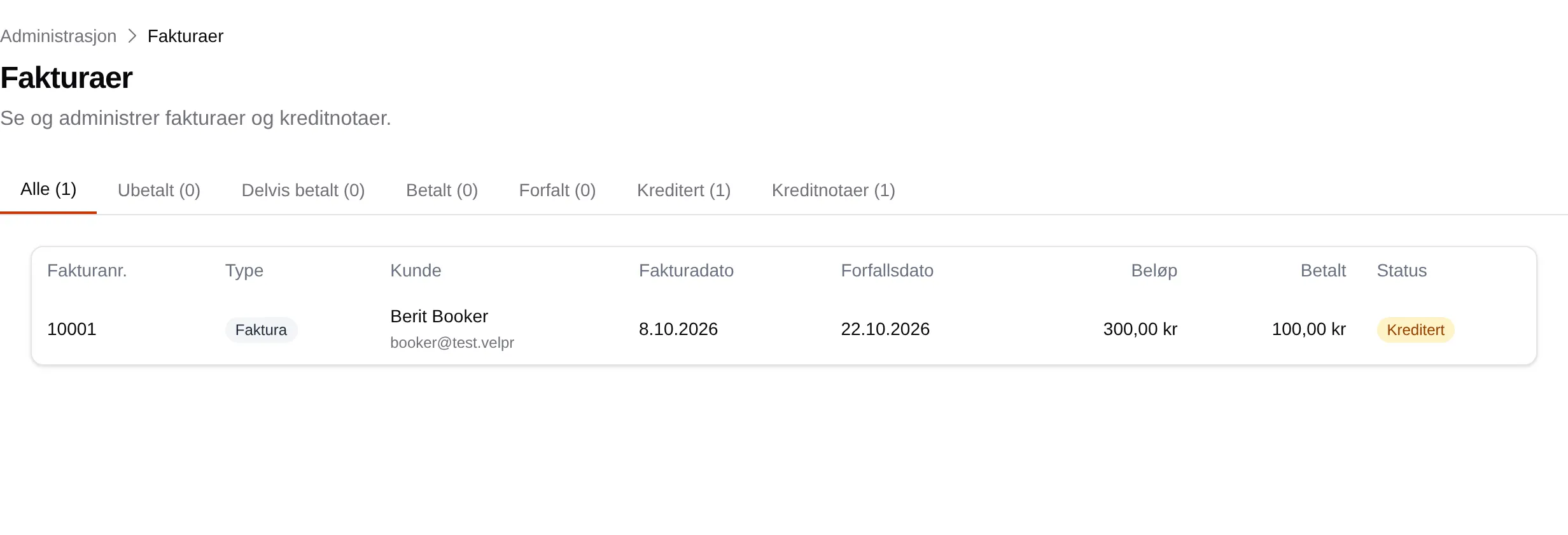
| Part | Explanation |
|---|---|
| The tabs | All, Unpaid, Partly paid, Paid, Overdue, Credited and Credit notes, with counts. |
| Invoice no. | The number. A credit note shows which invoice it credits. |
| Type | Invoice or Credit note. |
| Customer | Name and email. |
| Invoice date | When the invoice was made. |
| Due date | The last day to pay. |
| Amount / Paid | The invoice amount and what has been registered as paid. |
| Status | Status. |
Press a row to open the invoice. The list has no search.
An invoice
Section titled “An invoice”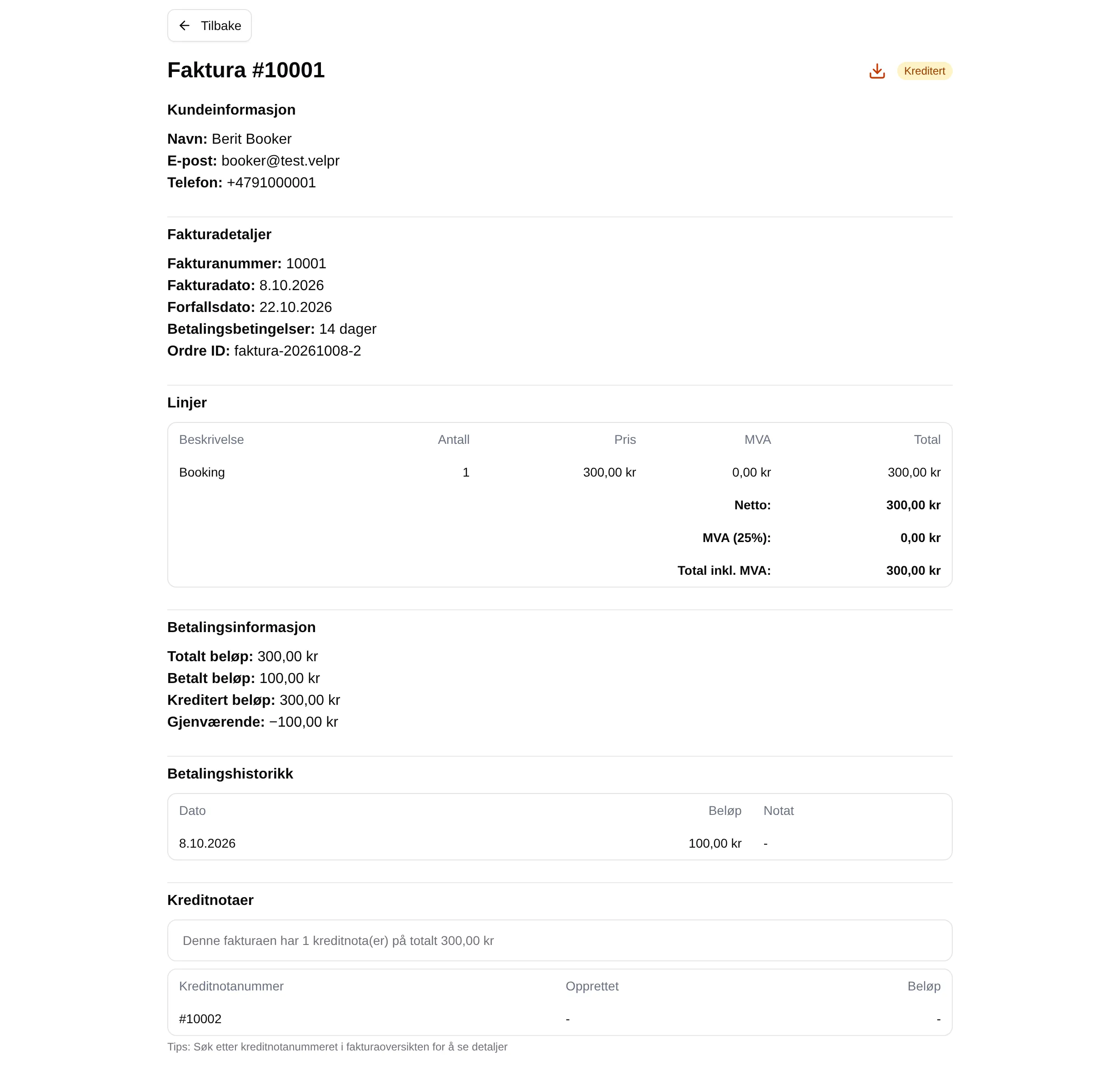
| Part | Explanation |
|---|---|
| Customer information | Name, email and phone. |
| Invoice details | Number, dates, Payment terms and Order ID. |
| Lines | The line on the invoice, with VAT and totals. |
| Payment information | Total, paid, credited and remaining. |
| Payment history | Registered payments. |
| Credit notes | Credit notes on the invoice. |
Actions
Section titled “Actions”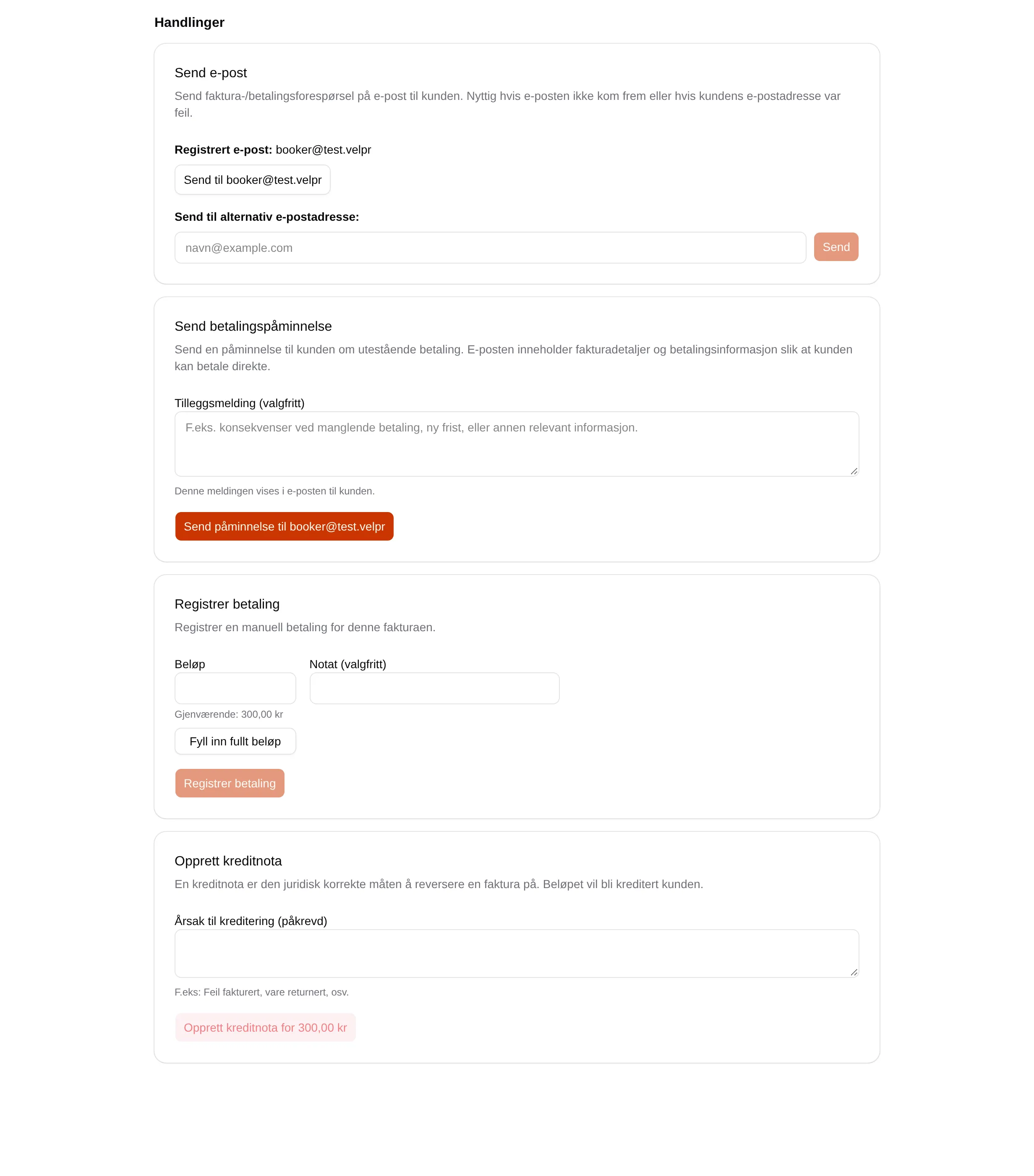
| Action | Fields |
|---|---|
| Send email | Send to …, or Send to an alternative email address: and Send. |
| Send payment reminder | Additional message (optional). |
| Register payment | Amount, Fill in the full amount, Note (optional). |
| Create credit note | Reason for crediting (required). |